
For most people, Brave is the best browser for privacy. It blocks many trackers by default, feels familiar if you’re used to Chrome, and doesn’t make everyday browsing harder than it needs to be.
That’s only one side of the story, though. The best private browser depends on what you care about most. Your ideal pick may vary based on how you rank factors like convenience, minimal telemetry, extension support, or stronger identity protection.
Mullvad Browser has some of the top protections against fingerprinting, while Tor Browser is best for superior anonymity. We compared seven of the best privacy browsers to see where each one shines, where it falls short, and which is the ideal fit for the way you browse.
Best Browsers for Privacy at a Glance
The table below compares each browser as close to its default settings as possible:
| Browser | Best for | Key privacy strengths | Main limitation | Best on |
| Brave | All-around privacy | Strong default tracker, cookie, and fingerprinting protection | Extra features may need disabling | Desktop and Android |
| Mullvad Browser | Fingerprinting resistance | Makes users look more alike with hardened defaults | No mobile app and less flexibility | Desktop |
| Tor Browser | Greater privacy boost | Routes traffic through the Tor network and limits fingerprinting | Slower browsing and more site friction | Desktop |
| Firefox | Customizable privacy | Strong privacy controls, containers, and extension support | Needs setup for stronger privacy | Desktop |
| LibreWolf | Minimal telemetry | Firefox-based browser with hardened defaults and low telemetry | Manual updates and possible site breakage | Desktop |
| DuckDuckGo Browser | Simple private search | Private search, tracker blocking, and easy data clearing | Fewer advanced controls | Mobile |
| Vivaldi | Custom controls | Built-in tracker blocking and detailed privacy settings | Less strong against fingerprinting | Desktop |
Privacy, Security, and Anonymity Aren’t the Same
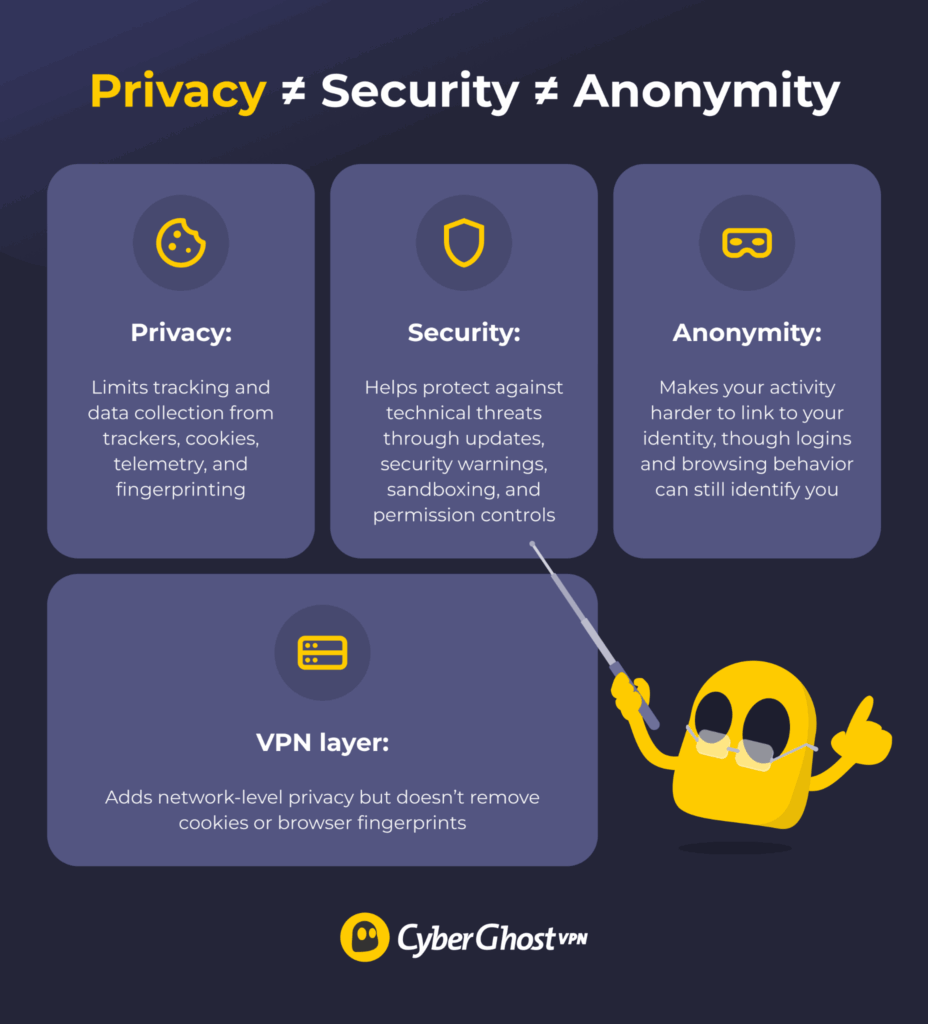
A private browser can limit tracking, but that doesn’t mean it makes you anonymous or protects you from every online threat.
- Privacy: A private browser reduces data collection through trackers, third-party cookies, telemetry, search profiling, and fingerprinting.
- Security: A secure browser uses sandboxing, HTTPS warnings, phishing protection, download checks, and site permissions to reduce the risk of technical threats.
- Anonymity: Anonymous browsing makes your activity harder to connect back to you. Tor Browser goes further than most private browsers by routing traffic through the Tor network and limiting identifying signals, but logging into personal accounts or revealing information about yourself can still compromise your anonymity. Please note full online anonymity is almost impossible to achieve.
A VPN adds a separate layer of privacy by protecting your connection and masking your IP address, but it doesn’t make you anonymous or replace your browser’s privacy protections.
How We Evaluated the Best Private Browsers
We evaluated each browser in its default or near-default setup, focusing on what you get without extra tools or advanced configuration. We considered these main factors:
- Fingerprinting protection: How well the browser limits identifying signals.
- Default telemetry: How much data the browser collects or shares by default.
- Search privacy: Which search engine it uses and how easy it is to switch.
- Extension support: What add-ons are available and how they may affect privacy.
- Update frequency: How quickly the browser delivers security fixes to users.
- Tracker and cookie controls: What the browser blocks by default.
- Usability: How well it balances privacy, speed, and site compatibility.
We also considered independent browser tests where available, but we didn’t treat any single score as the final ranking. A private browser still has to work well in real life.
Best Private Browsers
Each browser has a different strength, so the right choice depends on what you want to protect first.
1. Brave — Best Overall Browser for Privacy
Brave is the strongest all-around pick because it gives you solid privacy protection before you even touch the settings. Brave Shields blocks many ads, trackers, and third-party cookies by default. You can adjust those controls for each site from the address bar, so it’s easy to fix a broken page without weakening protection across the board.
Its fingerprinting protection is one of the main reasons it stands out. Brave uses a mix of blocking, API changes, randomization, and normalization to make browser identifiers harder to use across sites and sessions.1 While it doesn’t make tracking impossible, it makes Brave a stronger choice than browsers that rely mostly on cookie blocking.
It also handles search privacy better than most mainstream browsers. Brave Search doesn’t profile users, and Brave says it doesn’t collect personal search data. You can use Brave Search as the default or switch to another provider if you prefer.
For convenience, Brave keeps the familiar Chromium feel. Most websites work as expected, and you can use many Chrome Web Store extensions. Brave also releases frequent Chromium-based updates, which helps keep the browser current.2
Brave’s main drawback is clutter. It includes crypto features, rewards, and AI tools some users may not want. You can turn many of them off, but Brave still feels busier than leaner options like Mullvad Browser or LibreWolf.
Recommended for: Everyday privacy with strong defaults and fewer setup headaches.
Watch out for: Extra features you may want to disable manually.
2. Mullvad Browser — Best for Fingerprinting Protection
Designed for those who don’t want their browser to stand out, Mullvad Browser was developed with the Tor Project3 and brings many Tor Browser-style privacy protections to regular web browsing. It enables private mode by default, so cookies aren’t saved between sessions. Mullvad also says the browser collects no telemetry.
Its biggest strength is fingerprinting resistance. Websites can identify you through fonts, screen size, device details, browser settings, and other signals. Mullvad Browser tries to make users look more alike, so those signals are harder to turn into a long-term profile. It also uses letterboxing to reduce window-size fingerprinting.
The third-party adblocker uBlock Origin comes pre-installed with Mullvad Browser for tracker and content blocking. Adding too many other extensions can make your browser more unique, so Mullvad Browser works best when you keep it simple and use its built-in features.
It’s available for Windows, macOS, and Linux, but there’s no mobile version. It also doesn’t change the public IP address that websites see on its own, so pair it with a trustworthy VPN to add a network-level privacy layer.
Recommended for: Strong fingerprinting resistance on desktop.
Watch out for: No mobile app, fewer personalization options, and more site friction.
3. Tor Browser — Best for Greater Anonymity
Tor Browser provides greater anonymity than a regular private browser. It sends your browser traffic through the Tor network before it reaches a website. This makes it harder for the destination site to see your real public IP address.4
It also takes fingerprinting seriously. Rather than exposing a unique mix of device details, the Tor Browser tries to make users look more alike. The Tor Project says this includes changes to the user agent, time zone, and timing APIs, as well as browser features like screen resolution, fonts, Canvas, and WebGL. It also warns against maximizing the browser window because your screen size can help identify you.5
Tor Browser uses DuckDuckGo as its default search engine, which fits its privacy-first setup. There are three security levels to choose from: Standard, Safer, and Safest. Stricter settings disable more website features, including JavaScript on some or all sites. That can reduce risk, but it can also break pages, videos, forms, and logins.
As with other privacy-focused browsers, you should avoid adding extra extensions and plug-ins, as they can make your setup more distinctive. The Tor Project recommends using Tor through Tor Browser because other browsers can leak identifying details.
Tor is powerful, but it asks for patience. Pages can load slower, and some websites block Tor traffic or show more CAPTCHAs. Logging in to personal accounts can also connect the session back to you, which weakens the anonymity benefit.
Recommended for: Greater anonymity and sensitive browsing.
Watch out for: Slower speeds, site blocks, and habits that reveal your identity.
4. Firefox — Best for Privacy Customization and Extensions
If you’ve spent years using Firefox, you don’t have to switch browsers to improve your privacy. It’s open source, widely supported, and easier to tune than most mainstream browsers. Mozilla also updates Firefox often, so it stays practical for everyday use.
Its main privacy layer is Enhanced Tracking Protection. By default, Firefox blocks social media trackers, cross-site tracking cookies, cryptominers, known fingerprinters, and some tracking content.6 It also includes Total Cookie Protection, which keeps cookies in separate “jars” so they’re harder to use across different sites.
Firefox also gives you plenty of room to adjust. You can change the default search engine, adjust address bar suggestions, and decide how strict your tracking protection should be. That’s useful if you want more privacy without breaking the sites you use every day.
Extensions are a big reason Firefox still matters. You can add trusted privacy tools, use Multi-Account Containers to separate cookies by tab, and build a setup around your own browsing habits.
Firefox isn’t telemetry-free, and stronger settings can cause site issues. It’s a great choice if you want to tune your setup, but it isn’t hardened from the first launch.
Recommended for: Custom privacy settings and trusted extensions.
Watch out for: Telemetry controls, site breakage, and extension overload.
5. LibreWolf — Best for Minimal Telemetry
LibreWolf is a good fit if you like Firefox and want fewer data-sharing defaults. It’s a Firefox-based browser with a more secure setup from the get-go. The project’s goal is to remove data collection and “annoyances” while improving privacy and security.7
Its biggest strength is minimal telemetry. LibreWolf aims to remove Firefox telemetry and keep background connections low. It also disables sponsored shortcuts and other features that don’t fit its privacy-first approach.
LibreWolf also ships with hardened default settings. Enhanced Tracking Protection is set to strict mode, and it includes uBlock Origin by default. You get tracker and content blocking without having to install an extension first. LibreWolf keeps DuckDuckGo as the default search engine, but you can always change this if you have a different search provider preference.
LibreWolf usually receives updates soon after Firefox, but update behavior depends on how you installed it. It relies on package managers or users to apply updates. Some strict settings can also break sites or make everyday browsing less smooth. LibreWolf still supports Firefox extensions, but remember that each one can create a security risk or make your browser stand out more.
Recommended for: Firefox-style browsing with minimal telemetry.
Watch out for: Update behavior, stricter defaults, and possible site breakage.
6. DuckDuckGo Browser — Best for Simple Private Search
If you want privacy tools without building a custom setup, DuckDuckGo Browser is for you. It keeps the interface simple and includes privacy protection straight out of the box.
The browser includes built-in tracker blocking. DuckDuckGo says it blocks many third-party trackers before they load, along with many tracker-based ads and cookie pop-ups. It also gives you a one-click button to clear tabs, history, and local browsing data.
Its search privacy is the main draw. DuckDuckGo doesn’t profile your searches. It bases search ads on the current search results page rather than a profile built around you.
You also get a few useful extras. The browser includes Email Protection to help block email trackers, as well as link-tracking protection and other web-tracking controls. It’s available on Windows, Mac, Android, iPhone, and iPad.
DuckDuckGo Browser keeps things easy, but it isn’t built around fingerprinting resistance in the same way as Mullvad Browser or Tor Browser. It also doesn’t change the public IP address websites see.
Recommended for: Simple private search and easy tracker blocking.
Watch out for: Limited advanced controls and weaker fingerprinting protection.
7. Vivaldi — Best for Customizable Privacy Controls
Vivaldi is for people who want privacy controls they can easily shape. It gives you built-in tracker and ad blocking with three simple levels: no blocking, block trackers, or block trackers and ads. You can also change those settings for individual sites, which can help if a page isn’t loading properly.
Vivaldi largely relies on open-source Chromium code, but it keeps its interface layer closed-source.8 Customization is the main appeal here. You can change the interface, manage search behavior, choose your default search engine, and use search nicknames for different providers. You get more control than most mainstream browsers without losing the familiar Chromium base.
The browser also supports many Chrome Web Store extensions, which is useful if you already rely on a specific tool. Just be mindful of how many extensions you’re adding.
Its data collection policy needs a careful read. Vivaldi says it doesn’t sell browsing history or search keywords, but it does assign each installation a unique user ID.9 It also sends limited technical data, including version, CPU architecture, screen resolution, and approximate location.
Vivaldi is better for control than fingerprinting resistance. It’s a strong choice if you want privacy settings, encrypted sync, and flexibility. It’s less ideal if you want a hardened browser that looks like everyone else’s.
Recommended for: Custom privacy controls and Chromium extension support.
Watch out for: Fingerprinting limits, telemetry details, and over-customization.
Best Private Browser for Android, iPhone, PC, Mac & Linux
The best private browser changes by device. Desktop gives you more extension support, stricter settings, and better fingerprinting tools. Mobile browsers are easier to use, but they usually offer fewer options to customize privacy.
| Platform | Best Browser | Pros | Cons |
| Android | Brave | Strong default blocking, smooth daily use, and wide mobile availability. | Mobile extension support is more limited. |
| iPhone and iPad | DuckDuckGo Browser | Simple private search, tracker blocking, cookie pop-up controls, and one-tap data clearing. | Can be more restricted than on desktop. |
| Windows and Mac | Brave | Strong defaults, speed, extension support, and normal website compatibility. | Some built-in features may need disabling. |
| Linux | Mullvad Browser | Strong fingerprinting resistance and a cleaner desktop privacy setup. | No mobile version, and some sites may feel laggy. |
Private Browser vs Incognito Mode
A private browser and incognito mode aren’t the same thing. Incognito mode is more of a local cleanup tool that prevents your browser from keeping your browsing history and clears session cookies and other temporary browsing data when you close the private window.
That’s useful on shared devices, but it doesn’t change the public IP address websites see, stop fingerprinting, or block every third-party tracker. It also doesn’t hide activity from websites, schools, employers, or internet service providers.
A private browser goes further. Depending on the browser, it may block trackers, reduce fingerprinting, limit telemetry, or use a more private default search engine. It gives you more protection than a private window, but signing in to your accounts can still link your activity back to you.
How a VPN Complements a Private Browser
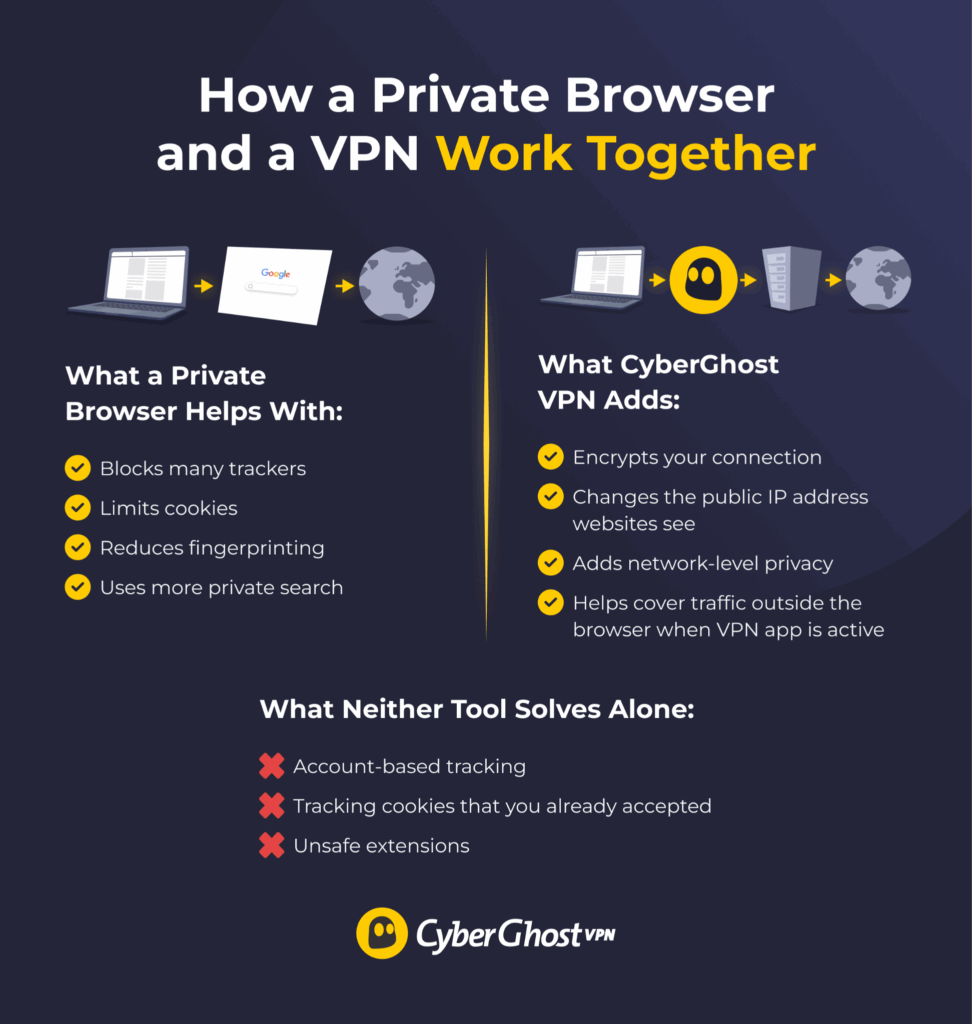
A private browser mainly handles what happens inside the browser. It can block trackers, limit cookies, reduce fingerprinting signals, and use a more private default search engine. A VPN works at the network level. It encrypts your connection between your device and the VPN server. It also changes the public IP address that websites normally see.
The two tools are useful together. The browser helps reduce website-level tracking, and the VPN adds a separate layer of protection for your connection. When the full VPN app is active, that protection also extends to your traffic from other apps on your device.
A VPN doesn’t automatically solve everything. It won’t remove tracking cookies, erase browser fingerprints, or stop websites from recognizing you after you sign in. It also won’t fix unsafe extensions or weak browser settings.
For a stronger everyday setup, use a private browser and VPN together. Choose a private browser that gives you the balance of tracker blocking, fingerprinting protection, and usability you need, then add CyberGhost VPN to protect your connection and mask your public IP address.
Browse Your Favorite Sites With a Little Less Digital Baggage
The best private browser is the one that gives you the protection you want without making you fight it. Brave strikes that balance for most people, but there’s good reason to choose something else if you care more about fingerprinting resistance, anonymity, customization, or minimal telemetry.
Whichever browser you choose, its built-in protections are only part of the picture. Keep it updated, be selective with extensions, think twice before signing into accounts when you want more privacy, and pay attention to the permissions you give websites.
CyberGhost VPN adds another layer of privacy by encrypting your internet connection and masking your public IP address. It uses best-on-the-market ciphers, protocols, and security features to extend your private browsing setup beyond tracker blocking, cookie controls, or fingerprinting protection.
CyberGhost VPN also follows a strict No-Logs policy, so it doesn’t track or store your browsing activity. With servers in locations around the world and apps for all major platforms, it pairs with whichever private browser works best for you. You can try it risk-free with its 45-day money-back guarantee (14 days on monthly plans).
FAQ
Is any browser 100% private?
No. Even the best private browser can’t block every tracker, fingerprint, network signal, or account-based identifier. A private browser can reduce exposure, but your settings, extensions, logins, and browsing habits still matter.
Is Brave or Firefox better for privacy?
Brave offers stronger privacy protections out of the box with less setup. Firefox gives you more room to customize your privacy. It’s the stronger pick if you want more control over settings, containers, extensions, and search behavior.
Can privacy extensions make a browser easier to fingerprint?
Yes, any extension can change how your browser appears and behaves online. A unique mix of add-ons may make your setup easier to recognize. While many of the browsers we evaluated support third-party extensions, stick to reputable ones you actually need rather than stacking privacy tools unnecessarily.
Which browser is the best for more private browsing?
Tor Browser is the strongest choice on our list when anonymity is the priority. It routes your traffic through the Tor network and includes protections designed to make users harder to distinguish from one another. That comes with trade-offs, including slower speeds, more CAPTCHAs, and occasional site compatibility problems.
What is the best browser to use with a VPN?
Brave is our best general pick to use with a VPN because it combines strong tracker and fingerprinting protections with everyday usability. Pairing it with CyberGhost VPN adds network-level privacy by encrypting your connection and masking your public IP address across your device. The two complement each other: your browser reduces website-level tracking, while CyberGhost VPN protects your connection beyond the browser.
References:
- Fingerprinting Protections — Brave GitHub Wiki
- Brave Release Notes — Brave
- We’ve Teamed Up With Mullvad VPN to Launch the Mullvad Browser — The Tor Project
- What is Tor Browser and how does it work? — Tor Project Support
- Fingerprinting Protections — Tor Project Support
- Enhanced Tracking Protection in Firefox for Desktop — Mozilla Support
- LibreWolf — LibreWolf
- Why Isn’t Vivaldi Browser Open-Source? — Vivaldi Browser
- Vivaldi Browser Privacy Policy — Vivaldi Browser

Leave a comment
Kiesha
Posted on 15/02/2023 at 03:17
Internet surfing privacy is hardly the only critical issue nowadays. Censorship is every bit as critical, probably moreso. As a health care professional long interested in holistic medicine, I’ve observed an alarming scrubbing of information, especially the past few years. The same traditional medicine sites come up no matter what the topic, and most credible holistic sources don’t come up at all anymore. It won’t be long until all independent sources of holistic medicine are no longer available. This is just one example of internet censorship. I haven’t checked your entire website, but I would wish to see search engines covered. Not sure there are any that don’t engage in censorship. It won’t be long until our reality mirrors what we’ve seen in science fiction movies. It’s not fiction anymore.
Ghostie
Posted on 15/02/2023 at 11:45
Thank you for your comment, Kiesha.
Google’s search engine is certainly not perfect, and health-related content is one area where this shows up.
Another thing to keep in mind is that certain countries actively engage in censorship of both online and offline content. If you happen to be in one of those areas and you’re not using a VPN to access the web, you’d most definitely see different results.
You can always give other search engines a try. DuckDuckGo is a solid example, and our article on the most private search engines has several others that might be better for your needs.
Stay safe!
reyhan
Posted on 01/02/2023 at 12:38
thanks alot of information goodjobs
Eva
Posted on 24/10/2022 at 03:07
Thanks for the article. I am totally sure that the Messenger from Utopia p2p is the most private messenger. Registration without personal data + user physical location cannot be revealed.
Ghostie
Posted on 27/10/2022 at 14:20
Hi, Eva
Thank you for the tip. No personal data and no physical location sounds great, especially for online privacy. We’ll check it out.
Stay safe!
Dennis
Posted on 12/03/2022 at 06:23
Another option for you to research & consider. I use FF 97.0.2 & ungoogled-chromium (64 bit) 99.0. I have many blocking extensions & tight security. I use Windscribe VPN which is open source non-logging & unlimited use. Has same privacy protections offered by extension in many browsers. Setup easily & very easy to use.
Adina Ailoaiei
Posted on 14/03/2022 at 14:51
Thank you for your suggestions, Dennis.
Allen
Posted on 06/02/2022 at 04:40
So Firefox still makes the list for Privacy while their CEO calls for censorship? That’s extremely naïve and dangerous.
Just how can Firefox, that will limit or deny your ability to research on your own, not be tracking your activity and adding that information into a less and less ambiguous profile of you when their goal is “amplify factual voices [they agree with] over disinformation [they don’t agree with]”? Does that sound like an ethical company that values your privacy?
He has clearly shown his political and social bias by his own words, so knowing that, I’m supposed to trust a company headed up by such a reprehensible individual that would call for censorship and is politically affiliated to one ideology to NOT violate their own Privacy Policy or EULA?
Firefox may have skipped the capitalism/monopoly association but goes straight for a totalitarian society where their CEO helps his political interests decide based on his bias’s what you can see or can find a place to say. Privacy is only guaranteed by freedom of speech.
Privacy doesn’t exist in that dystopian future as one cannot exist without the other.
Dana Vioreanu
Posted on 07/02/2022 at 10:00
Hi Allen!
Thanks for stopping by. We understand your point of view. We don’t only agree, but we support freedom of speech, which indeed has much to do with respecting privacy principles. However, our analysis on private browsers didn’t rely on the political view of companies’ CEO’s; that’s not our business. We solely wanted to provide a comparison in terms of features and functions, and overall service and product.
You may not agree or consider Firefox as a private browser and that’s perfectly fine. Everyone has a different perspective in terms of privacy. Firefox may not be a top private browser, but doesn’t fall in the other extreme of constant monitoring either. That’s why we included it. The order is purely random and doesn’t reflect our preferences.
Hope this clarifies.
Rob
Posted on 09/12/2021 at 23:32
Brave Cons are not valid….
1) Extensions (etc): Brave can use the Google Chrome Extensions… that fact destroys the contention that Brave is weak in this area.
2) Ads: Ads are turned off by default. The user has to turn them on.
Brave bests all other browsers on the EFF’s Cover Your Tracks test…. that is something every user can test and easily check for themselves. In fact, the OTHER BROWSERS ALL FAIL the FINGERPRINTING…. ONLY BRAVE PASSES FINGERPRINTING TEST!
The real test of a browser’s privacy at this point is how it does on EFF’s Cover Your Tracks. For my own browsers I test his with every new version. Brave is the ONLY browser that gives you good fingerprinting protection. ALL the others FAIL FINGERPRINTING protection. Using the EFF’s Cover Your Tracks test, which I recommend to every one.
Dana Vioreanu
Posted on 10/12/2021 at 10:11
Hi Rob!
Thanks for adding this suggestion. Our goal was simply to offer our readers more options and examples of browsers that cover more privacy features than the most common used ones. The order is pure random, we didn’t place them based on which is more private than the other and tried to add pros and cons based on the same principles, lack of or extra privacy features. As with anything, it’s debatable.
Nevertheless, we appreciate your comment and we expect you share more tips, maybe on other topics. 🙂
PHILIPSADLY
Posted on 28/11/2021 at 12:36
“A VERY GOOD THAT THERE ARE YET A COMPUTER EXPERT WORKING ON THESE KIND AND WITH PRINCIPLE( IF YOU ARE REALLY TRUE) FOR THERE ARE SO MANY BEIN PIP NOT KNOWING BY CELLPHONE USERS,COMPUTERS TECH USERS, LEST A CRIMINAL REALLY TO TRACK DOWN FOR THE WHOLE WORLD’S SECURITY.”
THE WHOLE WORLD MAY TO THANK YOU,KEEP’ËTH UP JOE!!!,
gewappnet
Posted on 08/10/2021 at 17:36
You should have included Private Relay that came with iOS/iPadOS 15 in the Safari section. This enhances the privacy very much but is of course a competition to your VPN service.
Dana Vioreanu
Posted on 11/10/2021 at 11:55
Hi there!
Interesting suggestion, well noted! There are still other private browsers; we haven’t included all of them, and that wasn’t our intent. Still, Private Relay is kind of new, but we don’t consider it a competition to our VPN service, or any other VPN for that matter. It works similar to a VPN, but not quite. Yet, Private Relay is an interesting and helpful feature. We’ll be looking more into it and maybe soon cover a post about it.
Thanks for reading us and hope you’ll continue to follow Privacy Hub! Stay safe & secure!