
Email Hoax
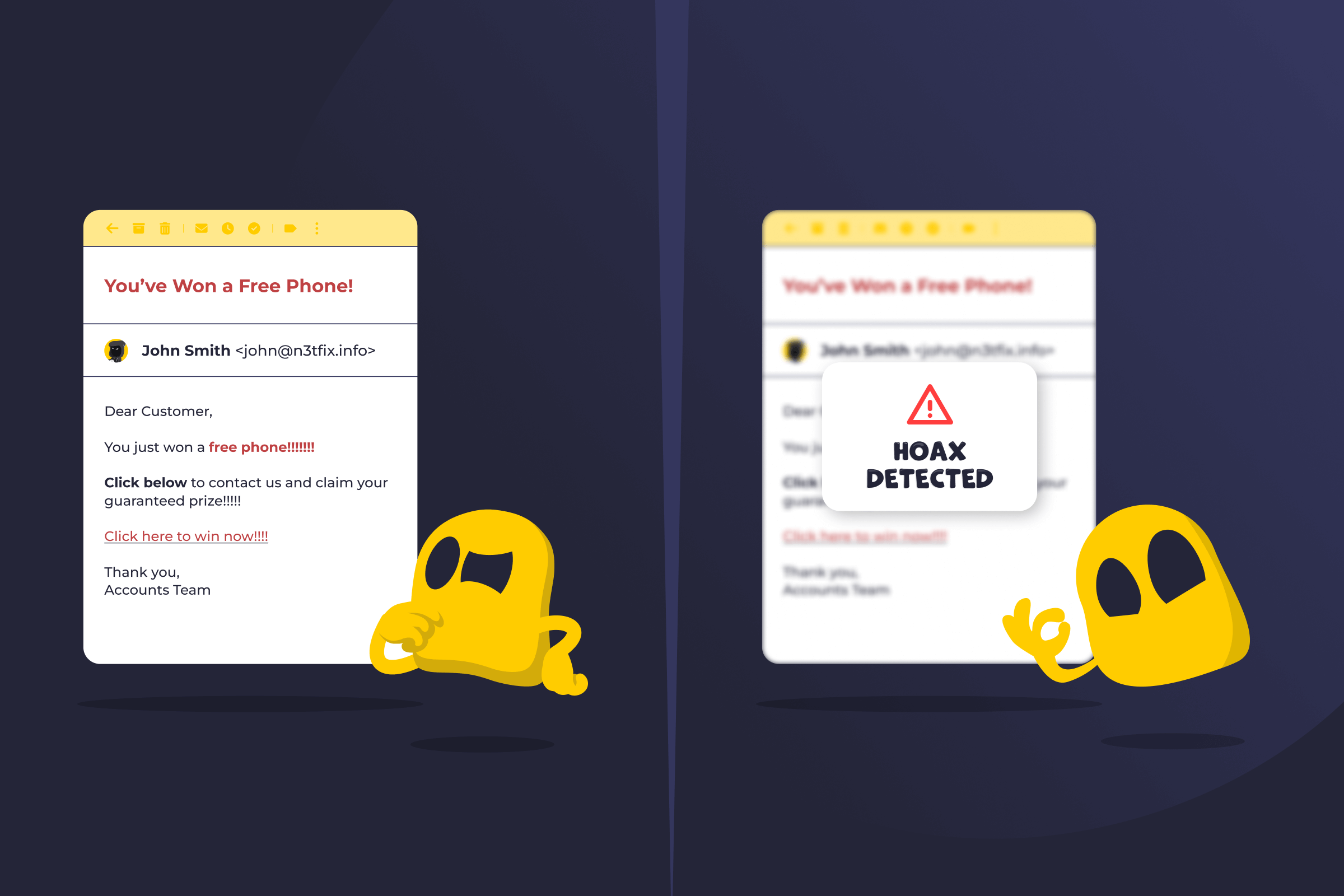
Email Hoax Definition
An email hoax is a false or misleading message sent through email to make people believe something untrue or act without verifying it. Its goal is usually to spread misinformation, provoke emotional reactions, or push recipients into risky behavior. Some hoaxes are harmless, while others can lead to scams, malware infections, and data loss.
How Email Hoaxes Work
Email hoaxes copy the look and tone of trusted sources, like popular brands, government agencies, charities, or personal contacts. They often rely on emotional triggers such as fear, urgency, sympathy, or curiosity to get quick reactions. This makes the recipient more likely to click on attached links or share the message without verifying the source. Once forwarded, the hoax appears more trustworthy to new recipients because it comes from a familiar person, allowing misinformation to spread with little effort from the original sender.
Common Signs of an Email Hoax
- Unusual or urgent subject lines: Hoaxes often try to grab attention with alarming or emotional phrases like “Act Now” or “Urgent Warning.”
- Pressure to share: Messages often ask the recipients to forward the email to others.
- Lack of credible sources: Hoax emails usually make big claims without links to official websites of verified reports.
- Poor grammar or strange formatting: Misspelled words, random capitalization, or unprofessional layouts are common signs that an email is fake.
- Suspicious links or attachments: Some hoaxes include links that lead to fake websites or downloads that can infect a device.
- Unknown or look-alike sender addresses: Slight changes to email addresses can mimic real companies or contacts.
Email Hoax vs Phishing Emails
An email hoax mainly spreads false information or chain messages. It usually aims to mislead or go viral. A phishing email is a scam designed to steal personal or financial information. It often pretends to be sent from a trusted company and asks for login or payment details. Some hoaxes overlap with phishing when they include fraudulent links or attachments.
Read More
FAQ
If you receive an email hoax, don’t reply, click links, or open attachments, and delete the message immediately. If it came from a friend, let them know it’s fake so they can stop sharing it. Report the email as spam or phishing to help filter similar messages in the future.
Yes, some email hoaxes can harm your computer or data. While many only spread false information, some may contain malicious links or attachments. Clicking on them can install malware, steal personal information, or grant attackers access to your system. Always avoid opening suspicious emails or downloading unknown files.
To verify an email’s claim, check if it appears on official websites or credible news sources. Search key details online to see if fact-checking sites like Snopes or Reuters Fact Check have addressed it. Avoid trusting screenshots or forwards. If you can’t confirm it from reliable sources, treat it as false.
 45-Day Money-Back Guarantee