
If you’ve moved to another country, you may need to change your Valorant region to keep playing with friends or connect to servers closer to your new location. Unlike many online games, Valorant doesn’t let you switch regions from an in-game menu. Instead, Riot Games assigns your account a regional shard based on your Region of Residence.
In this guide, we’ll explain how Valorant‘s regional system works, how Riot determines your account’s geographic area, and the two ways you can start playing in a different Valorant region.
How Valorant Determines Your Region
When you play Valorant, you connect to one of the game servers in Riot’s network. Riot sorts these servers into regional groups called “shards.” Valorant uses these shards to determine your player base. The game offers a set list of shards:
- NA shard: US West (Oregon), US West (California), US East (N. Virginia), US Central (Texas), US Central (Illinois), US Central (Georgia)
- LATAM shard: Santiago, Mexico City, Miami
- BR shard: São Paulo
- EU shard: Frankfurt, Paris, Stockholm, Istanbul, London, Warsaw, Madrid, Bahrain
- KR shard: Seoul
- AP shard: Hong Kong, Tokyo, Singapore, Sydney, Mumbai, Manila
The location where you created your account (called your “Region of Residence,” or RoR) determines which shard you can access. You can’t switch shards using in-game settings, but you can switch between servers in a single shard to potentially improve your ping.
How to Change Your Valorant Region
Method 1: Change Your Region of Residence
If you’ve permanently moved to another country, you can ask Riot to change your Region of Residence (RoR). Once approved, Riot assigns your account to your new region’s shard, allowing you to queue with players there. The process can happen automatically, but if it doesn’t work, you can submit a help ticket that includes your username, Riot ID, tagline, email address, current RoR, and target RoR.
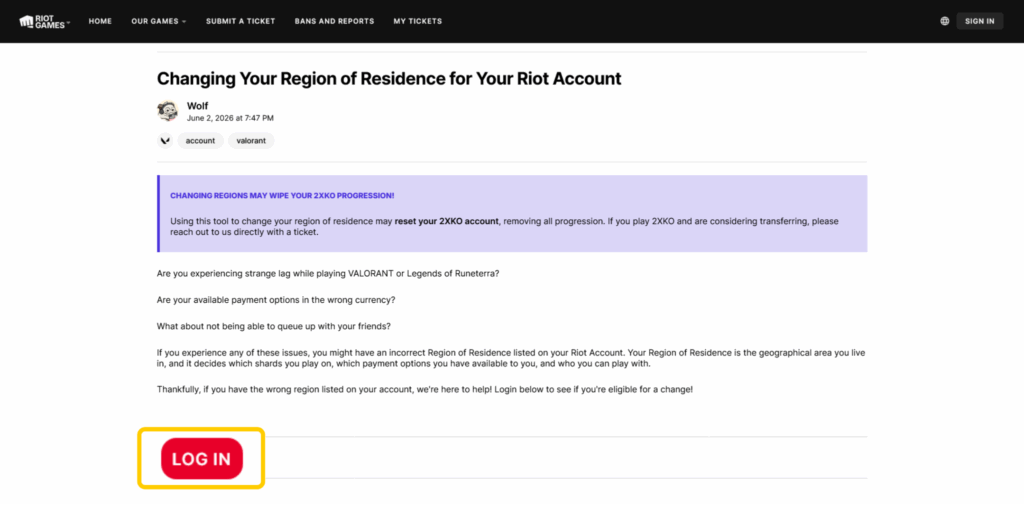
Most of the data associated with your account will carry over, such as your account level, skin collection, and unlocked Agent roster. Depending on the direction of your transfer, you might lose some progress, like your current ranked season data or match history.
However, keep in mind Riot maintains several restrictions when it comes to transferring your account between regions:
- When you transfer your account to another RoR, you can’t transfer it again for 90 days.
- You can’t change your RoR to China or South Korea. You have to create a new account in that region instead.
- You can’t change your RoR from South Korea to Japan.
- You have to be a permanent resident in Vietnam to change your RoR to Vietnam.
Method 2: Creating a New Account
Another way to change your region in Valorant is to create a new account. This links your account to a new shard in your current location. All you need to do is visit the Riot Games website and set up a new account using an email that’s not tied to your previous account.
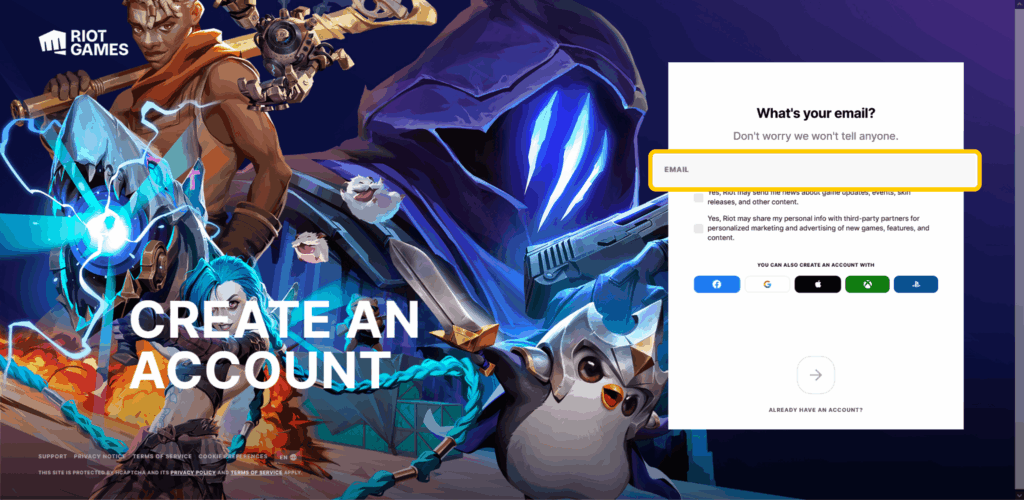
Keep in mind that you’ll be starting a brand-new account, so you won’t get to keep any of your unlocked Agents, skins, or ranked season progress. Luckily, you can keep your old account and access it whenever you feel like playing in your old shard.
Why You Should Use a Gaming VPN for Valorant
A VPN for Valorant might be a worthy addition to your inventory regardless of which shard you play in. There are three main reasons for this:
Add a Layer of Protection to Your Online Traffic
A VPN adds a layer of protection to your connection. When you connect to a VPN server, your device gets a new IP address not associated with your current location. This makes it more difficult for salty players to launch malicious attacks like DDoS attacks against your IP to kick you offline.
Potentially Improve Your Gameplay
If your ISP isn’t using the most optimal route to Riot’s servers, your ping might spike, causing sudden gunplay stuttering. When you connect to a VPN, your traffic travels through a VPN server before it reaches Valorant’s servers. This route might be more direct, helping to reduce latency and give you a more stable connection throughout your matches.
Help Limit Traffic-Based Throttling
Sometimes, ISPs slow down gaming traffic specifically to preserve resources during busy hours. A VPN encrypts your traffic, which scrambles your data and makes it more difficult for third parties to pinpoint your online activity. As a result, activity-based throttling is less likely to affect your in-game performance.
Choosing a VPN for Valorant
CyberGhost VPN has servers in many locations where Valorant’s servers are also located, and it maintains specialized gaming servers in 4 countries: France, Germany, the UK, and the US. They’re optimized for reliable connections and stable lag, so you won’t have rubberbanding ruin your ult timing.
Switching Valorant Regions: Which Method Is Better?
If you’re moving permanently, transferring your Riot account is the best long-term solution. If you only want to play with overseas friends occasionally, creating a second account is usually quicker and avoids the 90-day transfer cooldown.
Regardless of the method you choose, a gaming VPN can help you maintain a more stable connection to Valorant’s servers — and CyberGhost VPN is an excellent pick. You can connect to its specialized gaming servers with DDoS protection, making it harder for trolls to kick you from the game. Try out CyberGhost VPN risk-free thanks to a 45-day money-back guarantee (14 days for monthly plans).
FAQ
Should I use a VPN while playing Valorant?
Yes, using a VPN is generally a good idea while playing Valorant. A quality gaming VPN encrypts your connection, hides your IP address to help protect against DDoS attacks, and can improve connection stability if your ISP takes an inefficient route to Riot’s servers.
That said, a VPN won’t improve your ping in every situation and it can’t change your Valorant shard or let you bypass Riot’s regional restrictions. For the best results, connect to a VPN server close to the Valorant server you’re playing on.
Will I get banned for using a VPN with Valorant?
Riot doesn’t prohibit using VPNs, and many players use VPNs to help stabilize lag or protect against DDoS attacks. However, you should still follow Riot’s Terms of Service. Using a VPN to try and circumvent bans or exploit regional store prices is a quick way to get banned.
Can I change back to my previous shard after transferring my account?
If you’ve transferred your account to a new Region of Residence, you can’t transfer it again for 90 days. Also, if you transferred your account from South Korea, you won’t be able to transfer it back. Instead, you’ll have to make a new account in that region.
Can I play Valorant in a different region while traveling?
Regardless of where you are, you can still play Valorant on your account’s assigned shard. This might result in higher ping, but choosing the server in your shard closest to your current location can help. We don’t recommend transferring regions for a quick trip because you have to wait another 90 days to transfer your account back to the original region.

Leave a comment
Fourlam
Posted on 07/04/2023 at 06:04
Riot blocked a lot of cyberghost VPN… Either For Valorant or League. Tried with a lot of different servers. Still get the same error. Tried launching the riot client first after doesn’t change anything. The servers are blocked too directly on their website so impossible to create an EU account for example connected to cyberghost. Would be nice to look into it and be possible to
Ghostie
Posted on 13/04/2023 at 17:00
Hi, Fourlam. Sorry to hear you’ve encountered difficulties. Please reach out to our 24/7 Customer Support team for them to check the IP addresses you mentioned. Thank you!