
Every time you type a website name into a browser, the internet quietly performs a quick search to find the site’s real address. This process is handled by the Domain Name System (DNS). It’s the internet’s built-in directory that matches human-friendly names to numerical IP addresses.
Behind the scenes, several types of DNS servers work together to make that happen. Each plays a specific role, from storing past lookups to finding brand-new ones, ensuring sites load in seconds rather than minutes. Understanding how DNS servers interact helps explain how data travels securely and efficiently across the web.
The Main Types of DNS Servers
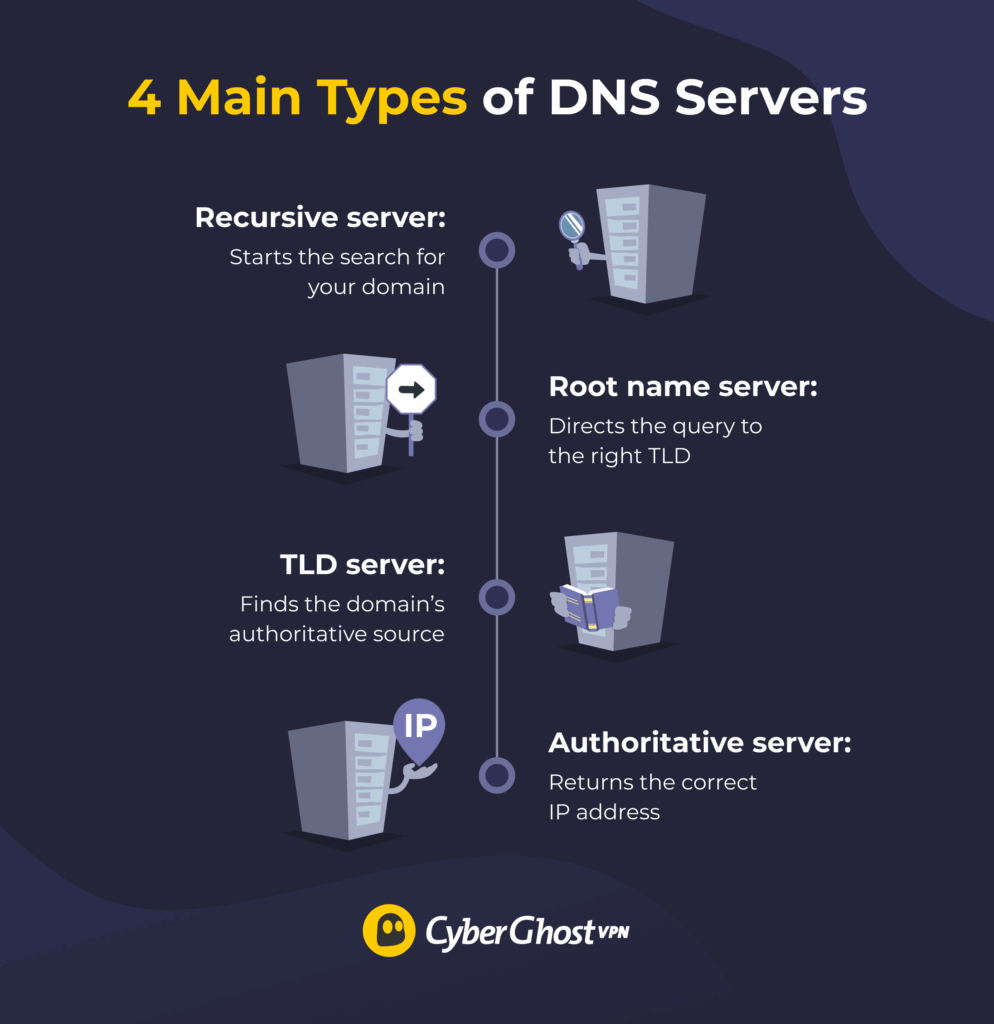
When you type a website address into your browser, your device doesn’t know where the site is yet. It first contacts a recursive resolver, which begins asking a series of servers for help. This process typically involves four key DNS server types, working together in a chain to complete every lookup.
Recursive Resolver
The recursive resolver is the first DNS server your device contacts when you try to visit a site. It’s like a digital assistant that takes your request and starts looking for the answer on your behalf.
Resolvers often check their cache first, which is a small memory store of recent DNS lookups. If you’ve visited the same website before, the resolver can pull the answer straight from its cache instead of contacting other DNS servers. That’s why sites you visit often tend to load faster since your resolver already remembers their IP address.
Most recursive servers are owned and maintained by internet service providers (ISPs) and public DNS providers. The most popular ones come from Google (8.8.8.8), Cloudflare (1.1.1.1), and OpenDNS (208.67.222.222). These companies run large, distributed resolver networks designed to handle millions of requests every second.
Root Name Server
The root name server is the highest level of the DNS hierarchy that helps organize every domain on the internet. It acts as the navigation hub of the DNS system; it doesn’t give the final answer, but ensures your query is sent to the right next stop.
When a recursive resolver can’t find a website’s address in its cache, it sends a query to the root name server. The root server examines the request and checks the domain extension, for example, .com, .org, or .net. It doesn’t know the final IP address of the website, but it knows which Top-Level Domain (TLD) server manages that extension.
So instead of providing the exact lookup domain, the root server forwards the request to the correct TLD server. There are 13 root server clusters around the world, but each one is duplicated across hundreds of global locations. The purpose of that is to handle billions of daily DNS queries efficiently and without outages.
TLD (Top-Level Domain) Nameserver
The Top-Level Domain (TLD) nameserver is the next step after the root server in the DNS lookup process. Once the root server directs your query, the TLD server takes over to narrow things down even further. More precisely, each TLD server is responsible for handling a specific group of domain extensions (.com, .org, .net, .uk, .de, etc.) So, if you’re trying to visit www.examplewebsite.com, your query will go to the .com TLD nameserver.
The TLD server doesn’t store every website’s IP address, but it provides a crucial step in this whole process. It has a directory of authoritative nameservers that are responsible for each domain under its extension. In simple terms, it doesn’t know the final destination, but it knows which “local office” to ask next.
There are hundreds of TLD servers worldwide, and trusted registry operators manage them. For example, Verisign manages .com and .net domains, and Public Interest Registry manages .org domains. They form the backbone of the global DNS system, making sure domain lookups happen quickly and accurately.
Authoritative Nameserver
The authoritative nameserver is the final stop in the DNS lookup journey. It’s the server that actually knows the real IP address of the website you’re trying to visit. When your query reaches this stage, the TLD server has already pointed in the right direction. The authoritative server now looks up the domain name in its database and responds with the exact IP address associated with that domain.
Authoritative nameservers come in two main types. There are primary servers that store original DNS records and are responsible for updating and distributing them. There are also secondary servers that keep exact copies of the primary’s records. Their purpose is to provide backup and load balancing (ensuring that DNS lookups are done quickly).
Supporting and Specialized DNS Servers
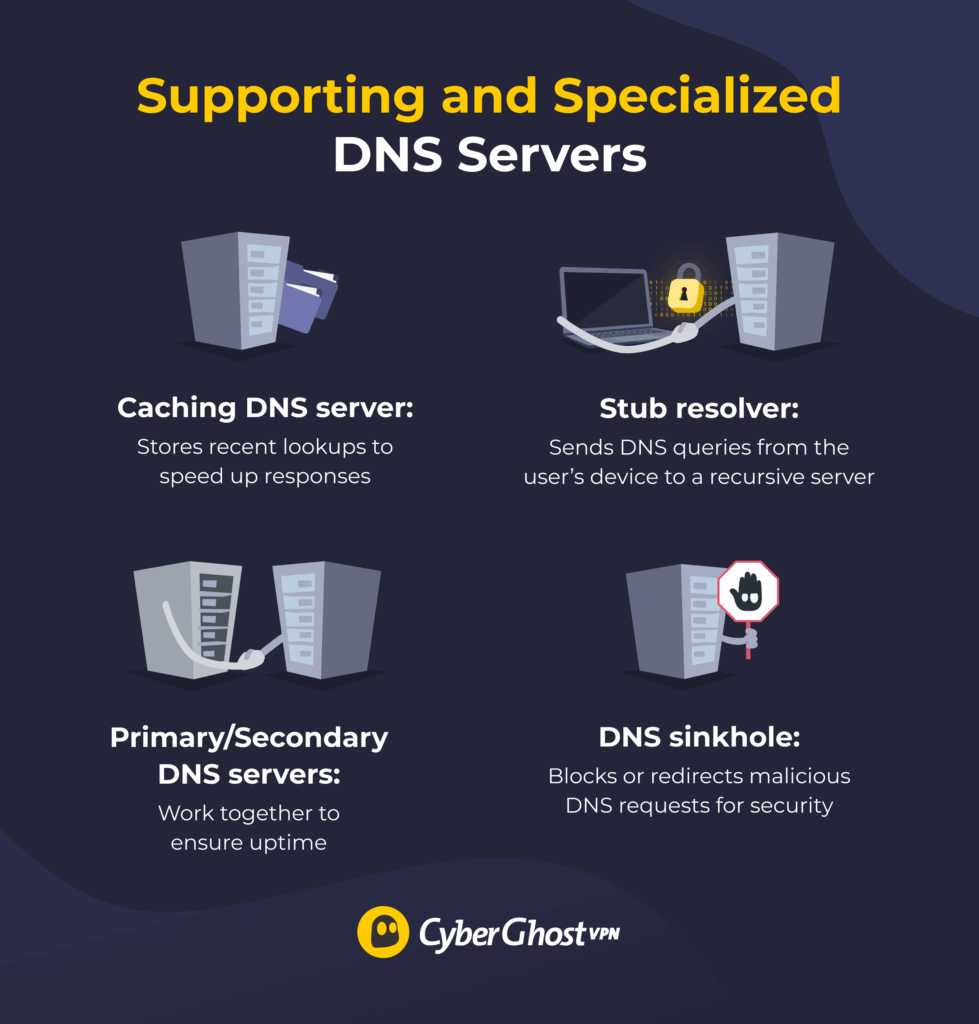
The main DNS servers form the backbone of how the internet translates names into numbers. But several supporting and specialized DNS servers work behind the scenes to optimize and protect this process.
Caching DNS Server
A caching DNS server stores temporary copies of DNS query results to speed up future lookups. When you visit a website, the caching server keeps the domain’s IP address in memory for a short time (known as time-to-live or TTL). If another user on the same network requests that site again before the TTL expires, the caching server provides the stored result immediately. That means there’s no need to start the entire DNS lookup process. This greatly reduces network load and external queries to the root or TLD servers.
Stub Resolver
A stub resolver is a lightweight DNS client built into your device’s operating system. Its main job is to forward your query to a recursive server, which is often managed by your internet provider or a third party like Google DNS or Cloudflare. Stub resolvers don’t perform lookups themselves; they delegate the heavy lifting to recursive servers and simply pass along the results. You can think of it as your personal assistant that sends a request to a professional researcher (the recursive server) and brings back the answer for you.
Primary and Secondary DNS Servers
Like other types of servers, DNS servers can experience technical issues. When something like that happens, the internet doesn’t just stop working. That’s because of primary and secondary DNS servers that work together to make sure websites remain reachable even if one server fails. The primary server stores the original DNS zone file, which serves as the authoritative database containing all records for a domain. The secondary server stores a synchronized copy of those records and steps in if the primary server goes offline.
DNS Sinkhole (Blackhole Server)
A DNS sinkhole, also called a blackhole server, is a special type of DNS server that blocks malicious or unwanted domains. Just like regular DNS servers have directories of domains, DNS sinkholes have directories of known harmful sites. For example, those could be sites that host malware, phishing links, or botnet command servers. When you look up a malicious site, a DNS sinkhole responds with a null IP address, preventing you from accessing that website. Security teams and ISPs use sinkholes as a defense measure to contain threats and protect users from accidental infections.
Protecting the Path Between You and the Internet
Every time you visit a website, check your email, or stream a video, DNS servers quietly handle your requests, making sure they reach the right destination in milliseconds. But while the DNS system is essential, it was never designed with privacy in mind. By default, your DNS queries can be logged by your internet provider or network owner. That’s where a VPN can make a difference.
CyberGhost VPN encrypts all your traffic, including DNS requests. That means your ISP, digital trackers, and network operators won’t see what you do online. It also replaces your IP address with one from its secure servers, blocking tracking, profiling, and DNS-based surveillance. You can take advantage of its 45-day money-back guarantee to see it in action.
FAQ
What are the main types of DNS servers?
The four main types of DNS servers are recursive resolvers, root name servers, top-level domain (TLD) servers, and authoritative servers. Together, they handle every domain lookup, from starting the search to returning the correct IP address so your browser can load a website.
How does a recursive resolver differ from an authoritative server?
A recursive resolver is the first server your device contacts when you enter a web address in your browser. It searches the DNS hierarchy to find the right IP address. An authoritative server, on the other hand, is the final step of that process. It holds the actual DNS records for a domain and provides the definite answer.
Why are root and TLD servers important in DNS lookups?
Root servers act as the starting point for every DNS query, directing resolvers to the right TLD server. Based on the website’s domain (.com, .net, .org, etc.), the TLD server guides the request to the authoritative server that holds the exact record. Without these two layers, the DNS system wouldn’t know where to send queries.
What is the difference between primary and secondary DNS servers?
A primary DNS server stores the original files for domains. It’s the master database containing all DNS records. A secondary DNS server stores synchronized copies of those files. The role of secondary servers is to take over if something happens to primary servers (if they go offline or need maintenance). That way, there’s no interruption to how the internet works.
Can specialized DNS servers like sinkholes improve security?
Yes, a DNS sinkhole helps improve security by intercepting requests to known malicious or unwanted domains. Instead of letting users connect to those sites, it redirects them to a safe or null IP address. That way, it can block malware, phishing pages, and botnet traffic before any harm is done.

Leave a comment