
Getting hit with the Fortnite banned screen can catch you off guard. One moment you’re playing, and the next you’re locked out with little to no explanation. If you’re trying to figure out what went wrong and how to get back in, you’re not alone.
The problem is that Fortnite uses several types of bans, and each one works differently. This guide will help you understand what kind of ban you’re dealing with and what you can realistically do to try and fix it.
Why Does Fortnite Ban Players?
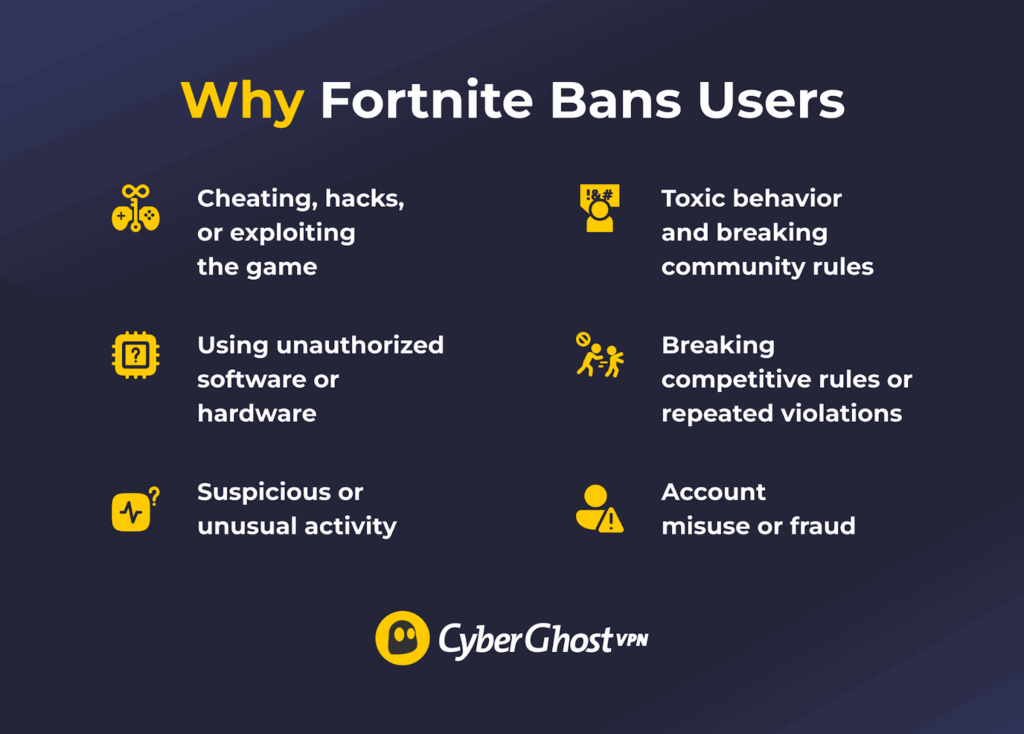
Fortnite’s community rules basically explain that players are banned to try and keep the game fair, safe, and fun for everyone.1 If a player breaks the rules or gains an unfair advantage, Epic Games takes action. Some bans are temporary, while others can be permanent depending on what happened. Here are some triggers that lead to bans in Fortnite:
- Hacks, cheating tactics, or exploits of the game: This is the most common reason. If you use aimbots, wallhacks, or any third-party tools that give you an advantage, you’ll probably get banned. The same applies if you abuse bugs or glitches to win matches or gain rewards. Even if the game allows it, using it repeatedly to your advantage is still considered cheating.
- Unauthorized software or hardware: Fortnite has strong anti-cheat systems. If you use tools, scripts, or devices that interfere with the game or give you an edge, the system may flag and ban you. This also includes software running in the background that conflicts with anti-cheat tools.
- Suspicious or unusual activity: Fortnite monitors account behavior. If it detects things like rapid login attempts, strange gameplay patterns, or activity that looks automated, it may trigger a ban.
- Toxic behavior and breaking community rules: You can get banned for how you behave, not just how you play. Harassment, hate speech, threats, and abusive language can all lead to penalties.
- Account misuse or fraud: Buying, selling, or sharing accounts isn’t allowed. Using stolen accounts or trying to scam other players can also lead to a ban. These are treated as serious violations.
- Breaking competitive rules or repeated violations: If you cheat in tournaments or try to manipulate rankings, the consequences are stricter. Also, even small rule breaks can add up. If you keep violating the rules, Fortnite may eventually ban your account.
Types of Fortnite Bans
Epic Games engages in a variety of sanctions when it believes a player has violated its rules.2 These sanctions include:
- Warning or account actions: This is the lightest penalty. You may get a warning or a small restriction instead of a full ban.
- Social (communication) bans: You lose access to voice or text chat. You can still play, but you can’t communicate with other players.
- Matchmaking bans: You can log in, but you can’t join matches or play games.
- Temporary account bans: Your account is blocked for a set time. Once the ban ends, you can access your account again. According to Epic, these can last up to 365 days.3
- Permanent account bans: Your account is permanently disabled. You can’t recover it or use it again.
- Competitive bans: You’re blocked from tournaments and competitive events, but you can still play normal matches.
Ways to Navigate Fortnite Bans
Not every solution works for every situation. It depends on the type of restriction and what caused it. Some issues are temporary, while others are tied to your account or device and are harder to resolve.
There’s no guarantee any method will restore access. The options below can help you understand what to try and how to narrow down the cause of a ban.
Appeal the Ban Through Epic Games
If you believe the ban was a mistake or you have a valid explanation, this should be your first step. You can go to Epic Games support, log in, and submit a request under bans or account issues.2 Clearly explain what happened and stick to the facts, such as when the ban occurred, what you were doing, and why you think it may be incorrect. It also helps to include useful details such as the following:
- Your Epic Games username
- The date and time you noticed the ban
- Any recent changes to your account, device, or network
- Screenshots or error messages, such as the Fortnite banned screen
Once you submit the appeal, Epic Games will review your case.2 This can take some time, depending on the situation. You may receive a response asking for more information, or they may give a final decision.
Wait for the Ban to Expire
In many cases, the ban is temporary and will be lifted automatically after a set period. Temporary bans are common for minor issues like suspicious activity, repeated login attempts, or small rule violations. If your ban is temporary, the simplest and safest option is to wait. Trying multiple fixes or repeatedly logging in can sometimes make things worse or extend the restriction.
It’s a good idea to check any message or notification to see if a duration is mentioned. You’ll probably want to avoid repeated login attempts while the ban is active, and it’s smart to wait for the full time period to pass before trying again.
Temporary bans can last from a few hours to several days to a year, depending on the situation. Once the time expires, your access should return automatically. If the ban doesn’t go away after a reasonable time, or if you’re unsure whether it’s temporary, contact Epic Games support to confirm.
Check If the Issue Is Related to Your Connection
In some cases, access issues may be related to your network or IP address rather than your account or device. Testing your connection can help you figure out where the problem is coming from before trying more involved solutions.
You can start with a few simple steps. Restart your router to refresh your connection, try switching to a different Wi-Fi network, or use a mobile hotspot. These actions may place you on a different network environment and help you determine whether the issue is limited to your current connection.
If Fortnite works on another network but not your usual one, the issue may be related to your connection setup. If the problem continues across multiple networks and devices, it’s more likely tied to your account or device instead.
Epic Games’ official documentation focuses on account and device-level enforcement rather than explicitly defining IP-based bans. Because of this, connection-related steps are best used to diagnose the source of the issue rather than resolve a confirmed ban.
Use a Different Device (If Hardware Restrictions Are Involved)
Sometimes a restriction is tied to your device, not just your account. Epic Games references hardware identifiers in its anti-cheat systems and may issue warnings when it detects attempts to alter them,4 indicating that some enforcement measures are linked to devices.
This means that even if you change accounts or networks, the issue may still appear on the same device. Trying a different device can help you determine whether the problem is device-related or tied to something else.
To test this, log into your Epic Games account on another device that hasn’t been used with your account before, then launch Fortnite and check if you can access the game. If Fortnite works on the new device, your original device is likely the source of the ban. If you still see the Fortnite banned screen, the ban is likely tied to your account or network.
Hardware bans are usually given for serious violations like cheating or using unauthorized tools. They’re harder to resolve than other bans, and in most cases, only Epic Games can remove them, with no guarantee of success. This step will not fix the issue on its own, but it helps you clearly identify the type of ban so you can plan your next step.
Create a New Epic Games Account
Creating a new account can help, but only if the ban is tied to your old account and not your network or device. If your account is permanently banned, you can’t recover it. To try this, create a new account with a different email. You should avoid using the same details and log in from a clean setup, ideally a different device or network.
If the new account works, the ban was likely tied to your original account. Just be aware this isn’t guaranteed to work, and your old progress and purchases can’t be transferred.
The Difference Between Account, Device, and Connection Issues
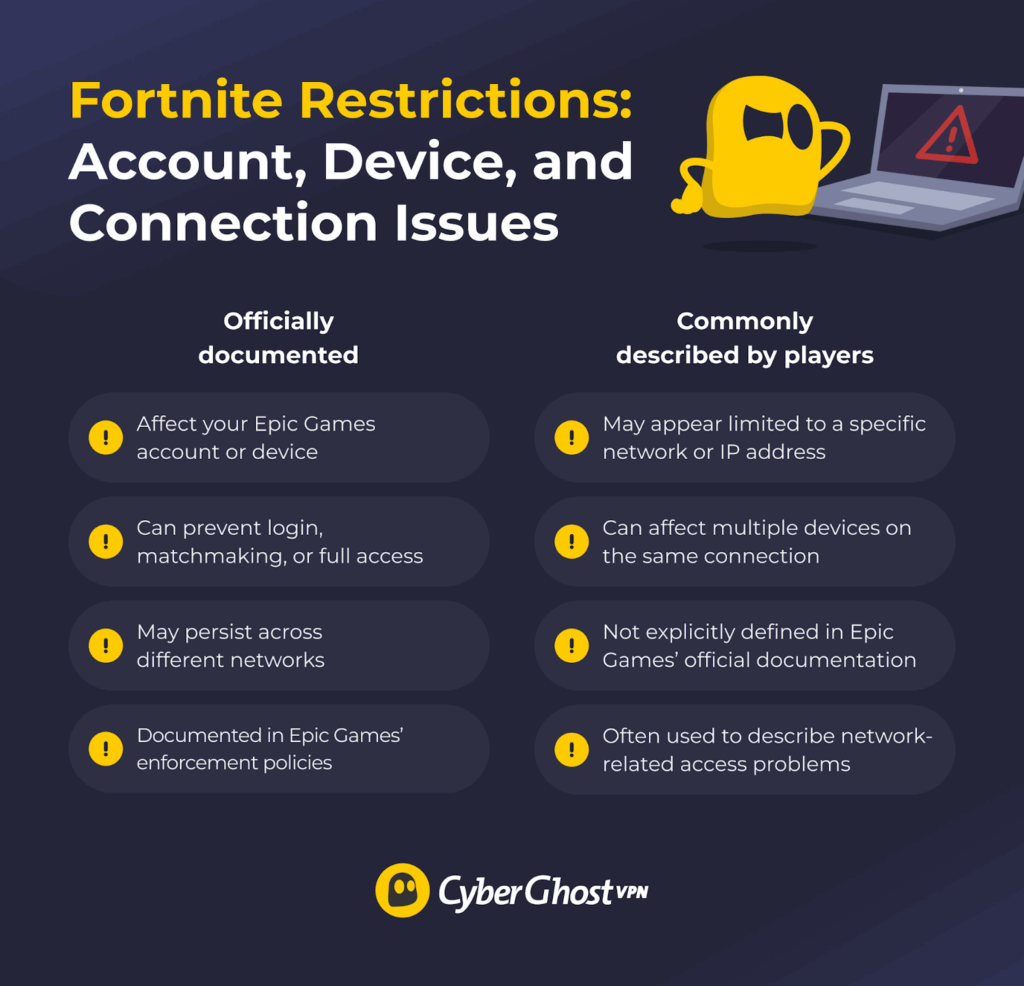
Epic Games officially documents account-level restrictions and device-related enforcement through its anti-cheat systems. However, it doesn’t explicitly define IP-based bans in its public materials. Here’s what we know about each type of ban:
- Account restrictions: These affect your Epic Games account directly. If your account is banned, you won’t be able to log in or access Fortnite, regardless of the device or network you use.
- Device-related restrictions: Bans of this nature are linked to your hardware. These are typically tied to identifiers detected by anti-cheat systems, which means the issue can persist even if you switch accounts or networks.
- Connection-related issues: These are sometimes described by players as “IP bans,” but Epic doesn’t formally list these as a specific sanction type. In some cases, access problems might be limited to a particular network or IP address, especially if unusual activity was detected from that connection.
Understanding the difference can help you identify whether the issue is tied to your account, device, or connection and choose the most appropriate next step.
How to Find Out Which Fortnite Ban You Have
Before trying any solution, you need to understand what kind of ban you’re dealing with. Here are simple ways to identify the type of ban:
- Check the error message or banned screen: The message you see can give you a clear clue. If it mentions account violations, it’s likely an account ban. If the same message appears across multiple accounts on the same network, it may suggest the issue is related to your connection rather than a single account.
- Try logging in with a different account: If another account is also blocked on the same device and network, the ban may be related to your IP or device. If it works, your original account is likely banned.
- Switch to a different network: If Fortnite works on another network, your original network or connection may be contributing to the issue. If not, the ban is likely not network-related.
- Use a different device: If your account works on another device, your original device may be hardware banned. If not, the ban is likely on your account.
- See what features are blocked: If you can log in but not play, it may be a temporary restriction. If only tournaments or chat are blocked, it’s likely a specific restriction.
- Check your email for messages from Epic Games: Epic may send a message explaining the ban, which can help confirm the cause.
How to Avoid Getting Blocked From Fortnite in the Future
- Play fair and avoid cheats or exploits: Don’t use hacks, aimbots, scripts, or any third-party tools that give you an advantage. Also, avoid abusing glitches or bugs, as Fortnite treats both as cheating.
- Follow the rules and behave properly: Avoid toxic behavior like harassment, hate speech, or threats. Breaking community rules can lead to restrictions or full bans.
- Keep your device and software clean: Close unnecessary background apps and avoid unknown programs. Some tools can interfere with anti-cheat systems and trigger bans.
- Use a secure and stable connection: Avoid unusual network activity or sudden changes that may look suspicious. Using a trusted service like CyberGhost VPN encrypts your connection, which can improve privacy on public or shared networks while gaming.
- Secure your account and avoid sharing it: Use a strong password, enable two-factor authentication, and never buy, sell, or share accounts. If your account is misused, it can still get banned.
Keep Your Fortnite Account Safe
Dealing with a Fortnite ban can be infuriating, especially when you don’t know what caused it or how serious it is. The key is to first understand the type of ban you’re facing, then choose the right approach. Some bans will go away on their own, others may require action, and some might not be reversible at all.
To avoid future problems, stick to the rules. In addition, a stable and private connection can reduce unusual network activity that might trigger security systems. CyberGhost VPN encrypts your connection and routes your traffic through secure servers, which can add an extra layer of privacy while you play. It also comes with a 45-day money-back guarantee (14 days for monthly plans), so you can try it with confidence.
FAQ
Is Fortnite banned in any country?
Fortnite is currently banned in Cuba, North Korea, Syria, and the Donetsk and Luhansk regions. If you travel, keep in mind that Fortnite’s availability also depends on the platform you use. Xbox and PlayStation networks aren’t available in every country. Fortnite is generally banned in countries due to government regulations, while it bans players based on behaviors it interprets as breaking its terms of service.
Can using a VPN get you banned in Fortnite?
Using a VPN doesn’t automatically lead to a ban in Fortnite, but it can increase the risk in some cases. Fortnite’s systems may flag unusual activity like sudden location changes, unstable connections, or behavior that looks suspicious.
If this happens, it could lead to restrictions or a ban. Using a VPN alone isn’t a violation, but using it in a way that breaks the rules or triggers security systems can cause issues.
Why did I get an IP ban?
Epic Games may restrict access when it detects suspicious activity or repeated rule violations from your network. This can include cheating, unusual login behavior, too many rapid requests, or activity that looks automated. These restrictions are typically tied to your account or device, but in some cases, access issues may appear limited to a specific network or connection.
Are IP bans permanent?
Not always. Some restrictions are temporary and may be lifted after a set period, while others—especially those tied to serious violations—can be permanent. If you’re unsure, you can check your account status or contact Epic Games support for clarification.
How long do IP bans usually last?
Bans usually last anywhere from a few hours to several days, depending on the reason. Minor issues or suspicious activity often lead to short bans, while repeated or more serious violations can last longer. In some cases, bans can be extended or become permanent if the problem continues.
How do Fortnite IP bans work?
Fortnite network bans block your internet connection instead of just your account. Epic Games identifies your network and restricts access, so any device on that network may be unable to play. These bans are usually triggered by suspicious activity or repeated violations.

Leave a comment
Daniel
Posted on 17/02/2023 at 06:29
This is outdated by 5 years. They only hardware ban now.
Ghostie
Posted on 22/02/2023 at 15:06
Hi Daniel, you’re probably right, IP bans are not as common anymore, probably because of how easy they are to override. Sadly, a VPN will likely not help with a HWID ban, but there may be other things you can do. We’ll look into it and update the post with what we find. Thanks for flagging it.
kristopher
Posted on 14/01/2023 at 13:35
i need my epic account unband please
Ghostie
Posted on 18/01/2023 at 09:53
No problem Kristopher. Download a reliable VPN like CyberGhost. Install the VPN on your device or router.
Connect to a VPN server. Choose one close to your location for the best speeds. Then you should be unbanned. Epic Games identifies you by your IP address and blocks your IP from accessing their servers if you’ve broken any of their rules. Change your IP address and you’ll be back in the game. That’s because a VPN sets up a secure connection between your device and a VPN server in another location. This changes your device’s IP address. Even if Epic banned your original IP, you can access the servers through your new IP.