
Let’s say you want to install a VPN before traveling to a place where you’ll have to depend on unsecured public Wi-Fi. You search, click the first result, and end up on a site offering a “lifetime VPN” for the price of a matcha latte. The page looks polished, the reviews are glowing, and the download button is front and center. That’s how many VPN scams start.
The exact methods vary. Some fake VPN apps overpromise security. Others install malware or harvest your data while claiming to protect it. In this guide, we cover the typical warning signs of a fake VPN, what to do if you think you got scammed, and how to pick a legitimate VPN.
What Is a VPN Scam?
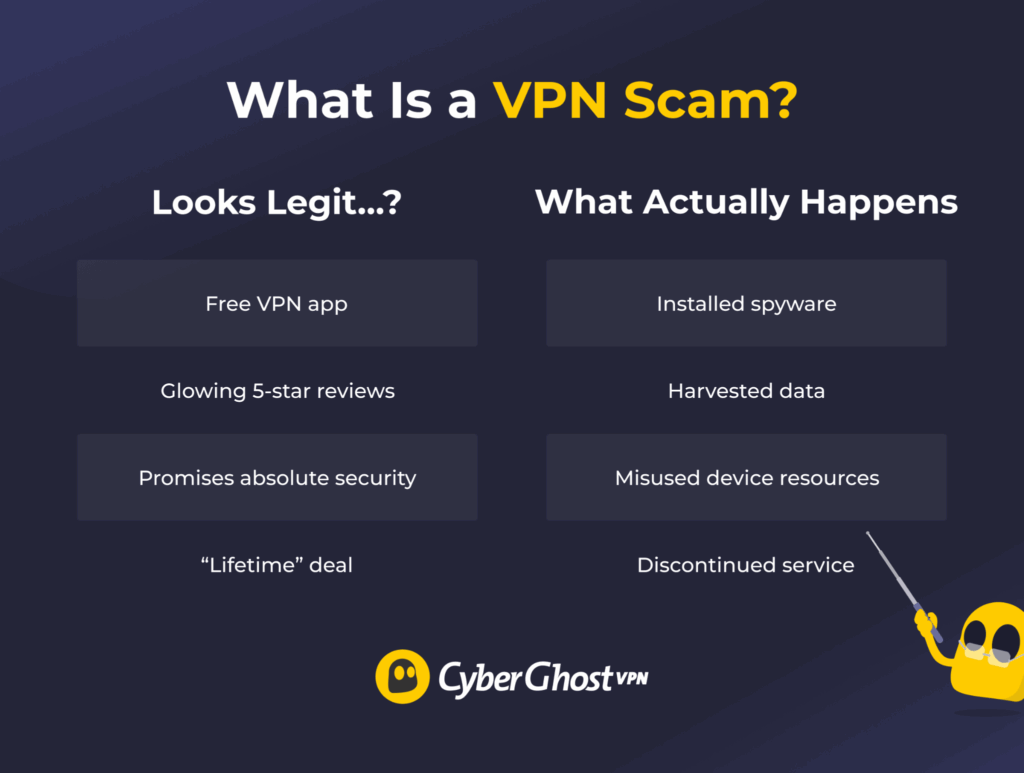
A VPN scam is a service that claims to protect your online privacy but might actually put it at risk. The trap often starts with a free app that looks legitimate, complete with polished branding and reviews. What pulls you in is an ad or a fake download link that leads to an unknown website instead of a legitimate app store.
Common VPN Scams and How to Recognize Them
Fake VPN Apps That Deliver Malware
Some apps claiming to be VPNs aren’t VPNs at all. Rather, they’re malware installers that launch as soon as you open the app. Since Q2 2024, Kaspersky has reported a steady rise in users encountering malicious apps posing as free VPNs1.
Red flags include:
- The download link leads to an unfamiliar third-party site.
- The app requests access to your contacts, SMS, or call logs.
- The publisher’s name looks generic, or it’s newly created.
Lookalike Download Sites (Typosquatting)
You type the name of a well-known VPN provider, but you mistype one letter. The site loads anyway, and it actually looks convincing. This is a common malicious practice known as typosquatting.
In its analysis of fake VPN domains, TechRadar found that 14% hosted active threats, including malware, phishing attacks, trackers, and fake retail pages2. These fake sites often impersonate major VPN brands to exploit their reputation.
Things to check:
- The domain name matches the correct spelling.
- The site uses HTTPS.
- There are no strange redirects before the download starts.
Lifetime VPN Deals That Don’t Last
A lifetime VPN for the price of lunch sounds appealing, but running a VPN company means recurring costs. Infrastructure, encryption upgrades, security maintenance, and support all add up. If the pricing math doesn’t add up, the VPN may become unsustainable and shut down. Not every lifetime VPN is a scam, but ultra-cheap “forever” deals deserve extra scrutiny.
Risks include:
- The VPN company disappearing without warning.
- The VPN company redefining or downgrading the lifetime subscription.
- Security updates slowing down over time.
- Servers becoming overcrowded and unreliable.
Cracked VPN Accounts and Cheap Resellers
You might see ads offering premium VPN accounts for a cheap price. Many of these offers are fake, and even the ones that deliver a “cracked” account are risky. Even when the VPN provider itself is legitimate, the account source often isn’t.
Cracked accounts can involve:
- Stolen credentials that can breach the VPN’s terms of use.
- Shared logins that let strangers into the same account.
- Download links that come bundled with malware.
Fake Claims, Reviews, and Awards
A scam VPN typically works hard to look believable and appealing to an unsuspecting user. It might make exaggerated claims it can’t back up, as Consumer Reports details3. It might also fake positive reviews and awards.
Warning signs can include:
- Five-star reviews that repeat the same praise over and over.
- AI-generated reviews positioned as coming from real people.
- Award badges that you can’t verify.
“No-Logs” Claims That Don’t Match the Fine Print
“No logs” sounds straightforward, but the privacy policy matters more than the advertising banner. Some VPN providers advertise strict no-logs policies while collecting more information than they claim. Always check the fine print before trusting someone with your browsing data.
Make sure that:
- The provider clearly explains what data it collects.
- The policy sets specific retention timelines.
- The provider is transparent about its legal jurisdiction.
VPN Sites With Weak Security
The Federal Trade Commission (FTC) advises researching VPN apps carefully and checking what permissions and data access they require before installing4. Start with the VPN’s own site.
Be suspicious if:
- The site uses an unsecured HTTP connection instead of HTTPS.
- The site hosts its checkout page on a separate, unrelated domain.
- The site has broken or misdirected links.
- No support channels or company details are visible.
VPN Services That “Work” but Cause Problems
A scam VPN doesn’t have to crash immediately or fail completely. Some run on the bare minimum to seem legitimate while performing malicious activities in the background.
You should be wary if you notice that:
- Ads appear in places that didn’t have them before, such as your phone’s settings.
- Data usage climbs significantly compared to normal browsing.
- Your battery drains faster, or your phone heats up more than usual.
What to Do If You Download a Scam VPN
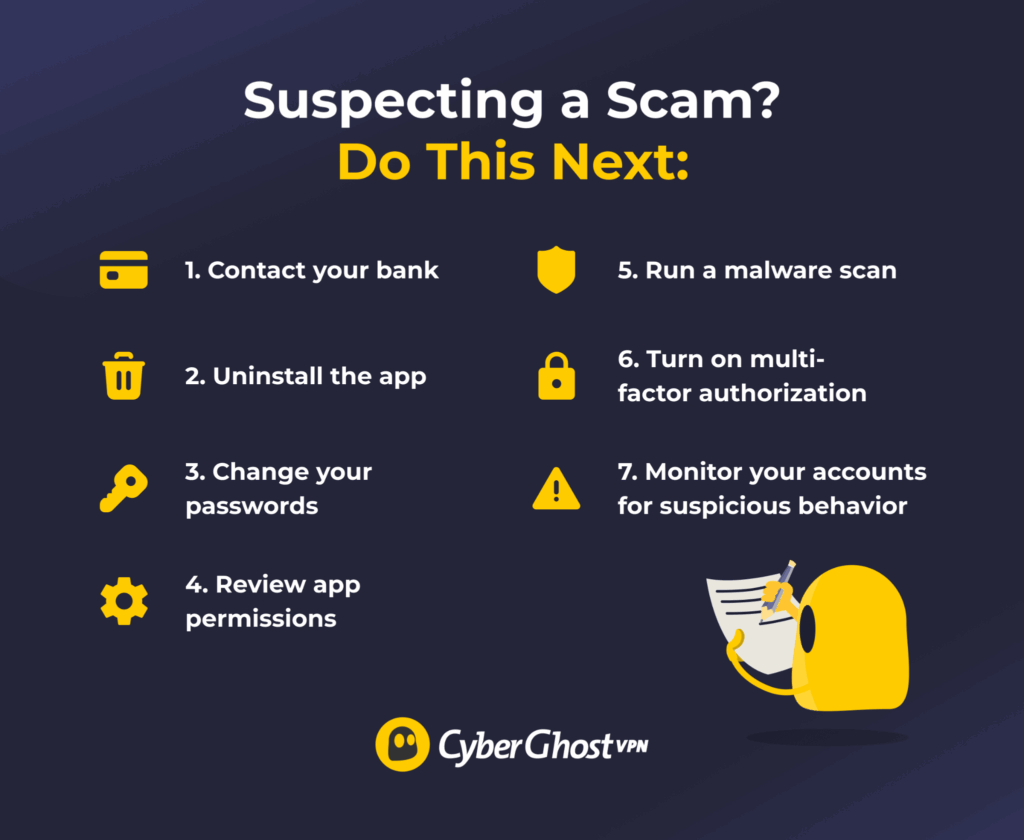
Don’t panic. Most cases are fixable if you act fast. Here’s what to do:
- Contact your bank or payment provider: If you paid for the scam VPN, tell your bank or payment provider. They can investigate and block repeated payment attempts.
- Uninstall the scam VPN app: Remove the suspicious app immediately. A fake or malware-laced app has more time to breach your data the longer it stays installed. Afterward, review VPN settings on your device and remove any unknown VPN configurations, device-management profiles, or trusted certificates.
- Change your passwords: Start with the email you used to sign up for the scam VPN. Then update the passwords on other accounts tied to that email.
- Review app permissions: Check any settings or files the app can access and revert any changes it made.
- Run a malware scan: Use trusted security software to scan your device. Some fake VPN apps may have malware that targets banking information or includes remote-access tools.
- Turn on multi-factor authentication (MFA): Add an extra layer of verification to your accounts. Even if the scammers get your password, MFA helps keep them out.
- Monitor your accounts: Watch for unusual charges or login attempts. If the platform lets you check active sessions, immediately force a logout on any suspicious ones.
How to Pick a Legitimate VPN Provider
Once you know what a scam looks like, the next step is recognizing what a real VPN should look like. A legitimate VPN provider should explain how it handles your data, how its security works, and what you can realistically expect.
Here’s what to look for:
- Clear privacy policy: Read through the VPN provider’s data policy. It should state what user data it collects, why it collects it, and how long it keeps it. Avoid vague or templated language like “we respect your privacy” without any specifics.
- Tangible security features: Look for security features with proper, detailed explanations.
- Regular updates and real support: Check if the VPN provider publishes updates and offers accessible support. A VPN service that’s gone silent for a long time may no longer operate or provide sufficient security.
- Safe download paths: Install from the official website or trusted app stores, not random mirror links.
- Independent validation signals: Confirm the provider’s privacy claims through audits, testing reports, or third-party evaluations.
CyberGhost VPN follows a strict, independently audited No-Logs policy, so you can rest assured we don’t monitor, track, or record your browsing data. We also regularly publish transparency reports, giving you insight into how we handle your data.
Steer Clear of VPN Scams
VPN scams may have different tactics, but their objective comes down to extracting money or data from you. They may promise security while providing outdated infrastructure or unsupported VPN protocols. Some might try to install malware on your devices or covertly collect your data while claiming to protect it. If you’re vigilant about spotting the warning signs, you’ll be in a good position to choose a trustworthy VPN that put your privacy first.
CyberGhost VPN provides reliable security features, including lightweight VPN protocols like WireGuard®, AES encryption, and a built-in content blocker for ads and trackers. What’s more, our 10-Gbps server network spans 100+ locations to provide you with fast connection speeds for browsing, downloading, or streaming. Try all our premium VPN features risk-free with our 45-day money-back guarantee (14 days for monthly plans).
FAQ
What types of VPN scams should I watch out for?
Some of the most common VPN scams include fake VPN websites, malicious apps pretending to be legitimate VPNs, phishing emails, fake customer support, and “free” VPNs that collect or misuse your data. Be wary of providers that make unrealistic promises, hide their ownership, or pressure you into buying a subscription quickly.
How do I identify a fake or untrustworthy VPN provider?
Spotting a VPN scam isn’t hard. Confirm the domain spelling, review app permissions, check the download source, and read the privacy policy. Unrealistic pricing or vague claims are reasons for suspicion. Research any VPN provider before trusting it with your data.
Are free VPNs always scams?
No, some reputable VPN providers offer legitimate free plans with limited features or data allowances. However, some free VPNs have been found to collect excessive user data, display intrusive ads, or offer poor security. Stay cautious, even with a genuine free VPN service. A free VPN still needs revenue, which may come from ads or selling your data.
Can a cracked or lifetime-deal VPN put my data at risk?
It depends. Cracked VPN downloads often include malware or stolen credentials, which can breach the VPN’s Terms of Use. Lifetime VPN deals may shut down or degrade over time, leaving your data exposed.
What steps should I take if I suspect I’ve fallen for a VPN scam?
If you already shared payment details, start by contacting your bank so it can block further payment attempts. Uninstall the app and run a malware scan on your device. Change your passwords, starting with the email you used for registration, and turn on multi-factor authentication where you can.
References:
- Kaspersky warns of a surge in potentially malicious apps posing as VPNs — Kaspersky
- ‘Simple but dangerous’ — Top VPNs targeted by typosquatting as 14% of fake domains found to be malicious — TechRadar
- VPN Testing Reveals Poor Privacy and Security Practices, Hyperbolic Claims — Consumer Reports
- In the market for a VPN app? — Federal Trade Commission

Leave a comment