
A business virtual private network (VPN) and Zero Trust Network Access (ZTNA) help protect company resources in different ways. A VPN typically creates an encrypted connection to an organization’s network, while ZTNA verifies your identity and grants access only to the specific apps or resources you’re authorized to use.
For remote workers, the biggest difference is what happens outside those company tools. ZTNA may secure access to internal tools, but it doesn’t usually protect personal browsing, email, banking, or other internet activity. That’s where a VPN can help. In this guide, we’ll compare VPNs and ZTNA, explain when each makes sense, and show how CyberGhost VPN can complement an employer’s ZTNA setup.
VPN vs ZTNA at a Glance
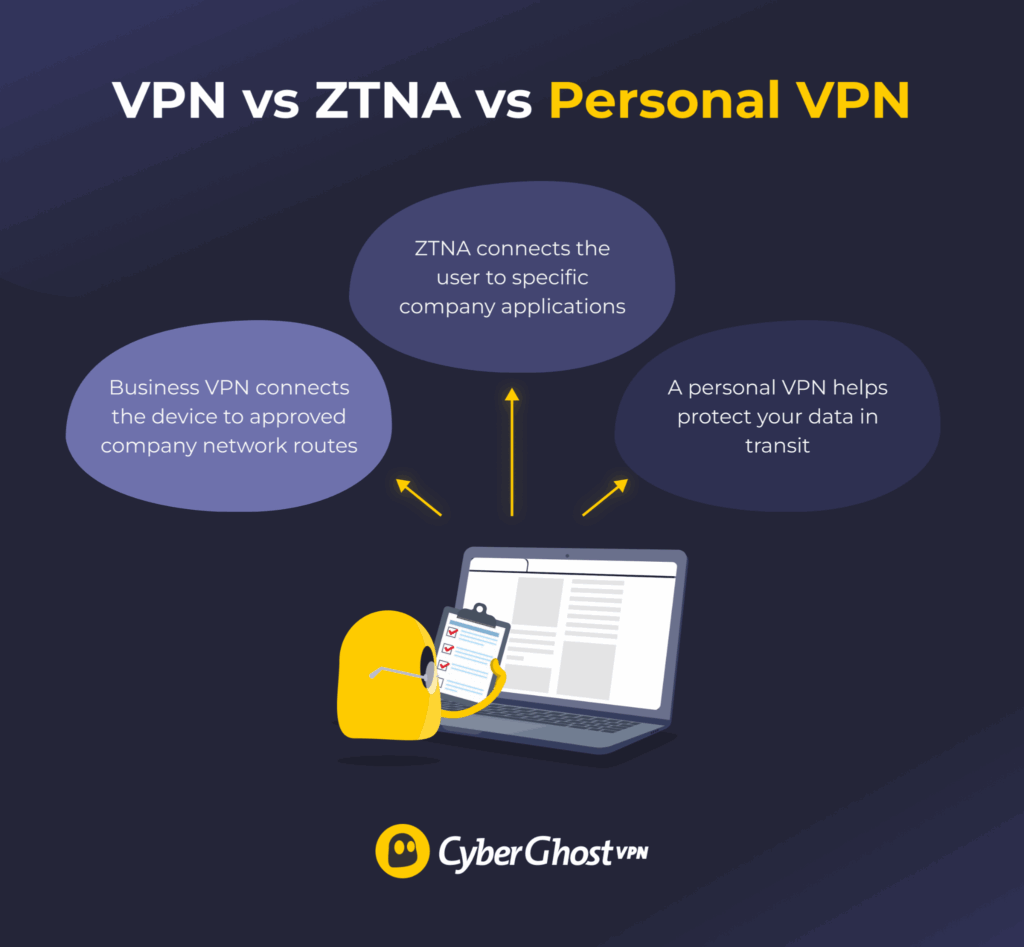
Business VPNs, ZTNA, and personal VPNs aren’t competing tools. They solve different problems and can all run on the same device. For example, an organization might use ZTNA to secure access to modern business applications, keep a business VPN for legacy systems, and allow employees to use a personal VPN to help protect their internet traffic outside work.
| Area | Business VPN | ZTNA | Personal VPN |
| Main purpose | Connects workers to company networks and systems | Connects approved users and devices to selected company apps | Helps protect general internet traffic across devices |
| Access scope | Network routes, segments, or internal systems | Specific applications or resources | Public internet traffic from the device |
| Controlled by | Employer | Employer | User |
| Changes visible IP | Usually to a company IP | Not always | Yes |
| Covers personal browsing | Only with full tunneling | Usually no | Yes |
| Works on public Wi-Fi | Yes | Yes, for approved work apps | Yes |
| Grants company access | Yes | Yes | No |
Which Type of VPNs Are We Comparing?
In this guide, “VPN” refers to an enterprise remote-access VPN rather than a personal VPN such as CyberGhost VPN.
An enterprise VPN allows employees, contractors, or remote offices to access private company systems more securely. It creates an encrypted tunnel between the user’s device and the organization’s gateway, while routing and access rules determine which internal resources they can reach.
Depending on the configuration, a full-tunnel VPN routes both work and general internet traffic through the company’s network. A split-tunnel VPN sends only selected work traffic through the VPN and leaves other internet traffic on the normal connection.
A personal VPN serves a different purpose. CyberGhost VPN encrypts the internet traffic between your device and a secure VPN server and changes your public IP address, helping protect your privacy while browsing, streaming, or using public Wi-Fi. It doesn’t provide access to your employer’s private network or internal applications.
What Is ZTNA?
Zero Trust Network Access (ZTNA) checks the user, device, and request before allowing access to an approved company resource. It applies the broader Zero Trust security model, which doesn’t automatically trust users or devices simply because they’re connected to a company network. Instead, every access request is evaluated on its own merits.
Rather than placing users on the wider company network, ZTNA typically connects them only to the specific application or service they need. When you open a company application, the ZTNA service may check your identity, device status, sign-in method, location, network, and company policy. Based on that, it then grants or denies access to that application.
The service may reassess the connection during the session. Access can stop if the device falls out of compliance, the account risk changes, or the request no longer meets policy.
What Changes When Your Employer Moves From a VPN to ZTNA?
The biggest change is that you may open approved work apps directly instead of connecting to a company network first. Rather than placing every remote worker on the corporate network, ZTNA typically grants access only to the applications or services each person is authorized to use.
With a traditional business VPN, you usually open the VPN client, sign in, wait for the connection to establish, and then access several internal systems. With ZTNA, some of those authentications and security checks move closer to the application itself or a lightweight access agent.
The change may affect how you sign in, which apps you can open, and whether general browsing still passes through company systems. You may notice:
- Company apps open without first connecting to a company VPN.
- Access depends on your device’s health or company security policy.
- One application works while another remains blocked.
- Extra authentication appears for sensitive tools.
- Legacy systems still require the old business VPN.
- General web browsing no longer passes through company servers.
How a Business VPN Protects Remote Work
A business VPN creates an encrypted connection between a remote worker’s device and the company’s network. Once connected, employees can securely access internal systems as though they were working from the office, even when they’re using public Wi-Fi or another untrusted network.
After you sign in, the VPN client establishes an encrypted tunnel to a company-controlled gateway. From there, the organization’s access rules determine which internal resources you can reach, such as websites, file servers, databases, remote desktops, or other business systems.
How much access you receive depends on the company’s configuration. A well-designed VPN can limit access by role, device, network segment, port, or service, following the principle of the least privilege. An older or poorly segmented setup may give users broader access to the corporate network than they actually need.
If the VPN uses full tunneling, all internet traffic passes through the employer’s gateway, allowing company security tools to inspect and filter it. With split tunneling, only work-related traffic uses the VPN, while personal browsing continues over the normal internet connection. Business VPNs remain a practical choice for network administration, site-to-site connections, legacy applications, and systems that need broader network access.
How ZTNA Protects Company Applications
ZTNA gives approved users and devices access to a specific resource without placing the whole device on the broader company network. Instead of trusting users because they’re connected to the corporate network, it evaluates every access request against the organization’s security policies.
Before granting access, the ZTNA service may verify factors such as the user’s identity, multifactor authentication (MFA), device management status, operating system updates, endpoint security, location, and other policy signals. Only when those checks succeed does it establish a connection to the approved application.
Access is typically limited to only what the user needs. Other company systems may remain hidden or unreachable, reducing unnecessary exposure if an account or device is compromised. This approach works well for private web applications, cloud services, contractor access, and hybrid work environments.
ZTNA doesn’t remove risk from the application itself. Weak passwords, excessive app permissions, compromised accounts, or poor device security can still lead to unauthorized access or data breaches.
What ZTNA Doesn’t Protect (and Where a Personal VPN Fits)
ZTNA is designed to secure access to company applications, not all of the internet activity on your device. Once you leave an approved work application, your personal browsing usually follows its normal internet route unless your employer has additional security controls in place.
That means activities such as personal email, news sites, social media, online banking, shopping, and streaming typically aren’t protected by the organization’s ZTNA service.
ZTNA also doesn’t usually:
- Hide your public IP address from general internet websites (protected enterprise apps behind the ZTNA gateway may still see the gateway’s IP instead of yours).
- Change your apparent location.
- Cover apps or services outside the company’s access policy.
- Encrypt all device traffic through a single personal tunnel.
- Protect your personal devices on the same network.
Note: Many employers deploy ZTNA alongside a Secure Web Gateway (SWG). In those environments, general web traffic may still pass through company inspection and filtering, even if ZTNA only controls access to specific applications.
Secure websites still use HTTPS to encrypt the data exchanged between your browser and the site. ZTNA simply doesn’t add a broader privacy layer to personal internet traffic outside the applications it protects.
That’s where a personal VPN such as CyberGhost VPN can complement your employer’s setup. It encrypts traffic between the device and the VPN server and changes the public IP address. This helps protect activities like personal browsing, email, online banking, shopping, and streaming, whether you’re at home or using public Wi-Fi.
A personal VPN doesn’t replace ZTNA, though. It can’t grant access to company applications, change your employer’s access policies, or bypass organizational restrictions. Instead, it protects the internet activity that usually sits outside your employer’s ZTNA environment.
VPN vs ZTNA for Remote Workers
The practical difference depends on what traffic each system covers and how the employer applies its policies.
Security
ZTNA can reduce exposure by limiting users to specific applications rather than the wider network. A well-configured business VPN can also restrict access through segmentation and role-based policies, so the level of protection ultimately depends on how the organization implements each approach.
Authentication
Both systems can use strong authentication, but ZTNA often evaluates more context before granting access. A business VPN typically uses passwords, multifactor authentication, device certificates, and directory groups before the session begins. ZTNA may also combine identity, device health, location, risk, and application sensitivity before granting access. It can continue evaluating those signals throughout the session.
For a remote worker, this often means fewer broad network logins but more app-specific access decisions.
Performance
ZTNA can provide a more direct path to approved applications, but performance still depends on the organization’s infrastructure. A full-tunnel business VPN can send traffic through a distant company gateway, adding latency. Connector location, provider infrastructure, inspection tools, and the application itself still affect performance.
A personal VPN adds another route for general internet traffic. Choosing a nearby CyberGhost VPN server usually keeps that route shorter.
Scalability
ZTNA can simplify access management by granting users access to individual applications through policy rather than extending a broader network connection. Organizations still need to manage identities, devices, applications, and exceptions, but they don’t always need to expand network infrastructure as the workforce grows.
Business VPNs can also scale effectively, although larger deployments may require additional gateways, routing capacity, licences, and regional infrastructure.
Ease of Use
For many employees, ZTNA feels more seamless because access happens in the background rather than through a separate VPN connection. However, continuous policy checks can also create new troubleshooting scenarios.
A business VPN usually establishes one connection before users open several internal tools. With ZTNA, access is often evaluated separately for each application.
If a device misses an update or loses compliance, one application may stop working even though the internet connection remains active. The error may require help from the employer’s information technology (IT) team.
Can You Use CyberGhost VPN With ZTNA on a Managed Work Device?
CyberGhost VPN and ZTNA can sometimes run together, depending on your employer’s policy, device management settings, and technical setup.
ZTNA clients and personal VPNs can both use virtual network adapters or packet-filtering drivers, which may create routing conflicts. Some ZTNA tools direct only approved work traffic through the company connection, allowing a personal VPN to handle the remaining internet traffic. Other setups block personal VPN software or require work apps to use specific routes.
On a managed device, your employer may also control installed software, network routes, security settings, and permitted personal use. Check the company’s acceptable-use and remote-work policies before installing or connecting to CyberGhost VPN.
CyberGhost VPN Split Tunneling Options by Device
Your options for separating work and personal traffic depend on your device:
| Platform | Available Option |
| Windows | Smart Rules can exclude specific websites from the CyberGhost VPN tunnel. |
| Android | App Split Tunnel can exclude selected apps from the tunnel. |
| macOS, iOS, and Linux | CyberGhost VPN doesn’t currently support split tunneling. |
Any website or app excluded from the tunnel uses the regular internet connection. CyberGhost VPN won’t encrypt that traffic or replace its visible IP address.
If a work application stops functioning while CyberGhost VPN is connected, split tunneling may help on a permitted personal device. Check with your employer before excluding a company application or changing its traffic route.
Before Using A VPN With ZTNA
Before using CyberGhost VPN alongside your employer’s ZTNA setup:
- Check company policy: Confirm that personal VPN software and personal browsing are permitted on the device.
- Understand how the device is managed: Find out if your employer routes or inspects internet traffic through other security tools even when ZTNA only covers work applications.
- Test your work applications first: Connect to ZTNA and make sure the required apps work before connecting CyberGhost VPN.
- Connect CyberGhost VPN and test again: Disconnect CyberGhost VPN if work access stops or the company’s security software reports a conflict.
- Ask your IT team if you’re unsure: Don’t change managed network settings or routing rules yourself.
What a Connection Problem May Mean
If CyberGhost VPN and ZTNA don’t work together as expected, the symptoms may help you identify the source of the conflict.
| What Happens | Possible Cause | What to Do |
| The work app functions until you connect to CyberGhost VPN. | The two clients may be trying to control the same route or network adapter. | Disconnect CyberGhost VPN and ask the IT team whether the company supports both services. |
| An internal website fails by name, although other internet sites work. | The two services may be applying different Domain Name System settings. | Don’t change managed network settings. Report the problem to the IT team. |
| One work website fails, while other work tools remain available. | That domain may require a direct or company-controlled route. | On a permitted personal Windows device, ask whether the website can use a Smart Rules exception. |
| ZTNA reports that the device doesn’t meet policy. | The device may have failed a compliance, update, or security check. | Follow the company’s instructions. A personal VPN can’t change the ZTNA decision. |
| CyberGhost VPN connects, but company filtering still applies. | The employer may use a Secure Web Gateway or another security agent for general traffic. | Check the company’s policy before assuming that the traffic is outside its controls. |
| Both clients disconnect after an update. | The update may have changed routing, filtering, or adapter behavior. | Test each service separately and report the client versions to the IT team. |
Don’t remove company-installed software, alter managed settings, or use CyberGhost VPN to circumvent work restrictions. If your employer requires you to use a personal device for personal activity, keep your work and personal browsing separate.
Using your own device doesn’t necessarily remove company requirements. A bring-your-own-device (BYOD) program may still require management software or security controls for work access.
Protect Work Access and Personal Traffic Separately
Moving from a business VPN to ZTNA changes how you access work resources, but it doesn’t necessarily protect everything else you do online. ZTNA gives employers more granular control over company applications, while business VPNs remain useful for broader network access.
For personal internet activity, CyberGhost VPN provides a separate privacy layer by encrypting your traffic and changing your public IP address. If your employer permits personal VPN use, the two can complement each other: use company security tools for work resources and CyberGhost VPN for your personal internet traffic where appropriate. You can give it a go risk-free thanks to its 45-day money-back guarantee (14 days on the monthly plan).
FAQ
What’s the difference between a VPN and ZTNA?
A business VPN connects a device to approved company network routes, while ZTNA connects an approved user or device to specific company resources. ZTNA often checks identity, device status, and context before granting access. A personal VPN such as CyberGhost VPN protects general internet traffic instead of providing company access.
Is ZTNA more secure than a VPN?
ZTNA can reduce exposure by giving users narrower access to company resources. A well-configured business VPN can still use multifactor authentication, segmentation, certificates, and restrictive network rules. Security depends on the setup, policies, identity controls, and device protection.
Does ZTNA hide my IP address like a VPN?
ZTNA doesn’t usually hide your IP address for general web browsing. It connects you to an internal broker rather than a public exit node. To the internal application, you appear as the internal connector IP. To public websites, you simply show your local Wi-Fi or internet service provider address. A personal VPN such as CyberGhost VPN changes the visible IP address for internet traffic routed through its tunnel.
Can my employer see my internet traffic with ZTNA?
Employer visibility depends on the device, network, installed software, company policy, and traffic route. ZTNA may cover only approved work apps, but a managed device can contain other monitoring or security tools. Check the employer’s policies rather than assuming unrelated traffic stays private.
Do I still need a personal VPN if my company uses ZTNA?
ZTNA doesn’t replace the privacy role of a personal VPN. CyberGhost VPN can protect general internet traffic outside approved company apps. Use it only when company policy allows it and the two services work together correctly.
Does ZTNA protect me on public Wi-Fi?
ZTNA helps protect approved work connections on public Wi-Fi, but it usually doesn’t cover all other internet traffic. CyberGhost VPN can help protect general traffic from the device, while HTTPS protects the content exchanged with secure websites.
Can I use CyberGhost VPN with my company’s ZTNA software?
You may be able to use both, but the answer depends on the employer’s policy and technical setup. Test required work apps after connecting CyberGhost VPN. Disconnect it if access fails, and ask the IT team before changing managed settings.

Leave a comment