
Your username is often one of the first pieces of information you share online. If it contains personal details or you reuse it across multiple platforms, it can make it easier for others to connect your accounts, learn more about you, or target you with convincing scams and harassment.
A safer username reveals little or nothing about your real identity and isn’t easily connected to your other accounts. This guide explains what makes a username safe, what information to avoid, and how to create unique usernames for social media, gaming platforms, forums, and other online accounts.
Why Usernames Matter for Your Privacy
A username can act as a digital breadcrumb, especially when it contains personal information or you reuse it across multiple platforms. Someone searching for the same handle may be able to connect your accounts and piece together details you didn’t intend to share.
A revealing or reused username can increase your exposure to risks such as:
- Doxxing: Someone may use clues in your username, such as your name, city, school, or birth year, as a starting point for finding more information about you. Combined with information from other public sources, those details could help identify your social profiles, workplace, location, or other personal information.
- Social engineering: Details about your interests, location, age, or affiliations can give scammers material for more convincing messages. Reusing a username can also make it easier to find your activity across different platforms and learn more about you.
- Targeted harassment: A recognizable username can make it easier for someone to follow you between gaming platforms, forums, social networks, and other online communities. Using different, non-identifying handles can make that connection more difficult.
- Credential stuffing and account linking: Credential stuffing is an automated attack that takes stolen username and password pairs from one data breach and tries them on other sites. Reusing the same username across multiple platforms makes it easy for attackers to map your online presence. If they compromise one account, they can search for that username elsewhere and attempt to break into your other accounts.
- Identity profiling: Small details, such as a birth year, school reference, location, or recurring interests, can become more revealing when combined with information from your other accounts.
A safe username makes it significantly harder for anyone to connect your accounts or trace them back to you.
What Makes a Username Unsafe
Unsafe usernames reveal information that can identify you or make it easier to connect the account to your real-world identity. Avoid usernames that include:
- Your full or partial real name
- Your birth year, age, or any meaningful dates
- Your city, region, school, or other location clues
- Your workplace or job title
- Your email address or other contact information
Also avoid reusing the same distinctive username everywhere. Even a username that contains no obvious personal information can become identifying if you use it across multiple platforms.
How to Create a Safe Username
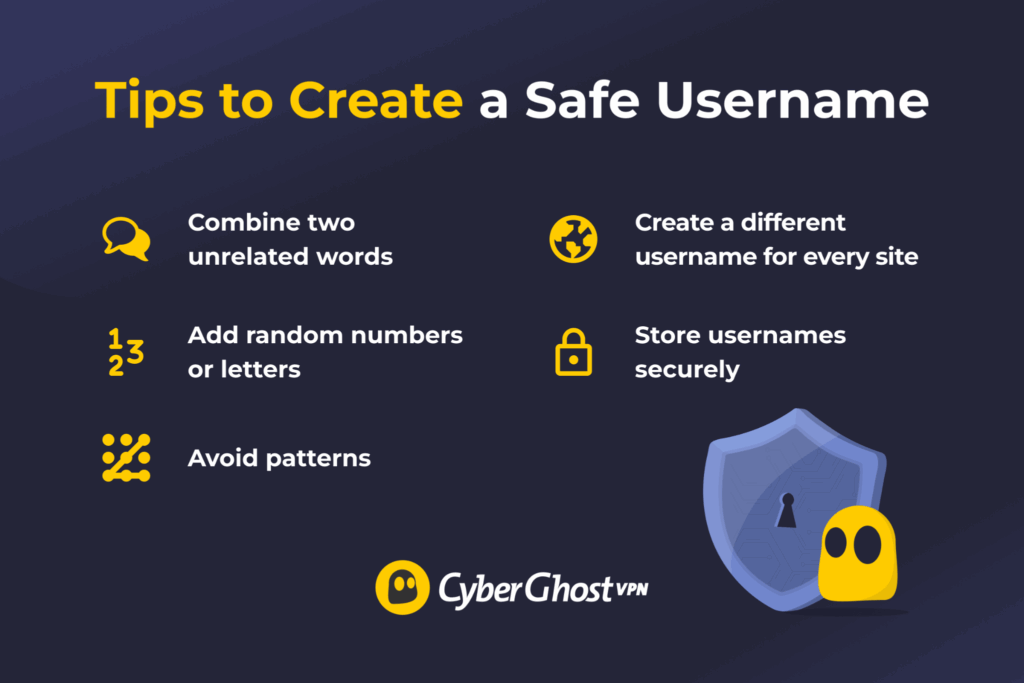
You don’t need a username generator to create a safe handle, although one can help. The goal is to create something that doesn’t reveal personal information and isn’t easily connected to your accounts elsewhere. You can follow the simple process below:
- Combine unrelated words: Choose words with no personal meaning, like “River” + “Mint,” “Echo” + “Pine,” or “Nova” + “Orbit.”
- Add random numbers or letters if needed: Avoid meaningful numbers like birthdays, anniversaries, graduation years, or postcodes. For example, you could turn RiverMint into RiverMint583 or EchoPine into EchoPineQ7.
- Avoid predictable personal patterns: Don’t fall back on combinations such as your name plus your birth year, initials plus your location, or other identifiable personal information.
- Use different usernames across accounts where privacy matters: Reusing a distinctive handle makes it easier for someone to find and connect your profiles across different platforms.
- Store usernames securely: If keeping track of unique usernames becomes difficult, a password manager can save them alongside your account credentials.
A good username doesn’t need to be impossible to guess. It needs to reveal as little about you as possible and avoid creating an obvious link between your accounts.
Tools That Help You Create Strong Usernames
Username generators can help when you’re struggling to come up with a handle that doesn’t reveal anything personal. They can create random word and character combinations, which you can use as inspiration or adapt into something more memorable.
Password managers can also help you manage different usernames across your accounts. Storing each username alongside its corresponding password makes it easier to use unique login details without having to remember which ones belong to which accounts.
Whichever tool you use, check the suggested username before adopting it. Avoid generated handles that accidentally contain meaningful dates, initials, locations, or other details that could be associated with you.
Platform-Specific Username Tips
Different platforms expose usernames in different ways. Tailor your approach based on where you’re using yours.
Social Media
Social media usernames are often public and searchable, so avoid handles that reveal identifying details such as your full name, birth year, location, school, or workplace. Be especially careful about reusing the same distinctive username on other public accounts, as this can make your profiles easier to connect.
Gaming
Gamertags can be visible to large communities and may appear in screenshots, streams, leaderboards, or gaming forums. Avoid including personal information such as your real name, age, location, school, or other identifying details.
Forums & Communities
Forum posts and comments can remain searchable for years, so a username you choose casually today may be associated with your activity long into the future. Use a non-identifying handle, particularly when discussing personal, sensitive, or niche topics.
Email Accounts
Email addresses often double as usernames, so consider how much personal information the address itself reveals. An address containing your full name, birth year, employer, or other identifying details can make it easier to connect the account to you.
For accounts where you don’t need to identify yourself professionally or personally, consider using an email address that reveals less about your identity. Whatever address you use, protect the account with a unique password and multi-factor authentication where available.
A Safer Username Reveals Less About You
A safe username doesn’t need to be complicated or impossible to guess. It simply needs to reveal as little personal information as possible and avoid creating an obvious link between your accounts. Skip names, meaningful dates, locations, and other identifying details, and use different handles when you want to keep your online activities separate.
Remember that your username is only one part of protecting an account. Pair it with a unique password and multi-factor authentication where available and use a password manager if you need help keeping track of different login details.
FAQ
What is a safe username?
A safe username is an online handle that reveals little or no personal information about you. It avoids identifying details such as your full name, birth year, location, school, or workplace. If privacy is important, using different usernames across accounts can also make it harder to connect your online activity across platforms.
Should I use my real name as a username?
It depends on the account. Using your real name may make sense for professional or public-facing profiles where you want people to identify you. When it comes to personal accounts where privacy matters, avoid usernames containing your real name or other details that could make the account easier to connect to your identity.
Can a username reveal my identity?
Yes. A username can provide clues about your identity, particularly if it contains details such as your birth year, location, school, or workplace. Reusing the same distinctive username across multiple platforms can also make it easier for someone to find and connect your accounts. A secure username removes those clues and makes it harder for anyone to identify you.
How do I create a secure username?
Combine unrelated words, letters, or random numbers that have no personal significance. Avoid predictable combinations involving your name, birth year, location, or other identifying information. If you want to keep your accounts separate, use different usernames across platforms and store them in a password manager if they’re difficult to remember.
Should I use the same username on every website?
Not if you want to make your accounts harder to connect. Reusing the same distinctive username across websites can make it easier for someone to find your profiles and piece together information about you. Using unique usernames for each site breaks that trail and is one of the simplest and most effective privacy habits you can adopt.

Leave a comment