
Spoofing and phishing are closely related, but they’re not the same thing. Spoofing disguises an identity or source, while phishing uses deception to persuade you to take an action that benefits an attacker. The two often work together, but one can happen without the other.
Understanding the difference can help you recognize suspicious messages, websites, and calls before you share information or send money. If you suspect a scam, stop interacting with the message or website. Don’t click links, reply, or call numbers provided in the suspicious message. To verify a request, contact the organization through its official app or website or use a phone number you already trust.
Spoofing vs Phishing: Which One Is It?
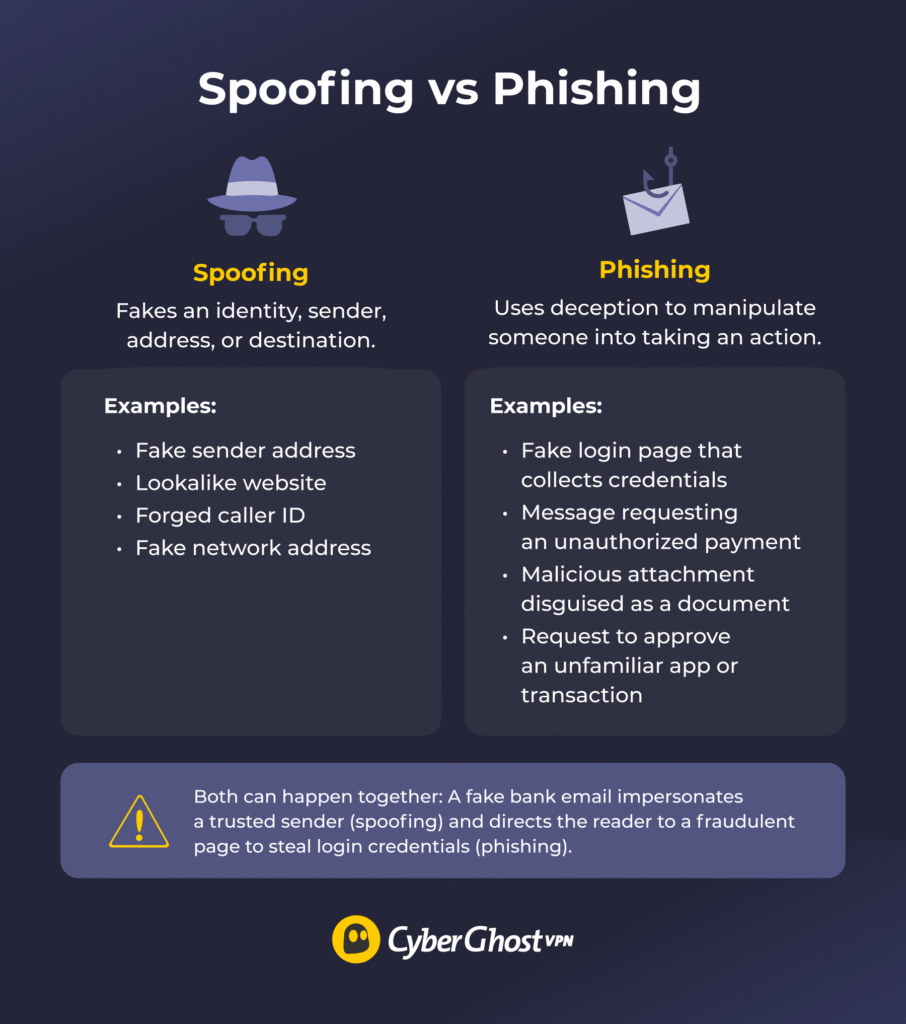
Imagine receiving an email that looks like it’s from your bank. The logo and sender name look right, the tone is urgent, and the message asks you to click a link or confirm login details. This is an example of spoofing and phishing working together. Spoofing makes the email appear trustworthy, while the phishing attempt tries to steal your credentials.
The distinction matters because a fake identity doesn’t always involve a request for information, and a phishing message doesn’t always need to impersonate someone to trick you.
Spoofing: Definition and Types
Spoofing is when an attacker pretends to be someone or something trustworthy by faking an identity. That could be a person, a company, a device, a website, or a network address.
It doesn’t always aim to steal something from you. Sometimes it’s used to evade some security filters, redirect your traffic, set up a later attack, or make the true source of network traffic harder to identify.
Types of Spoofing
- Email spoofing: You receive an email that appears to come from your bank, employer, or another trusted sender, but someone forged the “From” address. Modern defenses such as SPF, DKIM, and DMARC help mail providers verify a sender’s authorization, detect tampering, and check that sender information matches the domain. How well these protections work depends on configuration and how providers handle the results.
- Website spoofing: A fake site imitates a real one, copying the layout, logo, and sometimes even a nearly identical web address. Besides imitating a site’s appearance, attackers may also use lookalike domains, such as swapping a letter for a similar-looking character or adding an extra word to the domain.
- Caller ID spoofing: You might see your bank’s number, a government agency’s number, or a local number on your screen, though the call originates from somewhere else. Attackers can manipulate caller ID information to make their calls appear to come from trusted organizations or local numbers.
- SMS spoofing: Text messages can show a sender name rather than a number, and attackers can abuse that to make a message look like it comes from a delivery company or a bank. In some cases, a fake message even appears in the same thread as genuine ones. Whether this happens depends on how the messaging service handles sender identification and groups messages into threads.
- IP spoofing: This commonly occurs with denial-of-service (DoS) attacks, including reflection attacks. The attacker forges the source IP address in network packets, and forged source addresses can help obscure the apparent origin of traffic.
- DNS spoofing: Domain name system (DNS) spoofing involves supplying false DNS information so a domain name resolves to an unintended address. One form is DNS cache poisoning.
- ARP spoofing: On a local network, an attacker sends forged Address Resolution Protocol (ARP) messages to associate their device’s MAC address with another device’s IP address. This can redirect traffic through the attacker’s device, potentially allowing them to intercept or manipulate communications.
Phishing: Definition & Types
Phishing aims to manipulate you into doing something that benefits the attacker. This may include revealing a password, entering card details, opening a malicious attachment, approving a payment, or installing malware. It’s a social engineering attack that leans on urgency (“your account will be closed”), fear (“suspicious activity detected”), curiosity (“you’ve received a document”), or authority (“message from your CEO”).
Attackers often use familiar situations or time-sensitive requests to encourage people to act before verifying a message. Phishing can still succeed despite improvements in security filters because attackers adapt their techniques to exploit human trust and technical weaknesses.
Types of Phishing
- Email phishing: Someone sends mass messages to large numbers of people, hoping a small percentage will respond.
- Spear phishing: A targeted version in which the attacker researches the victim using details from social media, company websites, or previous data leaks. As a result, the message feels personal and credible.
- Whaling: Spear phishing aimed at senior executives or other high-value targets, often involving financial requests or sensitive company information.
- Business email compromise (BEC): Attackers use impersonation or compromised business email accounts to trick employees into sending money or sensitive information. It can be carried out without spoofing an email address.
- Smishing: Smishing is phishing through SMS or messaging apps. Common examples include fake parcel notifications and fake bank alerts containing a malicious link.
- Vishing: Vishing is phishing by voice call. The caller may pose as tech support, a bank fraud department, or a government office.
- Clone phishing: The attacker copies a legitimate message you’ve already received, swaps the links or attachments for malicious ones, and resends it, claiming it’s an updated version.
- Social media phishing: Fake accounts, direct messages, or “you’ve won” posts can lead to credential theft or scams.
- QR code phishing: A malicious QR code sends you to a fake login page. Because a QR code can obscure the destination URL before it’s scanned, check the displayed address before opening it.
- Ice phishing: This is a cryptocurrency scam in which an attacker tricks someone into approving a malicious token allowance or transaction. Depending on what the victim approves, this may let an attacker-controlled address transfer specified tokens.
How Spoofing and Phishing Work Together
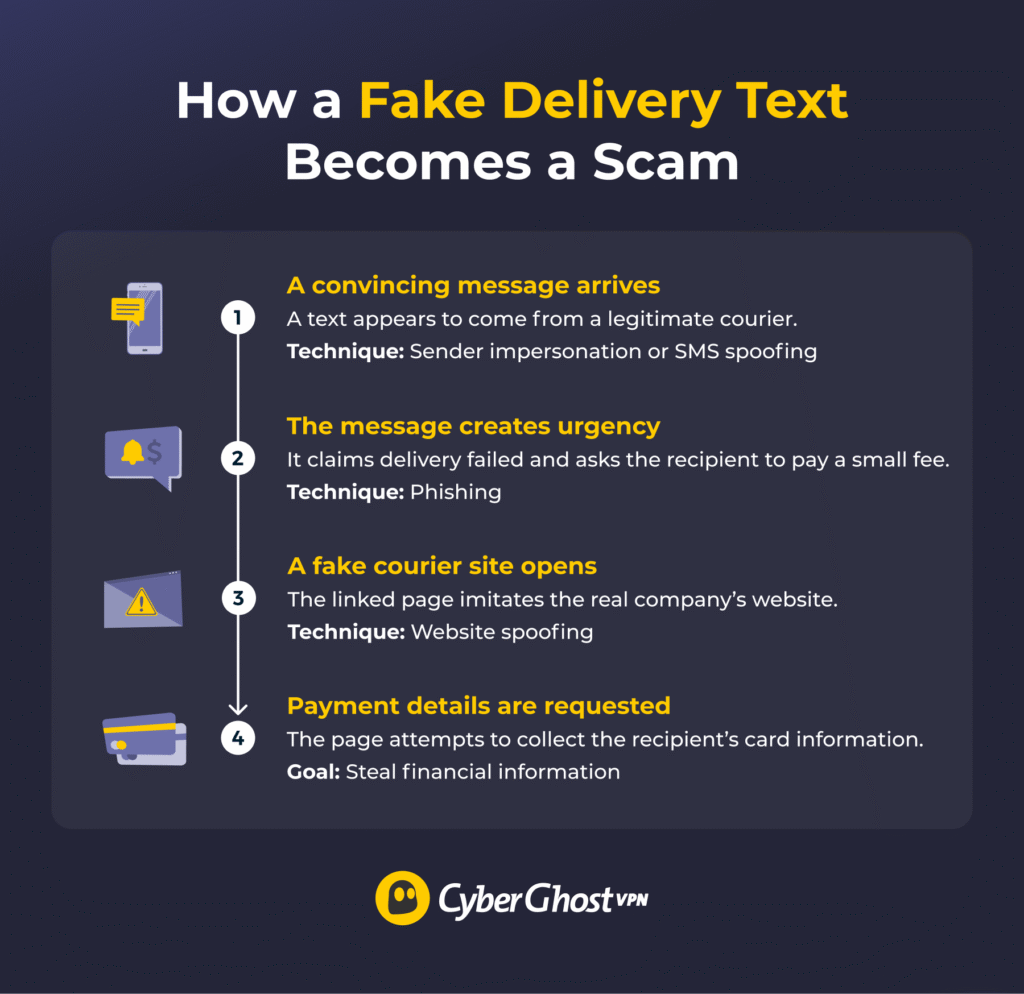
Spoofing and phishing often work together because impersonating a trusted source makes a scam more convincing. For example, an attacker might disguise an email as a message from your bank, then use it to direct you to a fake login page. The spoofing creates the appearance of legitimacy, while the phishing attempt tries to get you to reveal your credentials.
However, not every spoofing attack involves phishing, and not every phishing attempt relies on spoofing. An attacker could disguise their caller ID without trying to steal information, while a phishing email could use an ordinary email address and a convincing story to trick you into sharing personal details.
Signs of Spoofing and Phishing
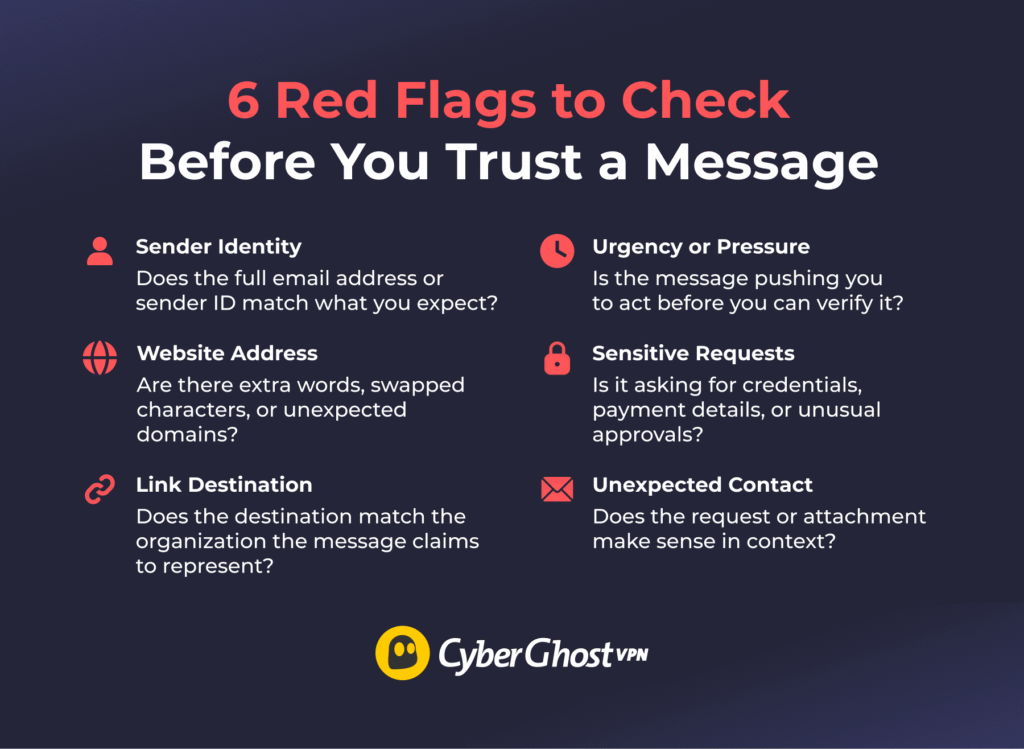
There’s no single tell that works every time, but these red flags come up often:
- Suspicious sender identity: Check whether the full email address or sender ID matches the person or organization the message claims to be from. A familiar display name alone doesn’t confirm who’s contacting you.
- Unusual website address: Look for extra words, swapped characters, or unexpected domains. A fake website may look almost identical to the real one while using a slightly different address.
- Misleading link destination: Confirm a link leads to the organization it claims to represent. The visible link text may look legitimate even when the actual destination is different.
- Urgency or pressure: Be cautious of messages that push you to act immediately, especially if they discourage you from taking time to verify the request.
- Requests for sensitive information: Avoid unexpected requests for passwords, payment details, or unusual approvals. They deserve scrutiny, even when they appear to come from someone you trust.
- Unexpected contact: Consider whether the message, request, or attachment makes sense in context. An unexpected invoice, login alert, or file from a familiar sender could still be suspicious.
A few additional checks can help you assess suspicious messages. Look for unexpected differences between the sender and reply-to addresses — although a mismatch doesn’t mean the message is fraudulent. Don’t assume a website is legitimate because it uses HTTPS, as scammers can also secure their sites.
Be wary of unexpected redirects, gift card payment requests, or sudden changes to a supplier’s bank details, and verify these requests. Finally, don’t rely on poor spelling or grammar to identify scams. AI tools can help attackers write convincing messages, so pay attention to what they’re asking and confirm the sender’s identity through a trusted channel.
Real-World Examples of Spoofing and Phishing
Real-world fraud cases show how spoofing and phishing can combine to deceive individuals and organizations, sometimes resulting in substantial financial losses. Here are three examples of spoofing and phishing.
| Case | Deception Method | Reported Loss |
| Fideuram (2026) | Executive impersonation and reported AI-cloned voice | About €95 million, according to Reuters’ sources1 |
| Arup (2024) | Executive impersonation using an email and an AI-generated video call | About $25.6 million, according to CNN2 |
| Google and Facebook (2013–2015) | Business email compromise and fraudulent payment instructions | More than $120 million, according to the US Attorney’s Office3 |
How to Protect Yourself from Spoofing and Phishing
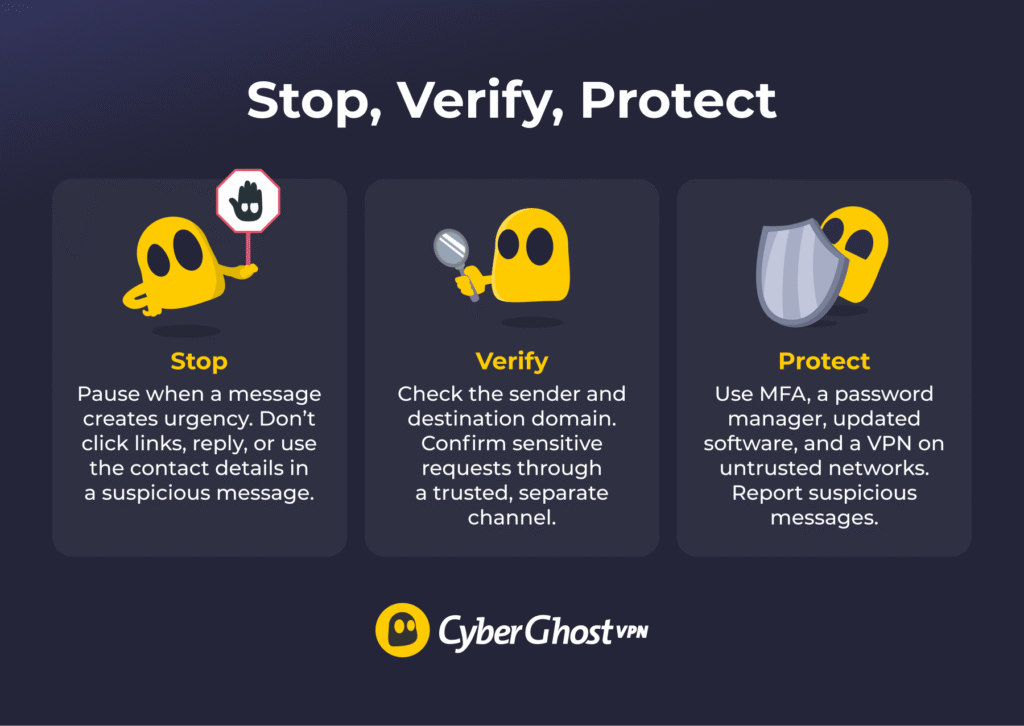
It can be tricky to avoid spoofing and phishing, but there are precautions you can take:
- Avoid pressure tactics: Take time to verify messages demanding immediate payment, account verification, or other urgent action.
- Verify the sender and destination domain: Check email addresses and website domains for unexpected changes or lookalike spellings. Contact the organization through its official channels if you’re unsure.
- Use phishing-resistant multi-factor authentication (MFA) where available: Choose passkeys and hardware security keys for stronger protection against credential phishing than SMS codes.
- Check password manager prompts carefully: Verify the website’s domain before entering credentials if your password manager doesn’t autofill them. Autofill behavior alone can’t confirm whether a site is legitimate.
- Keep devices updated: Install security updates to patch vulnerabilities that malicious websites or files might exploit.
- Report suspicious messages: Forward or report them to your email provider, employer’s IT team, or the organization the suspicious message is impersonating.
Can You Prevent Spoofing and Phishing?
You can’t eliminate the risk of spoofing and phishing, but you can make it harder for attackers to deceive you. Learn to recognize common warning signs, verify unexpected requests, and use tools such as MFA and a password manager to help protect your accounts.
If you’ve interacted with a suspicious message, run a scan with reputable security software and seek further help if you suspect the suspicious file included malware.
Evaluate what sort of information you may have entered. Change your password from a trusted device and update it for any other account that uses the same credentials. Revoke suspicious sessions and enable MFA. For any banking-related breaches, contact your bank or payment provider.
A VPN can also add a layer of protection when you use public or untrusted Wi-Fi, where other users may attempt to intercept or manipulate local network traffic. CyberGhost VPN encrypts traffic between your device and the VPN server, helping protect data in transit over the local network. However, a VPN can’t tell you whether a message is genuine or prevent you from entering sensitive information on a fraudulent website.
FAQs
What is the difference between spoofing and phishing?
The difference between spoofing and phishing is that spoofing is a technique, while phishing is an attack. Spoofing is disguising an identity so it looks trustworthy. Phishing is deceiving someone into taking an action that benefits the attacker. The two often appear together, but one can happen without the other.
Is spoofing a type of phishing?
No, spoofing is a technique phishing attacks use, but it isn’t a form of phishing itself. Spoofing also exists outside phishing: ARP spoofing can be used to eavesdrop on a network without tricking anyone into doing anything. Likewise, phishing doesn’t require spoofing, since a scammer can lie from a free email account.
What are common examples of spoofing attacks?
The most familiar spoofing attacks are emails with a forged sender, lookalike websites that copy a real brand, and phone calls where the caller ID shows up as your bank or a government agency. Text messages showing a company name instead of a number are another example. On the technical side, there’s IP, DNS, and ARP spoofing.
What are common types of phishing attacks?
The most common types of phishing attacks are email phishing, spear phishing, smishing (text messages), and vishing (phone calls). Others include whaling, business email compromise, clone phishing, and QR code phishing.
How can I protect myself from spoofing and phishing?
No single measure can protect you from every spoofing and phishing attack, so combine a few habits and tools. Verify unexpected requests through a separate channel, check where links lead before clicking, and slow down when a message pressures you. Turn on multi-factor authentication, use a VPN, and keep your software updated.
References:
- AI Messaging Scam Costs Italy’s Top Bank Intesa Millions, Sources Say — Reuters
- British Engineering Giant Arup Revealed as $25 Million Deepfake Scam Victim — CNN
- Lithuanian Man Sentenced To 5 Years In Prison For Theft Of Over $120 Million In Fraudulent Business Email Compromise Scheme — United States Attorney’s Office

Leave a comment