
Every time you sign in to an account, send a message, or make an online payment, you send sensitive information across the internet. Without proper protection, that data could be exposed to attackers, snoops, or malicious actors. Luckily, TLS helps stop that.
TLS (Transport Layer Security) is the technology that prevents cybercriminals and other third parties from tampering with or spying on your connection. It works quietly in the background to encrypt your data between your device and a website or an app. However, TLS protects only specific connections, not your entire device. Let’s break down how TLS and VPNs work, what each protects, and why using both is the best option.
What Is TLS?
TLS is a cryptographic protocol designed to keep your online connections private and trustworthy. When you visit a website that starts with “https://,” TLS is what encrypts the data sent between your device and that specific website.
TLS security has 3 critical security functions:
- Encrypts data: It scrambles the information you send and receive, like passwords, messages, and payment details, turning it into unreadable code.
- Authenticates websites: It checks that a website is legitimate using digital certificates issued by trusted organizations called Certificate Authorities (CAs).
- Maintains data integrity: It ensures that the data you send and receive hasn’t been modified or tampered with during transmission.
Together, these protections make the TLS protocol one of the key building blocks of internet security. It’s used not only by web browsers, but also by email services, messaging apps, cloud systems, and online payment systems. Without TLS, cybercriminals could intercept or alter data, exposing personal details and financial information.
How Does TLS Work?
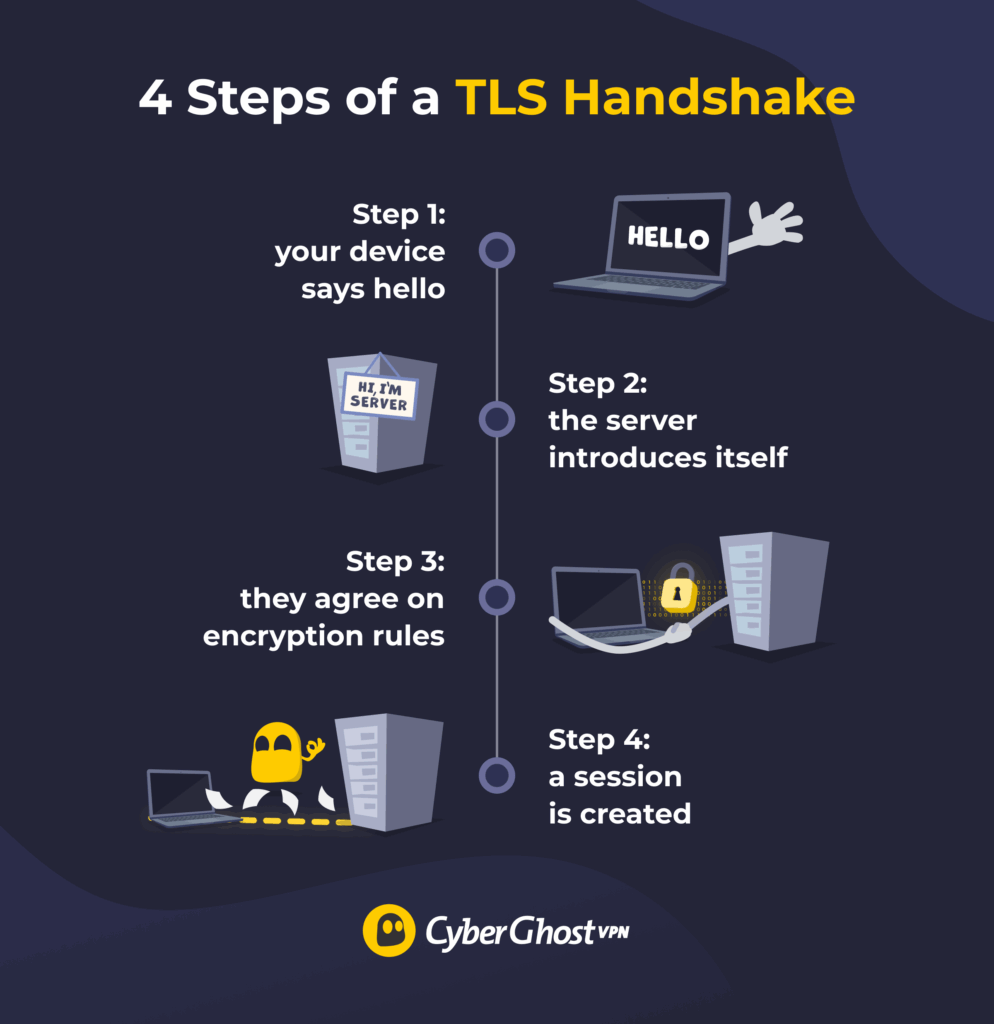
Every time you open a secure website, your device and the site’s server perform a quick digital “handshake.” This process, known as the TLS handshake, establishes trust and defines how data will be encrypted during your session.
Here’s how that process works step-by-step:
- Your device says hello: When you visit a website, your browser sends a request to start a secure TLS connection. It tells the site which versions of the TLS protocol it supports and which encryption algorithms it can use.
- The server introduces itself: The website responds with a digital certificate that proves its identity.
- They agree on encryption rules: Once the certificate checks out, your browser and the server agree on how to scramble data. This includes choosing encryption algorithms to hide data so only the two parties can understand it.
- A session is created: A unique session key is generated and used to encrypt all communication until you leave the site.
TLS Versions and Security Improvements
Over time, TLS has evolved to address new security threats and improve speed and reliability. Each version brought noticeable updates to encryption standards, shaping how we protect data online today.
TLS 1.0: The Beginning (1999)
TLS 1.0 marked the start of modern web encryption. It standardized how secure web sessions worked, introducing features like message authentication and stronger ciphers than SSL. By today’s standards, TLS 1.0 is outdated as it relied on older encryption algorithms that became vulnerable to cryptographic attacks.
TLS 1.1: Minor but Important Fixes (2006)
TLS 1.1 was built on version 1.0 to fix known vulnerabilities. It improved how encryption data blocks were randomized, preventing attackers from predicting certain patterns. More precisely, it provided defense against CBC (Cipher Block Chaining) attacks that affected earlier encryption algorithms. While more secure than TLS 1.0, its adoption remained limited since TLS 1.2 was released shortly after.
TLS 1.2: The Longtime Standard (2008)
TLS 1.2 became the standard of web security for more than a decade. It introduced the ability to use stronger encryption methods, such as AES (Advanced Encryption Standard). This encryption algorithm scrambles data into complex blocks that would take billions of years to brute force with current computers. It also added signature verification, which helped browsers reliably verify they’re talking to the intended legitimate domain and not a malicious version.
TLS 1.3: The Modern Standard (2018)
TLS 1.3 is the latest and strongest version of the TLS protocol, designed for both speed and security. It streamlines the handshake process, cutting the number of communication steps from four to two. It also removes older and unsafe encryption algorithms, replacing them with modern options that guarantee forward secrecy. This means that even if an attacker somehow obtained your encryption keys later, they still couldn’t decrypt past sessions.
TLS Security Benefits and Limitations
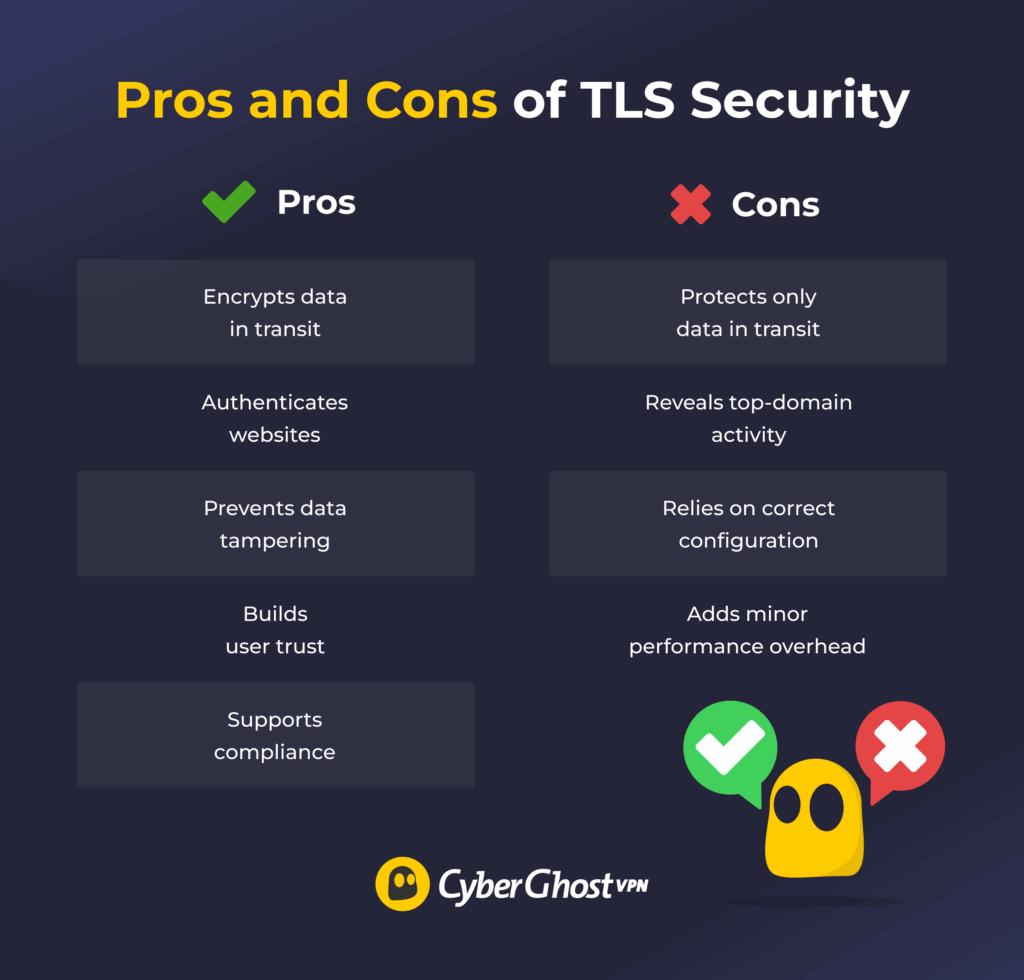
While TLS adds a layer of privacy to a web browser, it has its limits.
Key Benefits of TLS Security
- Encrypts data in transit: Protects sensitive information, including logins, payments, and personal details, as it moves between a device and a website.
- Authenticates websites: Uses certificates to verify you’re connected to the intended domain and helps prevent man-in-the-middle attacks, but it doesn’t guarantee a site is trustworthy or stop phishing on look-alike domains with valid certificates.
- Prevents data tampering: Detects and blocks any attempt by third parties to alter data packets while they’re in transit.
- Builds user trust: Displays a padlock icon in a web browser, signaling that a site is secure and helping users feel confident sharing information.
- Supports compliance: Helps organizations meet encryption requirements under data privacy laws and regulations such as GDPR, HIPAA, and PCI DSS.
Limitations of TLS Security
- Limited to protecting data in transit: Secures data during transfer but not once it’s stored or processed on servers.
- Reveals domain-level activity: Hides what you do online, but not which domains you visited, so ISPs can still see every website address.
- Relies on correct configuration: Loses effectiveness if websites use outdated TLS versions with weak encryption settings.
- Adds minor performance overhead: Adds a small delay during connection setup, though newer versions like TLS 1.3 make this impact negligible.
TLS vs SSL vs HTTPS: What’s the Difference?
People often use TLS, SSL, and HTTPS interchangeably, but they’re not the same thing. Each plays a different role in securing online communication.
TLS vs SSL
SSL (Secure Sockets Layer) was the original protocol for encrypting web traffic. It laid the foundation for secure connections in the early days of the internet, but had several security flaws. TLS replaced SSL in 1999, offering greater security, but many people still refer to it as “SSL certificate.”
Unlike SSL, TLS uses stronger, more efficient encryption algorithms that resist modern attacks. It also streamlines the authentication steps, making connections faster and more secure. Today, SSL has been fully deprecated, which means that it’s no longer supported by browsers and operating systems.
TLS vs HTTPS
HTTPS (Hypertext Transfer Protocol Secure) is not a protocol on its own. It’s HTTP secured with TLS. When you see a padlock or a similar icon in your browser, it means the site uses HTTPS to encrypt communication using TLS. In other words, HTTPS defines how data is sent between your browser and a website, while TLS secures that communication with encryption and authentication.
Another significant difference is that TLS can work across many applications. For example, it’s most commonly used today by email clients, VPN applications, and messaging apps. HTTPS works only in a web browser.
TLS vs VPN: What Does Each Protect?
Both TLS and VPNs use encryption to protect online data, but they do it in different ways and for different purposes. TLS secures specific connections between your browser and a website. It can also be used in individual applications to secure connections. A VPN (Virtual Private Network) protects everything that leaves your device. As such, it’s a much broader privacy layer designed to cover every app, service, and background process that connects to the internet.
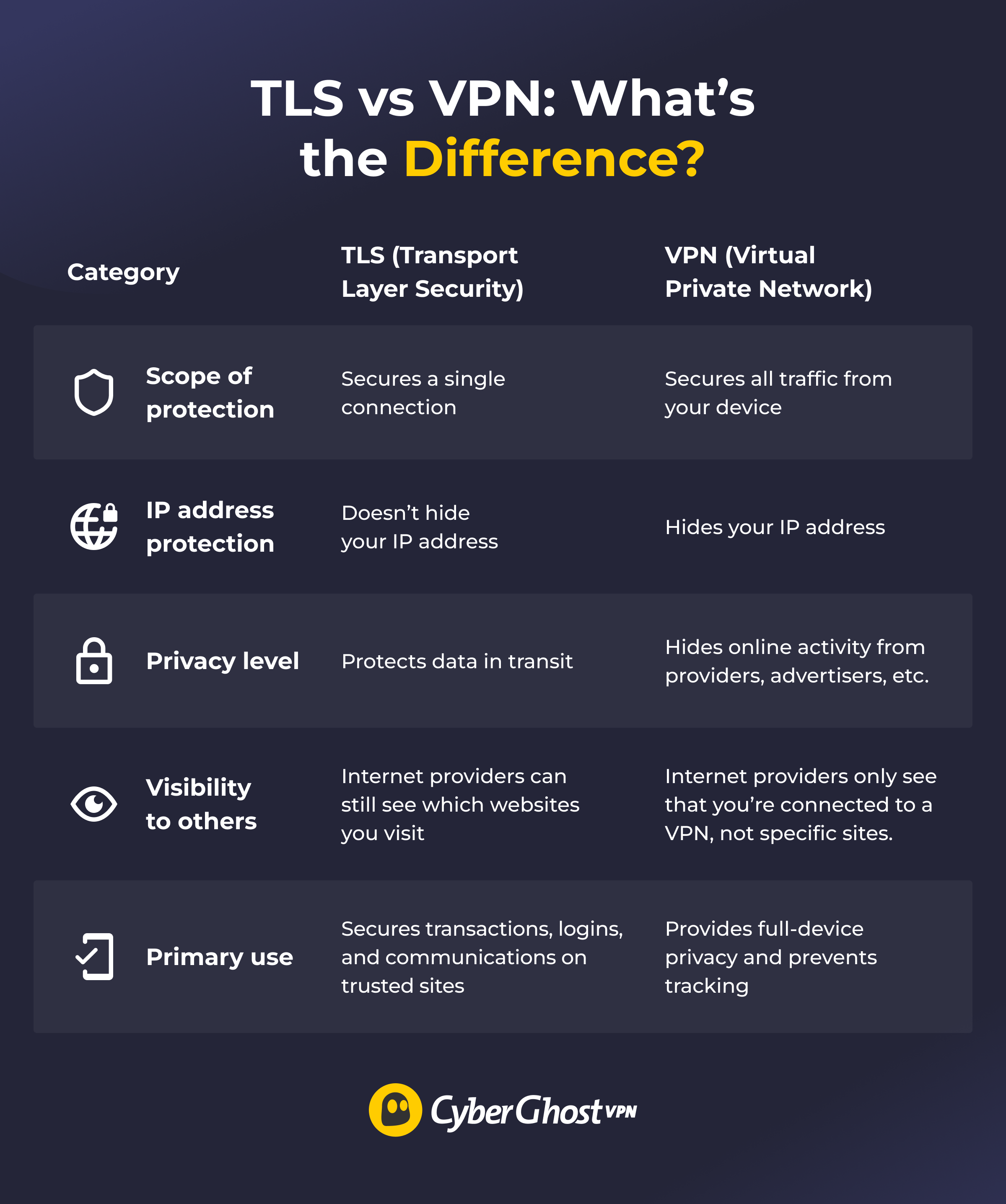
When you turn on a VPN, all your data is encrypted (scrambled) before leaving your device. Instead of traveling directly to websites or apps, it first passes through a secure VPN server. The server also hides your real IP address, the unique number that identifies your device and reveals your location. To outsiders, like your internet provider or network owners, all your traffic appears to come from the VPN server, not from you.
This means that VPNs are especially useful for maintaining privacy across public Wi-Fi networks, such as those in cafes, airports, or hotels. They also help prevent data collection by trackers, reduce profiling based on your online behavior, and add an extra barrier against cyberthreats.
How well a VPN performs depends on its features and reliability.
Your Data Deserves Both TLS and a VPN
TLS has become the standard for securing website connections. However, it only works within the limits of a specific connection. Once data leaves that website or app, its protection ends. That’s where a VPN comes in, adding a much wider layer of privacy. It complements TLS perfectly by securing everything that happens outside the browser, including apps, background processes, and public Wi-Fi connections.
With CyberGhost VPN, you can add this extra layer of security effortlessly. It encrypts your connection, hides your IP address, and includes features such as automatic Wi-Fi protection and ad blocking. That way, every part of your online experience stays private and secure.
FAQ
What is TLS and how does it work?
TLS (Transport Layer Security) is a protocol that encrypts data between a user’s device and a website or online service. It works by creating a secure connection through a process called a handshake, where both sides verify each other’s identity. Once the handshake is complete, all information (logins, messages, payments, etc.) travels in encrypted form.
How does TLS encryption protect your data?
TLS uses mathematical encryption algorithms to scramble your data into unreadable code while it’s moving across the internet. Only the intended recipient with the correct decryption key can unlock it. This prevents cybercriminals, internet providers, or network snoopers from intercepting and reading sensitive information.
What is the role of the TLS protocol in internet connections?
TLS ensures that communication between browsers, apps, and servers stays confidential and authentic. It verifies that the website you’re visiting is legitimate and prevents attackers from tampering with data in transit.
How is TLS security different from a VPN?
TLS only protects specific connections, like when you visit an HTTPS website. A VPN encrypts all internet traffic from your device, not just browser sessions. It also hides your IP address, adding privacy across any app, network, and online service you use.
TLS vs VPN: which one protects your privacy better?
TLS keeps individual connections safe, but it doesn’t hide browsing activity from your internet provider, employer, or advertisers. A VPN offers stronger privacy overall because it encrypts all device traffic and masks your real location. However, TLS and VPNs work best together; TLS secures the websites, and a VPN secures the entire connection path.
What is the difference between VPN tunnels and TLS encryption?
A VPN tunnel is an encrypted pathway that carries all traffic from your device to the VPN server. TLS encryption applies only to data between your device and a specific site or app. Both use similar cryptographic principles but work at different layers of your internet connection.
How does DNS over TLS compare to using a VPN?
DNS over TLS (DoT) only encrypts domain name lookups, which is the process that turns a web address into an IP address. While it hides the websites you’re searching for, it doesn’t protect the rest of your traffic. A VPN encrypts everything, including DNS requests, giving you broader privacy and anonymity.
Which VPN protocol uses TLS for encryption?
The OpenVPN protocol uses TLS to ensure the handshake and key exchange between your device and the VPN server. It ensures that only trusted parties can create the encryption tunnel, combining the strengths of both VPN and TLS technologies.

Leave a comment