
The World Cup is almost here. You’ve got your snacks ready. Your group chat is buzzing, and your match schedule is locked in. All that’s left is to hit play and enjoy the game. But behind the scenes, there’s more going on than goals and highlights.
Millions of fans are online at the same time. That means crowded networks, more tracking, and a higher chance of running into unsafe websites or unsecured connections. If you’re watching on the go or using public Wi-Fi, your data could be exposed without you even noticing. We’ll show you how to improve your security by watching the 2026 World Cup with a VPN.
Why Use a VPN While Watching the 2026 World Cup?
The World Cup brings more than just goals and big moments. It also means more time online, which can expose your data and activity in ways you might not expect.
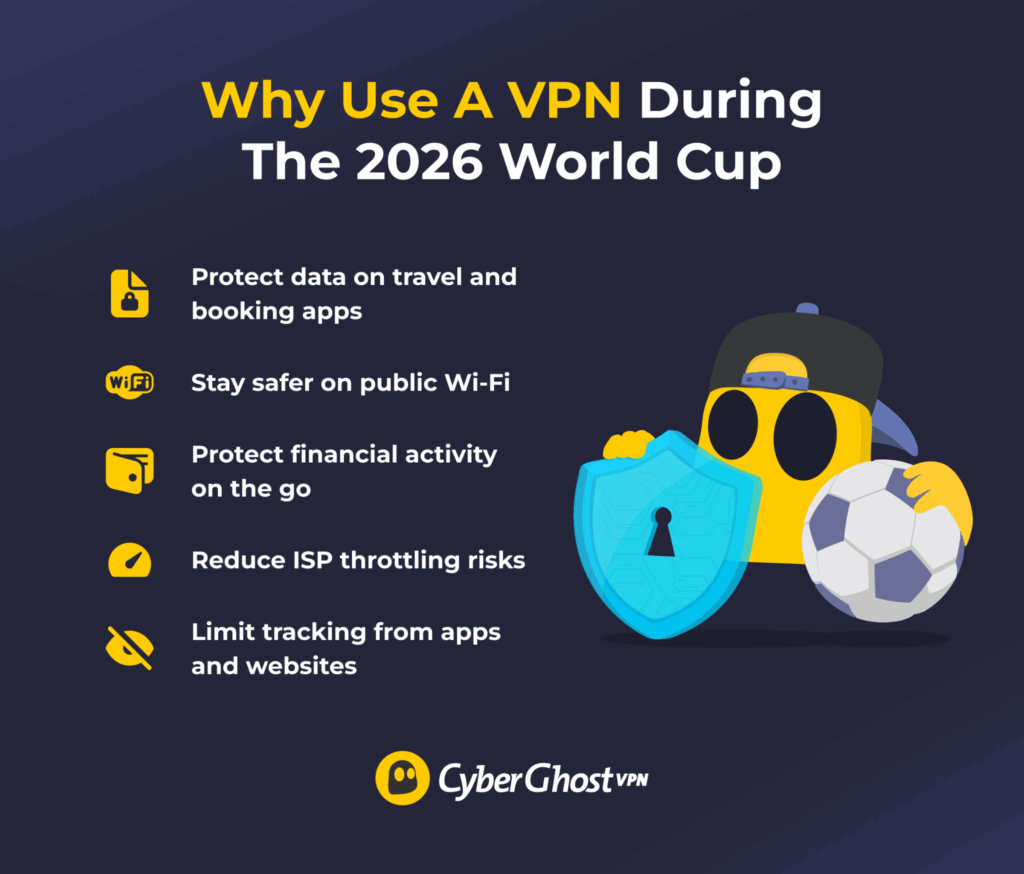
Protect Your Data While Buying Tickets, Making Bookings, and Using Travel Apps
Public Wi-Fi and travel apps go hand in hand during the 2026 World Cup. You’re buying match tickets, booking hotels, checking flight details, and using apps to get around. Each time, you’re entering personal details, payment information, and login credentials.
On busy or unsecured networks, this data can be more exposed while it moves between your device and the service. That can increase the risk of interception or unauthorized access, especially when you’re on the go and switching between networks.
A VPN encrypts your internet connection, which helps add a layer of protection while you complete these actions. So whether you’re securing your seat, confirming a booking, or checking your itinerary, it helps reduce the risk of your information being exposed from kickoff to full time.
Protect Your Financial Activity While You Travel
Travel during the 2026 World Cup means you’re on the move and spending money. You might check your bank app, pay for transport, or make quick purchases between matches. All of this involves sensitive financial data moving through your connection.
When you use public or unfamiliar networks, that activity can be more exposed. Shared Wi-Fi in airports, hotels, and fan zones can make it easier for others to monitor traffic or try to access unsecured information while you manage your finances.
A VPN encrypts your connection, which enhances privacy while you use banking apps, make payments, or manage purchases during the tournament, especially on shared or unfamiliar networks.
Avoid Content-Based ISP Throttling
During the 2026 World Cup, internet traffic surges as fans stream matches at the same time. To manage this, some providers inspect data traffic and identify activities like video streaming. If detected, they may slow down that traffic during peak periods, which can lead to buffering or lower quality during matches.
A VPN encrypts your traffic, which makes it harder for your ISP to identify specific online activities. This changes how your data appears to your ISP, so it’s harder to see exactly what type of activity you’re engaged in. As a result, it may help reduce the chances of activity-based throttling and keep your stream more consistent from kickoff to full time.
Reduce Tracking from Apps and Websites
During the 2026 World Cup, you’ll be using multiple apps and websites to stream matches, check stats, and follow updates. Many of these services track your activity using tools like cookies, device fingerprints, and IP addresses. This allows them to see what you watch, how long you stay, and how you move between sites.
A VPN helps by changing your IP address and routing your traffic through an encrypted tunnel. This means websites see the VPN server’s IP address instead of yours, which makes it harder to link activity directly back to your device. While it doesn’t stop all tracking methods, it can reduce how easily your activity is tied to you across different services.
When You Should Use a VPN During the World Cup
You’ll likely spend more time online during the 2026 World Cup, whether you’re streaming matches, checking scores, or using travel apps. Keeping your VPN connected throughout the World Cup can help protect your connection without you needing to remember to turn it on each time.
CyberGhost VPN includes Automatic Wi-Fi Protection and Smart Rules to make things easier. It can turn on the VPN when you connect to unsecured networks, so you don’t have to remember to do it yourself. With Smart Rules, you can also set the VPN to launch and connect automatically when you open certain apps or start your device. This helps you stay protected without interrupting your matchday routine.
It’s especially important to keep it on during moments when your data is more exposed or your activity is more sensitive. For example, it’s a good idea to keep your VPN connected when:
- Using public Wi-Fi. Turn it on in cafés, airports, hotels, stadiums, or fan zones where networks are shared.
- Traveling. Use it when you’re on the move and switching between different networks or locations.
- Streaming matches. Keep it on while you watch to add a layer of privacy during high-traffic periods.
- Accessing apps and accounts. Use it when logging into streaming platforms, social media, or other services.
- Making payments or bookings. Switch it on when you enter payment details or confirm travel plans.
- Browsing during peak match times. Access it when network traffic is high and you want a more consistent experience.
How to Pick the Right VPN for Watching the World Cup
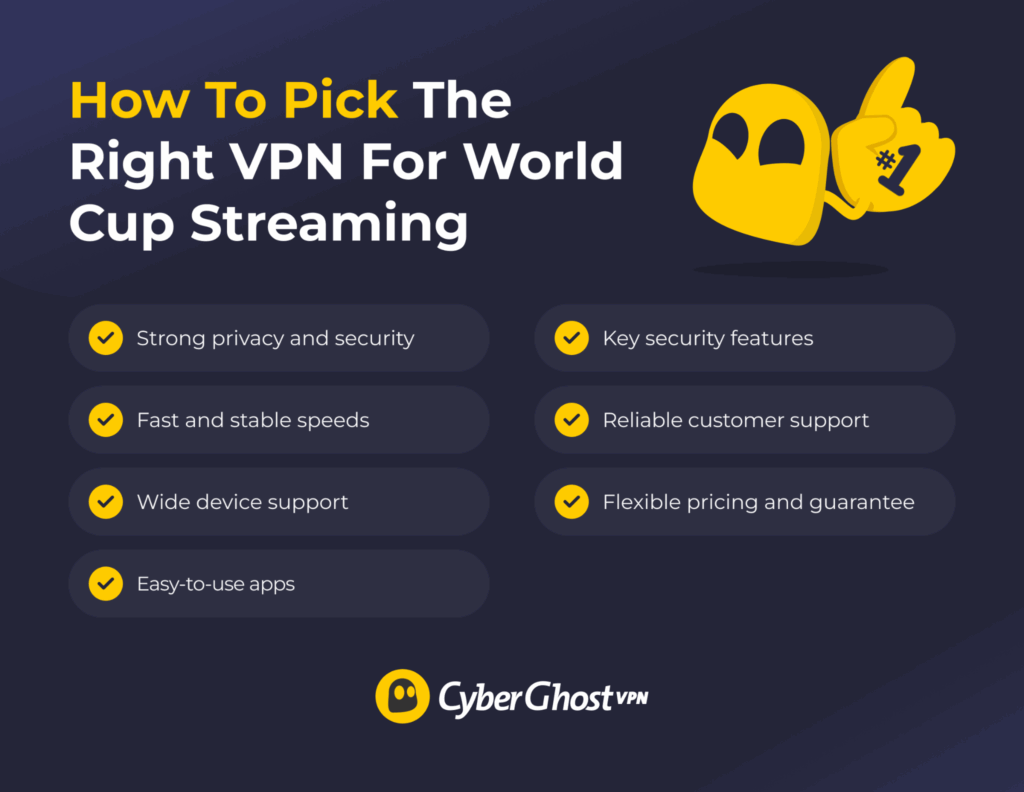
- Strong privacy and security standards. Look for a VPN with a strict no-logs policy so your activity isn’t tracked or stored. Check for strong encryption, DNS leak protection, and secure VPN protocols. Features like a kill switch and automatic Wi-Fi protection also help add a layer of security while you stream and browse.
- Fast and stable speeds. Choose a VPN known for consistent performance. This can help keep streams steady from kickoff to the final whistle.
- Wide device support. Make sure it works on your phone, laptop, tablet, and smart TV. Check how many devices you can connect at once.
- Easy-to-use apps. Pick a VPN with a simple interface. You should be able to connect in a few clicks without hassle.
- Reliable customer support. Check for 24/7 live chat or quick help guides. This makes it easier to fix issues fast.
- Flexible pricing and guarantee. Compare plans and look for a money-back guarantee so you can test it during the tournament.
Why Choose CyberGhost VPN for Secure World Cup Streaming
CyberGhost VPN helps you add a layer of privacy and security during high-traffic events like the World Cup. It uses AES 256-bit encryption and follows a strict no-logs policy, so your activity isn’t tracked or stored. It also includes DNS leak protection to help keep your browsing activity protected while connected. These features help reduce exposure while you stream, browse, and stay connected during the tournament.
You also get useful features that make a real difference. If the VPN connection drops, our Kill Switch automatically blocks your internet traffic so your data doesn’t switch to an unprotected connection. Auto-connect on unsecured Wi-Fi turns the VPN on when you join public networks. CyberGhost VPN also runs on a large server network designed for reliable performance during high-traffic online activity.
The apps are simple, and you can connect in just a few clicks before kickoff. It works across phones, laptops, tablets, and smart TVs, and you can use it on multiple devices at once. If you need help, support is available 24/7. It’s a strong all-round pick if you want a VPN that’s easy to use and ready for match day.
How to Set Up a VPN for the World Cup Before Match Day
It’s easy to get started and even easier to use.
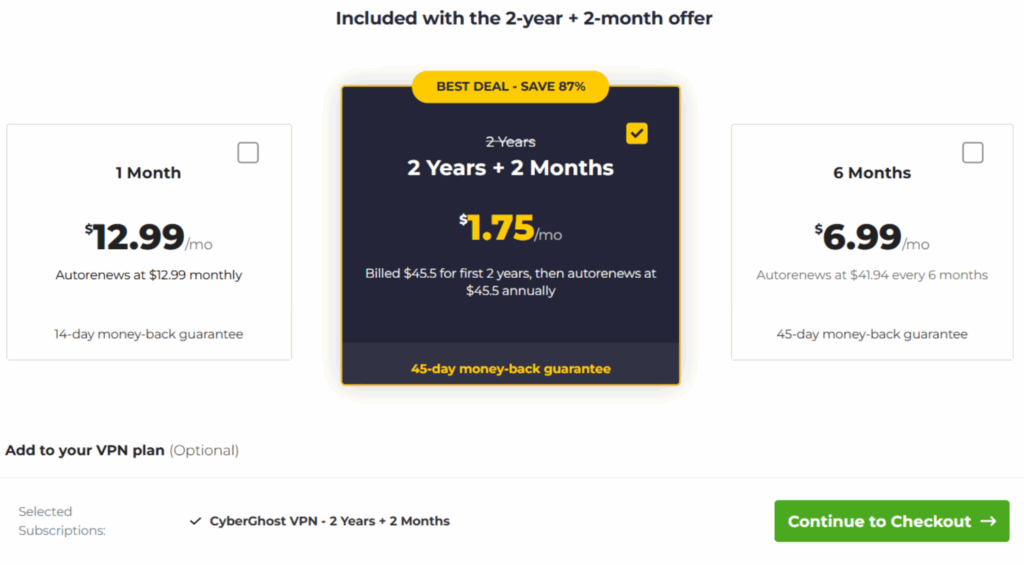
- Sign up for CyberGhost VPN. Go to the official CyberGhost VPN website and choose a plan that fits your needs. Enter your email, complete the payment, and create your account. Once done, keep your login details ready for the next steps.
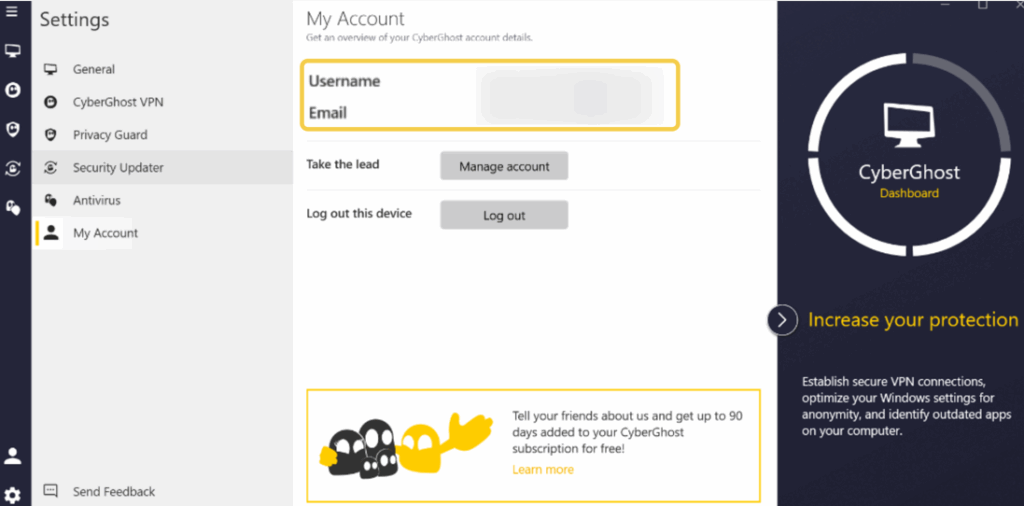
- Install the VPN app and log in. Download the CyberGhost VPN app from the official website or your device’s app store. Install it on your phone, laptop, tablet, or smart TV. Open the app and log in using your account details.
- Set up features and preferences. CyberGhost VPN comes ready to use out of the box, so you don’t need to change anything if you prefer a simple setup. That said, it’s worth taking a minute to review a few key settings so everything works the way you want, especially if you plan to stream or use public Wi-Fi during the World Cup.
- Auto-connect on startup. Set the app to launch and connect when your device starts. This helps make sure you’re always protected without needing to open the app manually.
- Auto-connect on an unsecured Wi-Fi. Enable this so the VPN turns on automatically when you join public networks in places like cafés, airports, or hotels.
- Kill switch. Turn this on to block internet traffic if the VPN connection drops. This helps prevent your data from being exposed.
- Protocol settings. Stick with the default recommended protocol unless you have a specific preference. It’s usually optimized for a balance of speed and security.
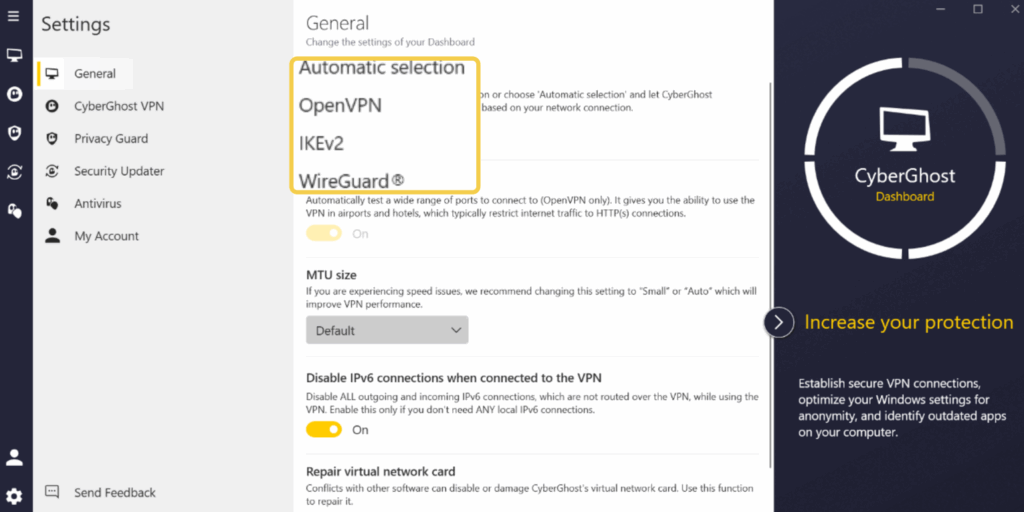
- App preferences. Check options like notifications, startup behavior, and connection preferences so the app fits how you use your device.
- Split Tunneling (optional). Decide if you want certain apps or websites to bypass the VPN. This can be useful if you only want to secure specific activities.
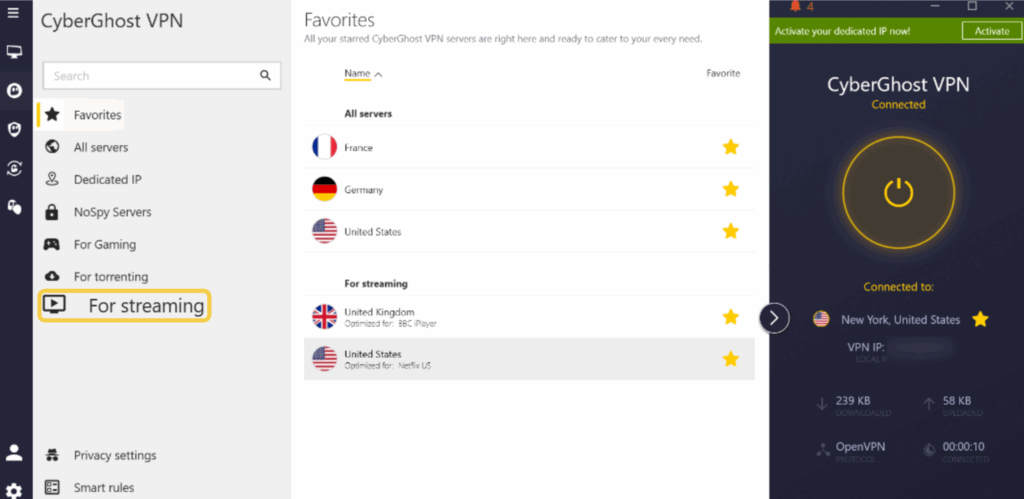
- Pick a server, connect, and enjoy streaming. Pick your server, hit connect, and you’re ready for kickoff. You can also choose servers labeled For streaming, which are designed to support stable performance during high-traffic viewing sessions. Sit back and enjoy every minute while your VPN keeps your connection covered.
Get Protected Before the First Match Starts
The 2026 World Cup is all about the moments. Last-minute goals, big saves, and nonstop action from kickoff to the final celebration. You don’t want anything getting in the way of that. Not slow connections, not risky networks, and definitely not avoidable online risks. A little prep goes a long way when you’re streaming, browsing, and staying connected during such a busy global event.
CyberGhost VPN helps protect your connection while you stream, browse, and stay connected during the tournament. Set it up before match day so you’re ready before kickoff. You can try it risk-free with a 45-day money-back guarantee (14 days for monthly users).
FAQ
Do I really need a VPN during the World Cup?
You may not need a VPN to watch the 2026 World Cup, but a VPN adds an extra layer of privacy and security. It encrypts your connection, helps protect your data, and keeps your activity private, especially on public or shared networks.
Will a VPN slow down my World Cup streaming?
A VPN can slow your connection slightly because it encrypts your data and sends it through a secure server. With CyberGhost VPN, that slowdown is usually barely noticeable thanks to our optimized servers and reliable speeds. In most cases, you can still enjoy your favorite teams without buffering, so you won’t miss key passes, big saves, or last-minute goals talked about for years to come.
Is it legal to use a VPN while streaming sports?
Using a VPN while streaming sports is legal in most countries because VPNs are widely allowed as privacy and security tools. What matters is how you use it, since you still need to follow local laws and the terms of the streaming service you choose.
What’s the best type of VPN for live sports events?
The best type of VPN for live sports events is one that offers fast speeds, strong encryption, and stable performance. It should support high-quality streaming without buffering, use modern protocols for efficiency, and maintain a reliable connection so you don’t miss key moments during the match. CyberGhost VPN delivers optimized servers, strong security, and consistent speeds to help keep your streaming steady from kickoff to the final whistle.

Leave a comment