
Bring Your Own Device (BYOD) has become a normal part of modern work environments. Employees use their phones, tablets, and personal laptops to check email, join meetings, and access company tools, often without thinking twice. It feels convenient, saves money, and helps people stay productive. But when work takes place on so many personal devices, it also creates security risks that are easy to overlook and hard to control.
This guide breaks down what BYOD actually means, how it works in a typical workplace, and the risks you need to watch for. You’ll also learn how to protect your data while still giving your team the flexibility they want.
What BYOD Really Means
BYOD is a workplace setup in which employees use their personal devices (like phones, laptops, or tablets) to access company systems. It’s different from a traditional setup because the company doesn’t control the hardware; it only controls the conditions under which it can connect.
A good BYOD approach sets rules for what data employees can access, how devices should be secured, and what happens if a device is lost or someone leaves the company.
How BYOD Works
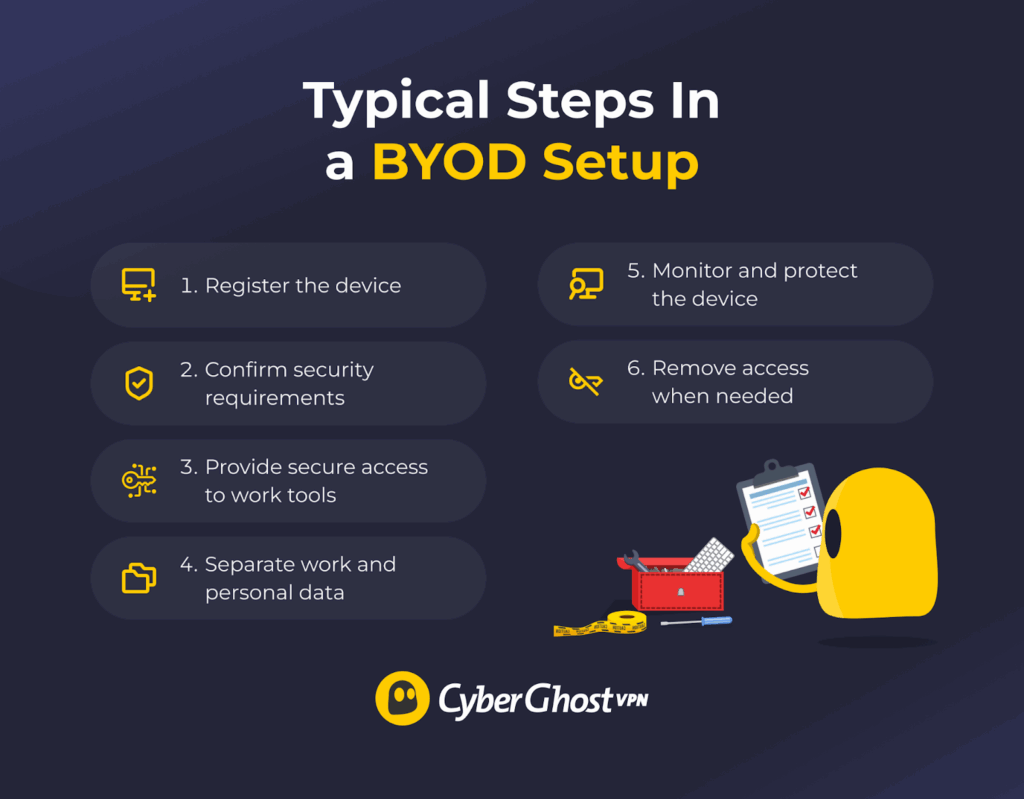
Allowing BYOD isn’t as simple as letting employees use their own phones or laptops without restrictions. There’s a process behind the scenes that keeps company data safe while still giving employees the flexibility they expect. Here’s a clear look at how it usually works.
- Register the device. Before an employee can use their personal device for work, it must be added to the company’s approved device list. This lets the business know who owns the device and ensures only authorized devices can access company systems.
- Verify and enforce security requirements. Personal devices must meet basic security standards. This often means using a strong password or PIN, keeping software up to date, turning on encryption, and avoiding rooted or jailbroken devices. Some companies may require a small security app to help protect work data.
- Give secure access to work tools. After the device is approved, employees can access email, cloud storage, and other work apps. Companies usually add extra protection like multi-factor authentication or a secure connection to keep data safe, even on public Wi-Fi.
- Keep work and personal data separate. To keep company information separate from personal files, businesses often create a protected workspace on the device. This can be a secure folder or app that holds work emails, documents, and tools.
- Monitor and provide ongoing protection. Companies check that security settings stay in place, apps stay up to date, and nothing suspicious happens. If a device is lost or something looks unsafe, access can be paused to protect data.
- Remove access when needed. If an employee leaves the company or stops using their device for work, access is removed, and only the work data is wiped. Personal information stays on the device.
Key Benefits of BYOD
- Lower costs and better efficiency: Companies save an estimated 300 to 350 dollars per employee each year, and about 68% report improved productivity after adopting BYOD.
- Happier, more flexible employees: People can use the devices they prefer, making daily work easier and more comfortable. One 2024 market report found that companies using BYOD see employee satisfaction rise by more than 50%.
- Access to newer and better technology: Employees often upgrade their personal devices more frequently than companies do. This means they can use newer, faster technology without incurring extra costs to the organization.
- Faster onboarding and easier scaling: New hires can get started right away on their devices, helping businesses grow without constantly buying new equipment.
- Strong security with privacy protection: Modern BYOD tools keep company data separate from personal files, protecting both business information and individual privacy.
- Better business continuity: If employees can’t access the office or face disruptions, they can still work from their personal devices without interruption.
Common BYOD Security Risks
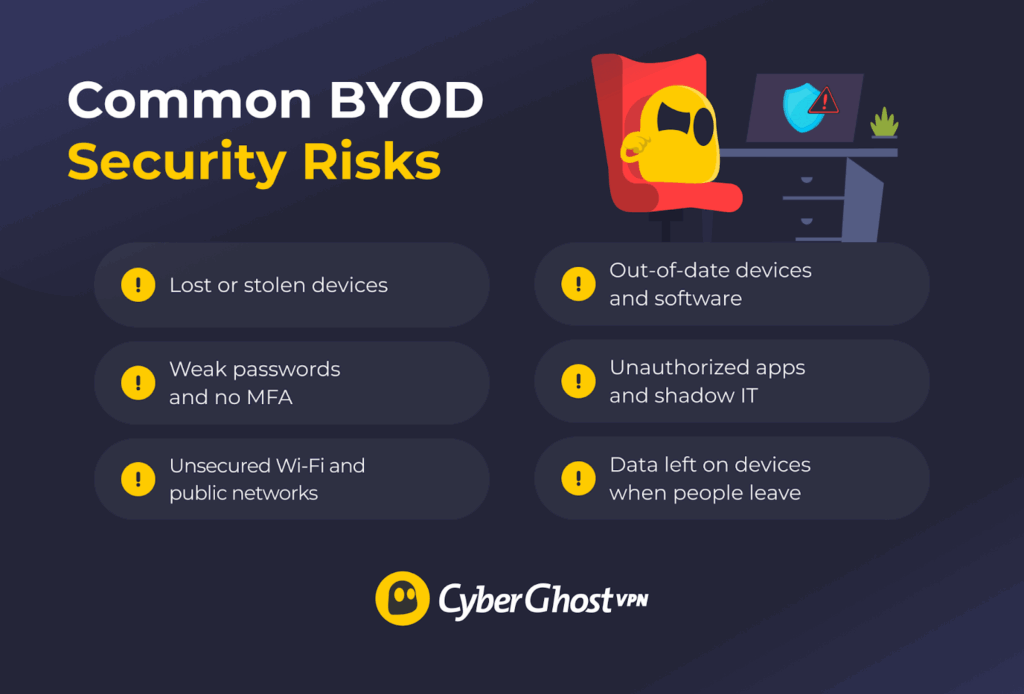
BYOD offers flexibility and productivity, but without proper safeguards, it can also create security vulnerabilities. Here are the most common BYOD security risks and how to prevent them.
Lost or Stolen Devices
Personal devices are easy to misplace, and that makes this one of the biggest BYOD risks. When used for work, a phone, tablet, or laptop frequently stores emails, files, saved passwords, and app logins. Anyone who picks up the device, whether lost or stolen, could potentially access that information.
A 2025 survey of IT decision-makers in the U.S. and Europe revealed that 27% said their organization had a data breach caused by a stolen device. Weak security settings can expose data even on a locked device. If the device isn’t encrypted, uses a weak lock screen password, or keeps work apps signed in, someone who finds it may be able to access synced emails/files or reuse saved sessions. If stored credentials are accessible, someone who has the stolen device can also attempt to log in to other company systems.
The risk isn’t limited to theft. People leave their devices in taxis, forget them in cafés, misplace them during travel, or have someone else accidentally pick them up. All it takes is one unsecured device to expose sensitive business information.
Weak Passwords and No MFA
Weak or reused passwords are one of the easiest ways for attackers to break into accounts. In fact, research from Cloudflare found that 41% of successful logins involved compromised passwords, showing how often stolen or reused credentials are already in circulation.
Personal devices are especially vulnerable because people often prioritize convenience over security. If an employee uses the same simple password repeatedly, a breach of personal accounts can give attackers a direct path into work systems.
Without multi-factor authentication (MFA), a stolen or guessed password is often enough to get into sensitive work data. MFA adds a second verification step, such as a code or fingerprint, and stops most unauthorized attempts even if the password is exposed. Without it, password-based attacks are much easier and far more likely to succeed.
Unsecured Wi-Fi and Public Networks
Employees often use free public Wi-Fi in cafés, airports, or hotels without realizing how risky these networks can be. Attackers can monitor traffic, set up fake hotspots that look legitimate, or attempt man-in-the-middle attacks. If a device connects and data isn’t properly encrypted, sensitive information — including login details — can be exposed. Even basic actions like checking email or opening cloud files can give attackers a foothold.
Zimperium says it has flagged over 5 million unsecured public Wi-Fi networks worldwide in 2025 so far, and 33% of users still connect to open networks.
Out-of-Date Devices and Software
Old devices and outdated software are major security risks in any BYOD setup. When employees skip updates on their phones, laptops, or apps, they miss important security patches that fix known weaknesses. Verizon’s 2025 Data Breach Investigations Report shows attackers are leaning harder on known flaws — vulnerability exploitation showed up in 20% of breaches, up 34% from the year before.
Devices that no longer receive updates are even more vulnerable because new threats appear constantly. Once a device stops getting security fixes, attackers can use well-documented flaws to break in with minimal effort. This makes outdated hardware one of the most predictable and preventable BYOD risks.
Unauthorized Apps and Shadow IT
Employees who use unapproved personal messaging, file-sharing, or storage apps can expose business data to security threats. These apps often lack proper encryption or store data on insecure servers, which makes sensitive business data easier to leak or misuse. Even well-known apps can be risky if the company can’t control how they handle or store work files.
Data Leaks When People Leave the Company
Around 20% of businesses have experienced a data breach linked to a former employee, often because access or data wasn’t fully removed during offboarding. When employees leave but still have company emails, files, or apps on their personal devices, sensitive information can remain exposed. Even if system access is revoked, stored data may still be accessible. If that data is later shared, copied, or mishandled, it can lead to serious business data leaks.
How to Reduce These BYOD Security Risks
Addressing BYOD risks isn’t about locking down personal devices completely. It’s about creating clear standards so employees can work comfortably while company data stays protected. The steps below build on one another to form a complete BYOD security strategy.
- Secure the device and prepare for loss or theft: Set a strong password or PIN, turn on automatic screen locking, and enable full-device encryption. Use mobile device management (MDM) tools when available to lock or wipe work data if a device goes missing.
- Strengthen authentication: Use unique, complex passwords and turn on multi-factor authentication (MFA) for all work accounts. MFA adds a second verification step that stops most unauthorized access attempts.
- Protect data on every network: Discourage using public Wi-Fi for work. When a secure network isn’t available, use a trusted VPN like CyberGhost VPN to encrypt the connection and keep emails, files, and login details private.
- Keep devices fully updated: Install operating system and app updates as soon as they become available. Updates patch known vulnerabilities. Devices that no longer receive security updates shouldn’t access sensitive information.
- Control which apps handle company data: Access work information only through approved apps and services. This keeps sensitive data out of unprotected storage, risky extensions, and unsecured file-sharing tools.
- Remove data and access during offboarding: Revoke account permissions as soon as a device stops being used for work. Use MDM tools to delete only the work data while keeping personal content untouched.
What Are the Levels of BYOD Access?
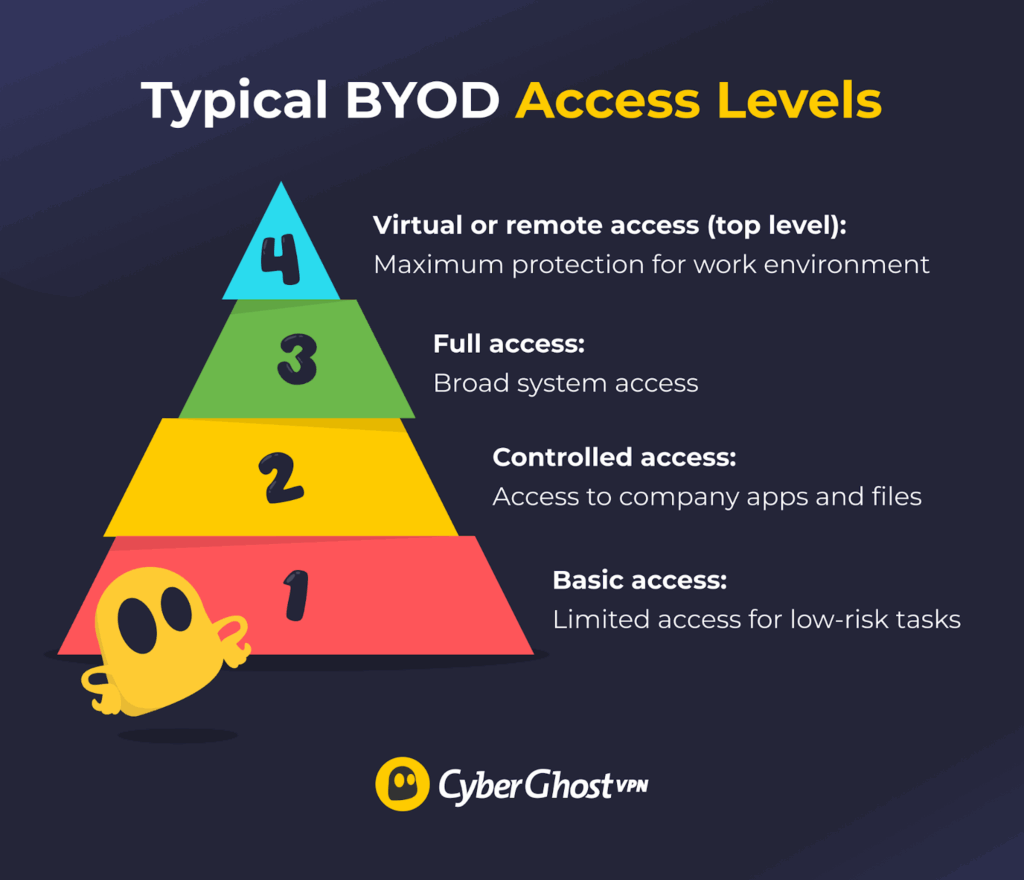
Not every employee needs full access to company systems when using their own device. Setting different access levels helps you protect sensitive data while still keeping work simple for your team.
- Basic access: Allow simple, low-risk tasks like checking email or calendars. No company data is stored on the device, so it’s a safe first step for BYOD.
- Controlled access: Allow use of company apps and files, but require security measures. Make sure devices are registered, encrypted, and managed to keep work data separate from personal data.
- Full access: Provide access to company systems and sensitive information only when strong security measures are in place. Use multi-factor authentication, compliance checks, and remote wipe options to protect data.
- Virtual or remote access (optional): Use secure virtual desktops or cloud platforms for work so company data never lives on personal devices. This option is best suited for contractors or those in high-security roles.
How to Build and Properly Execute a Strong BYOD Policy
A BYOD security policy is a set of rules that explains how employees can safely use their personal devices for work. It defines which devices are allowed, what security measures must be followed, and how company information should be protected. The goal is to keep work flexible while keeping business data secure.
A good policy keeps company data secure while allowing employees to use their personal devices comfortably. Here’s how to do it effectively:
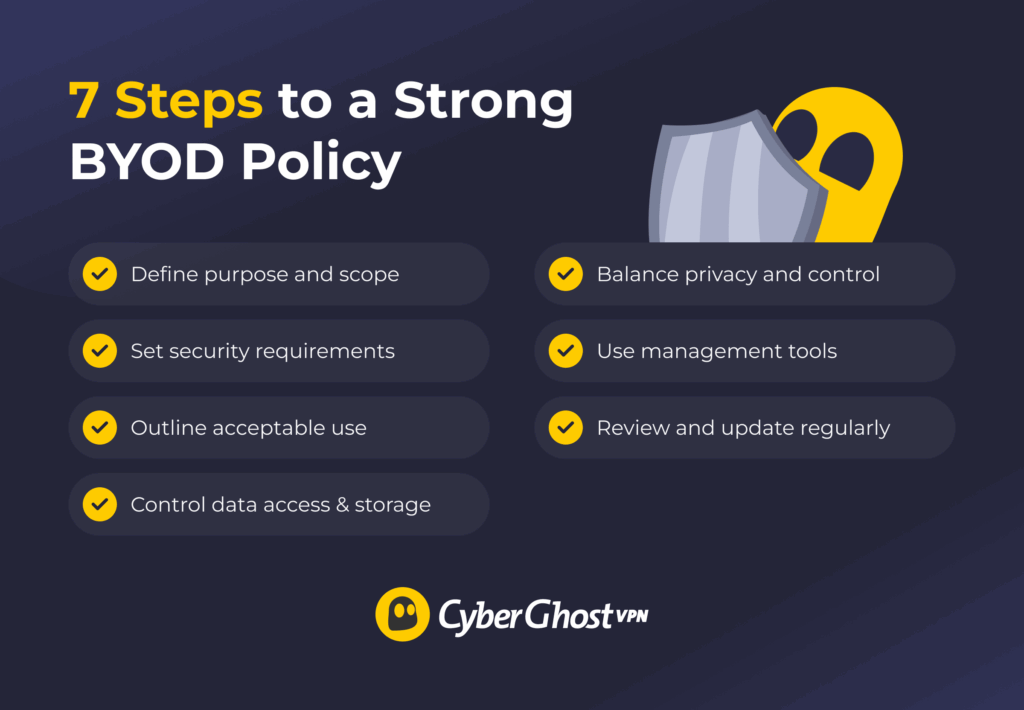
- Define the purpose and scope. Explain why the policy exists, who it applies to, and which devices are allowed. Clarify what data employees can access and what activities are restricted.
- Set clear security requirements. Require strong passwords, device encryption, screen locks, regular updates, and multi-factor authentication. These basics prevent the most common security issues.
- Outline acceptable and restricted use. List approved apps and services, and make it clear that employees shouldn’t save company data on personal storage or use unsecured public Wi-Fi without protection.
- Control data access and storage. Require secure connections through VPNs or managed apps and prevent work data from being stored or shared outside company-approved systems. CyberGhost VPN’s split tunneling feature makes this easier by sending only work traffic through the encrypted VPN while keeping personal activity separate, protecting business data without slowing down the device.
- Balance privacy and control. Be transparent about what the company can manage. The policy should protect company data without accessing personal files, photos, or messages.
- Use management tools. Apply security tools to enforce rules, separate work data from personal data, and remotely secure lost devices.
- Train employees. Offer short training sessions on safe device use, identifying risks, and reporting lost or stolen devices quickly.
- Review and update regularly. Revisit the policy at least once a year to keep up with new devices, threats, and technologies.
Core BYOD Security Solutions
A BYOD policy works best when it’s supported by the right technology. Security tools help automate enforcement, simplify compliance, and protect company data without burdening employees. The following core solutions strengthen any BYOD framework:
- Mobile Application Management (MAM): Focuses on protecting specific business apps instead of the whole device. Ensures company data stays secure while respecting user privacy.
- Containerization: Creates a secure “work zone” on personal devices, separating business data from personal files. This allows IT to remove company data without affecting personal content.
- Virtual Desktop Infrastructure (VDI): Lets employees work within a secure virtual environment hosted on company servers. No company data is stored locally on personal devices.
- Mobile Device Management (MDM): Gives IT teams full control over employee devices. Enforces password rules, enable encryption, push security updates, and remotely lock or wipe lost devices.
- VPNs: Encrypt connections between personal devices and company systems, especially when using public or remote networks.
Keep BYOD Simple, Safe, and Sustainable
Allowing people to use their own devices for work is practical and smart, but it only works well when it’s done safely. The best BYOD setups are simple, consistent, and fair. You don’t need complicated tools or a large IT team to get it right. What you do need are clear rules and a few reliable security habits that everyone follows.
One of the most effective additions is a VPN. It protects company data when employees connect from home, public Wi-Fi, or any untrusted network. CyberGhost VPN is a strong fit because it’s easy to use, works on all major devices, and creates an encrypted connection that keeps work information private. You can also test it out for yourself with our reliable 45-day money-back guarantee.
FAQ
What does BYOD mean?
BYOD stands for Bring Your Own Device. It’s a setup where employees use their personal phones, laptops, or tablets to access work systems like email, apps, and files, instead of relying on company-provided hardware.
What are the key security concerns with BYOD?
The main security concerns with BYOD include lost or stolen devices, weak passwords, unsafe Wi-Fi, outdated software, and the use of unapproved apps. There’s also a risk that work data stays on a personal device when someone leaves the company.
How does BYOD impact cybersecurity in organizations?
BYOD affects cybersecurity by increasing the number of personal devices connecting to company networks. Each device becomes a possible target for hackers if it isn’t properly secured. Personal phones and laptops often have different security settings, and not all are updated or protected with strong passwords or antivirus software. These shortcomings make it easier for threats like malware, phishing, or data leaks to occur.
How can VPNs improve security on BYOD devices?
VPNs improve security on BYOD devices by encrypting the connection between the device and company systems. This keeps sensitive data safe from hackers, especially on public or unsecured Wi-Fi networks. A VPN also hides the user’s IP address and ensures that any data sent or received stays private, reducing the risk of interception or unauthorized access.
Is BYOD safe for remote work environments?
Yes, BYOD can be safe for remote work if proper security measures are in place. Employees should use strong passwords, keep their devices updated, and connect through secure networks with a VPN. Companies should enforce clear BYOD policies, require data encryption, and use tools like mobile device management to monitor and protect work data. With these steps, personal devices can be safely used to support remote work.
What types of devices can employees use?
Employees can use a variety of personal devices for work, depending on their company’s policy. The most common ones are smartphones, tablets, laptops, and sometimes personal desktop computers. Smartphones are typically used for quick communication, checking emails, and managing calendars. Tablets are great for meetings, note-taking, and light document editing. Laptops are the most common choice for remote or hybrid employees, as they can handle full work systems and applications.
How many devices should you allow per person?
The number of devices allowed per person usually depends on the company’s needs and security capacity. Most organizations allow between two and three devices per employee. For example, an employee might use a smartphone for quick communication, a laptop for main work tasks, and possibly a tablet for meetings or travel.

Leave a comment