
LinkedIn tends to feel more professional than other social platforms, which is part of why people are often more open to connecting with recruiters, colleagues, and potential employers there. But like any large online platform, it also attracts scammers who try to blend into normal networking and job-search activity.
Most LinkedIn scams start out looking fairly ordinary. It could be a recruiter reaching out about a role, a connection request from someone in your industry, or a message about freelance work or investment opportunities. The challenge is knowing when a normal conversation starts crossing into suspicious territory. This guide will look into the most common LinkedIn scams, how they typically work, and the signs that can help you spot them early.
Why LinkedIn Is a Target for Scammers
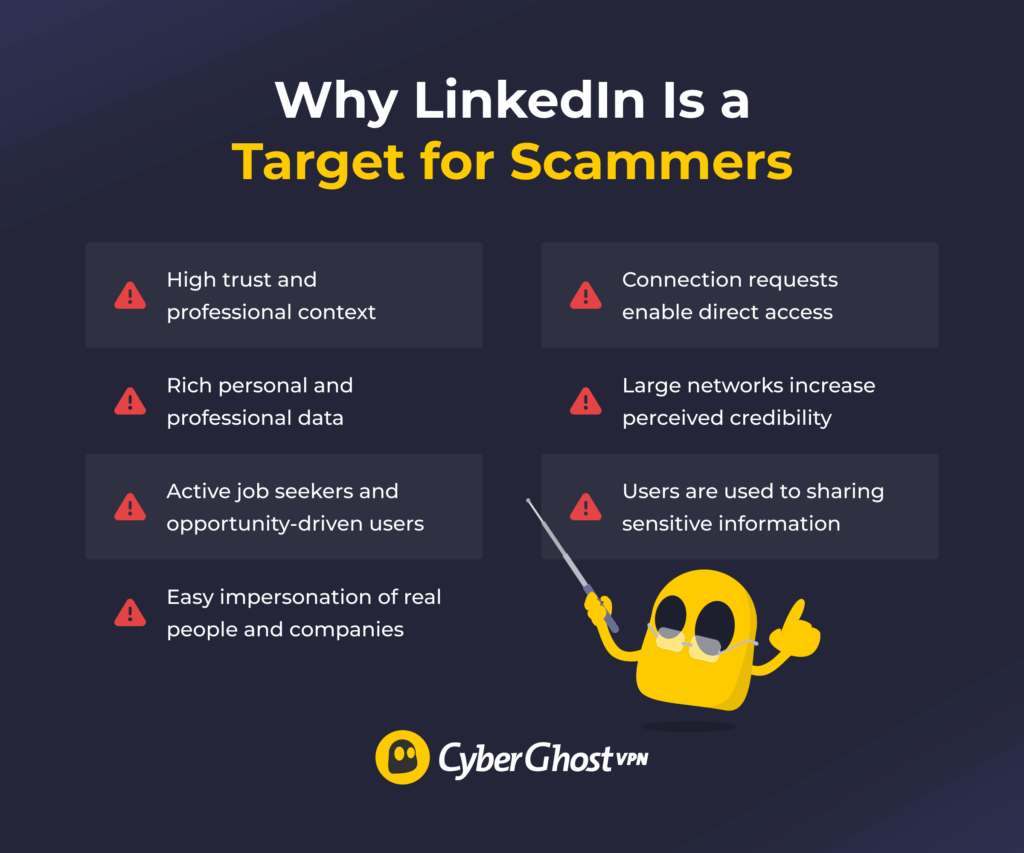
- High trust and professional context: People expect genuine networking, job opportunities, and business conversations on LinkedIn, which can make messages feel more credible at first glance.
- Rich personal and professional data: Profiles often include job titles, employers, education history, and connections. Scammers can use this information to craft more convincing and personalized messages.
- Active job seekers and opportunity-driven users: Many users are open to hearing about new roles, freelance work, partnerships, or business opportunities, which naturally increases engagement with unfamiliar contacts.
- Easy impersonation of real people and companies: Scammers can copy profiles, roles, and brands to appear legitimate and build credibility quickly.
- Connection requests enable direct access: Once accepted, LinkedIn scammers can message freely and build trust through ongoing conversations.
- Large networks increase perceived credibility: Fake profiles with numerous connections look more trustworthy and are less likely to raise suspicion.
- People are used to sharing sensitive information on the platform: Job applications and networking discussions sometimes involve sharing resumes, email addresses, phone numbers, or work history, which scammers may try to exploit.
Most Common Types of LinkedIn Scams
LinkedIn detected over 83 million fake profiles and removed over 116 million spam and scam attempts in the first half of 20251. Understanding these scam types makes it easier to spot them early.
- Phishing scams: Messages or phishing emails that trick you into clicking links and entering login details or sensitive information on fake websites.
- Fake job offers: Scammers pose as recruiters and offer high-paying remote jobs, contract work, or “exclusive” opportunities to build trust and collect personal information. In some cases, the scams go far beyond fake interviews. For example, threat groups have previously used fake recruiter outreach on LinkedIn as part of malware campaigns like “Operation Dream Job,” where targets were sent malicious documents disguised as job descriptions or interview materials2.
- Work-from-home scams: These are offers for easy remote work that require you to buy equipment or software, often with fake reimbursement promises. The FTC reported that these schemes (also known as task scams) comprised 40% of all job scams they documented in 20243.
- Crypto and investment scams: “Experts” promote high-return opportunities and direct you to fake platforms that show fabricated profits.
- Romance and catfishing scams: Fraudsters build personal relationships over time before asking for money, gifts, or sensitive information.
- Tech support impersonation: Messages posing as LinkedIn or IT support that push urgent actions like sharing login details or granting access.
- Account takeover scams: Fake login pages or security prompts designed to steal your credentials and access your account.
- Lead generation scams: Messages offering reports, webinars, or forms that collect your contact details for misuse or resale.
- Fake business or collaboration offers: Partnerships or influencer deals that use company names and job titles to appear credible and lead to requests for fees, sensitive information, or login credentials.
- Fake security alerts: Urgent messages about account issues or verification that push you to click links and submit your details.
- AI scams: Scammers can now use AI tools to create deepfakes or voice clones to impersonate businesses or your personal contacts.
Note: Be aware that some scams have a preparation phase. Before carrying out a scam, a malicious actor could try to gain your trust slowly through a fake account, presenting you with offers, requests, or links.
How to Protect Yourself from LinkedIn Scams
LinkedIn scams often look like normal messages or real opportunities, which makes them easy to miss. The key is to stay cautious, verify before you trust, and avoid acting too quickly.
- Verify profiles and companies: Check profiles, confirm company details, and cross-reference information on official websites.
- Be cautious with connection requests: Review profiles, assess credibility, and accept only relevant connections.
- Avoid clicking unknown links: Ignore unexpected links, access LinkedIn directly, and verify URLs before clicking.
- Limit personal information sharing: Share only necessary details, avoid sensitive data, and delay disclosure until trust is established.
- Never pay for opportunities: Reject upfront fees, question payment requests, and avoid roles that require spending money.
- Watch for urgency and pressure: Look for rushed language, question time-sensitive demands, and avoid quick decisions.
- Enable strong security settings: Use strong passwords, enable multi-factor authentication, and update credentials regularly.
- Avoid downloading unknown files: Skip unsolicited attachments, verify file sources, and only open files from trusted contacts.
- Keep conversations on LinkedIn: Stay on the platform, avoid external apps, and verify before moving communication elsewhere.
- Report and block suspicious accounts: Report suspicious activity, block risky profiles, and stop engaging immediately.
- Use a password manager: Utilize a password manager to help prevent certain phishing attacks. Password managers only autofill credentials on websites that match the exact URL they’ve recorded in the past, so you’ll be notified if you’ve clicked a shady link.
- Create a private password in real life: Make up a password with your close associates outside of the internet. That way, if you suspect you’ve encountered an AI deepfake or voice clone, you can determine if it’s real through your password. LinkedIn also recommends texting or calling the person as soon as you suspect they’re being impersonated4.
Scammers don’t just rely on messages. They also track online activity to spot easy targets. CyberGhost VPN changes your IP address and location, which makes it harder for scammers to track or target you. It uses strong encryption, so your activity stays more private while you browse LinkedIn. DNS and IP leak protection also help keep your information from being exposed without you knowing.
How to Identify Fake LinkedIn Profiles
Fake LinkedIn profiles are designed to look credible, but small inconsistencies often reveal the truth. Paying attention to patterns, not just appearances, makes them easier to spot. Some red flags are easy to notice right away, while others only show up after a closer look. These patterns are commonly highlighted in LinkedIn’s platform guidance and broader tips on detecting fake accounts5.
Typically, you should watch out for:
- Suspicious profile photos: Images may look overly polished, like stock photography, or feel mismatched with the person’s role or industry. A reverse image search can sometimes reveal the same photo being used under different names elsewhere online.
- Incomplete or inconsistent work history: Fake profiles often include vague job descriptions, unrealistic career timelines, or missing details about education and experience. Some scammers also imitate real professionals, so cross-checking names and employers on other platforms can help confirm legitimacy.
- Recently created or inactive accounts: Real LinkedIn users usually build activity gradually over time. Fake accounts may have very recent creation dates, little engagement, or sudden bursts of activity that look unnatural.
- Unusual connection patterns: Connections may appear random, with no clear link between industries, locations, or professional circles. Endorsements and recommendations can also look generic or be suspiciously repetitive.
- Missing verification signals: Profiles claiming to represent major companies but lacking LinkedIn verification badges or other signs of authenticity may deserve additional caution.
- Pushy or scripted communication: Messages can feel generic, overly formal, or rehearsed. Scammers often steer conversations toward external links, job offers, investment opportunities, or requests to continue chatting off LinkedIn.
What to Do If You’ve Been Targeted or Scammed
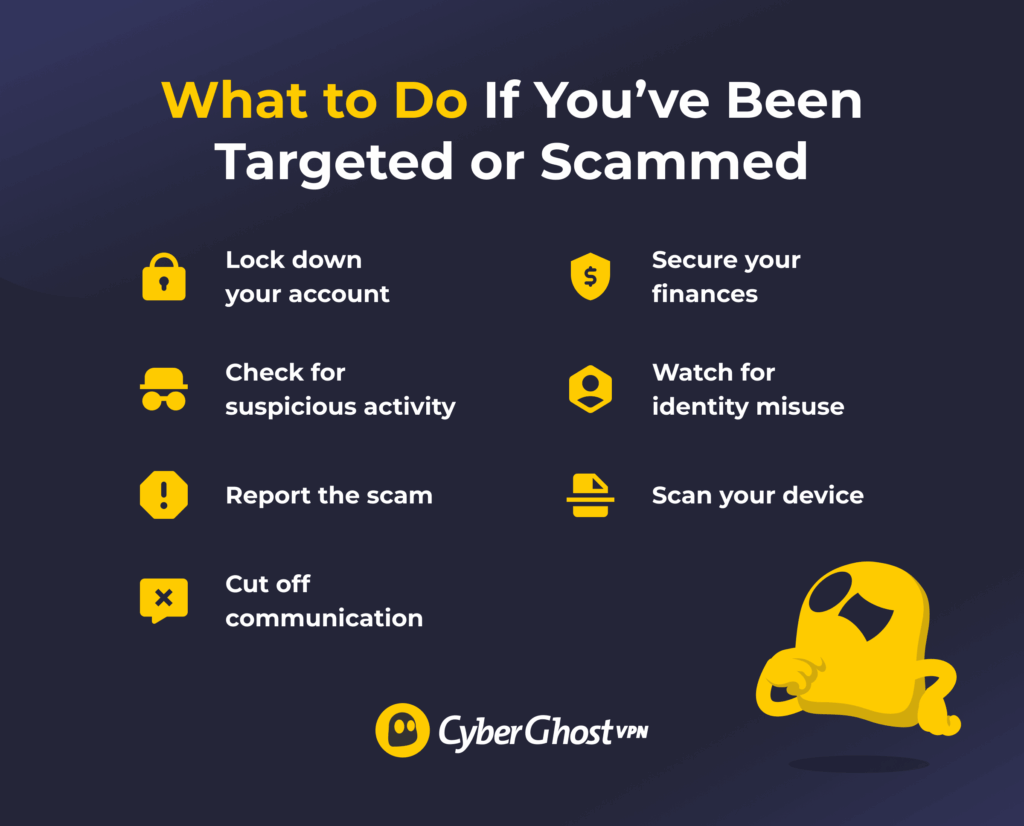
If you think you’ve been targeted or scammed on LinkedIn, act quickly to reduce the damage and secure your accounts. The faster you respond, the better you can protect your data and prevent further misuse.
- Secure your account immediately: Change your password and enable two-factor authentication. You should also sign out of any active sessions which you can find by accessing Settings > Sign in & security > Where you’re signed in.
- Check for unusual activity: Review messages, monitor account changes, and look for unauthorized actions.
- Report the scam to LinkedIn: Flag the message, report the profile, and provide relevant details.
- Stop all communication: Cut contact with the scammer, ignore follow-ups, and avoid further engagement.
- Protect your financial accounts: Contact your bank, monitor transactions, and report any suspicious activity.
- Scan your device for threats: Run security checks, remove suspicious files, and update your software.
- Watch for identity misuse: Monitor accounts, check for unauthorized use, and stay alert for further scams.
Staying Safe in a Professional Network
LinkedIn scams are common and often convincing. They can look like real opportunities, normal conversations, or trusted connections, which makes them harder to spot. If you stay aware of how these scams work and watch for red flags, you can avoid most of them and hopefully protect your data, money, and career.
You can also strengthen your protection by using tools that keep your connection secure. CyberGhost VPN helps protect your data, especially on public or shared networks, and it can reduce the risk of interception while you browse or communicate online. It adds an extra layer of privacy that may help you use LinkedIn with more confidence. You can try it risk-free with a 45-day money-back guarantee (14 days for monthly users).
FAQ
How can I spot a fake recruiter on LinkedIn?
To spot a fake recruiter on LinkedIn, check their profile for red flags like few connections, incomplete details, or inconsistent work history. Be cautious if they send generic messages, push for quick action, ask to move off LinkedIn, or request personal information early.
How do scammers find victims on LinkedIn?
Scammers find victims on LinkedIn by searching for users based on job titles, industries, or “open to work” status. They target people who are actively job hunting, open to opportunities, or have visible contact details. They also send mass connection requests to build large networks and gain credibility. Once connected, they reach out with messages that appear relevant and personalized using information from your profile.
What are the most common LinkedIn scams targeting job-seekers?
The most common LinkedIn scams targeting job seekers include fake job offers, recruiter impersonation, and work-from-home scams. These often involve requests for personal information, upfront fees, or clicking on malicious links. Some scams also use fake contracts or payment processing roles to steal money or data.
How do scammers impersonate real companies on LinkedIn?
Scammers impersonate real companies by copying logos, branding, and job details to create convincing fake profiles or pages. They use names and email addresses that look similar to real ones and may copy information from actual employees. This makes their messages and job offers appear legitimate, which helps them gain trust and request information or money.
What should I do if I receive a suspicious message on LinkedIn?
If you receive a suspicious message on LinkedIn, don’t click any links or share personal information. Check the sender’s profile for red flags like incomplete details or inconsistent information. If it seems suspicious, stop engaging, report the message, and block the account.
Can scammers use my LinkedIn profile information for identity theft?
Yes, scammers can use your LinkedIn profile information for identity theft. Details like your full name, job title, company, and work history can be used to impersonate you or create targeted scams. They may combine this with other data to access accounts, trick your contacts, or commit fraud. To reduce risk, limit sensitive information on your profile and be cautious about what you share publicly.
References:

Leave a comment