
Have you ever noticed how some sites ask you to turn off your VPN before proceeding, and some might not work while your VPN is active? This doesn’t mean the site can see through your VPN encryption. Instead, it may happen because the VPN traffic patterns interfere with how the site processes incoming connections or trigger a detection system. Similarly, some filtered networks might monitor and potentially throttle VPN traffic.
That’s where an obfuscated VPN can help. Obfuscation adjusts how VPN traffic looks on the network so it behaves more like regular HTTPS traffic. The goal isn’t to increase secrecy or anonymity. It’s to improve compatibility on networks that interfere with VPN connections. Read on to learn what VPN obfuscation is, how it affects VPN traffic, what its limits are, and whether you actually need it.
What Is VPN Obfuscation?
VPN obfuscation, sometimes called a stealth VPN, refers to techniques that modify how VPN traffic appears on the network. It typically includes adjusting traffic patterns to make them look more like regular HTTPS traffic.
VPN providers usually implement obfuscation in one of two ways:
- Obfuscated servers: VPN servers with additional processing applied to modify traffic patterns before sending them over the network.
- Special VPN protocols: VPN protocols that allow optional obfuscation layers which adjust how packets are formatted or transmitted.
How an Obfuscated VPN Works
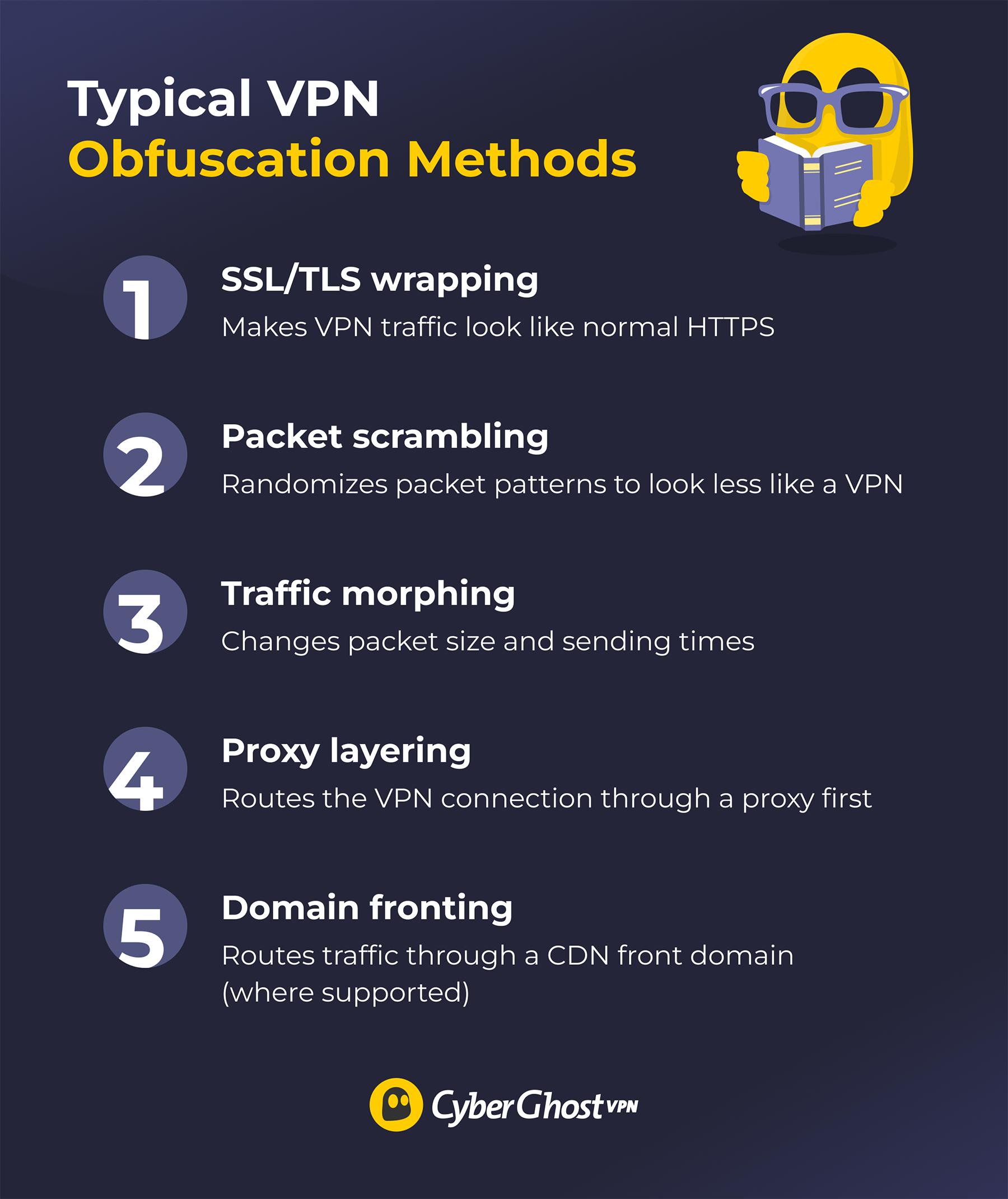
The most common VPN obfuscation techniques are:
- SSL/TLS wrapping: Covers the VPN connection within an SSL/TLS tunnel, which is normally used for HTTPS traffic. This extra layer makes the VPN traffic look like ordinary HTTPS.
- Packet scrambling: Modifies data packets sent and received through a VPN. Packet scrambling obscures packet patterns, which might have “fingerprints” that interfere with connectivity.
- Traffic morphing: Alters the VPN’s packet sizes and timing patterns to make the overall flow of data resemble everyday browsing. It breaks larger packets into smaller ones or pads small packets with dummy data and then changes the waiting time length between sending two packets.
- Proxy layering: Involves sending the data through one or more proxy servers before it reaches the VPN server. The initial established connection is to the proxy server’s IP address, rather than the VPN.
- Domain fronting: Uses Content Delivery Networks (CDNs) to make a connection look like it’s going to a normal CDN domain while the real destination is hidden inside the encrypted request. Many CDNs no longer support this behavior, so it isn’t widely available today.
What VPN Obfuscation Can and Can’t Do
| VPN obfuscation can | VPN obfuscation can’t |
| Improve connectivity on networks that interfere with VPN traffic | Guarantee bypassing advanced detection systems |
| Reduce simple VPN traffic misclassification | Make VPN use invisible |
| Help maintain stable connections on filtered networks | Add additional encryption |
| Override legal or network restrictions |
Some networks use sophisticated analysis methods that can still identify VPN-like behavior, even when obfuscation is enabled.
When to Use an Obfuscated VPN
VPN obfuscation is useful on sites and networks that interfere with VPN traffic. Some networks may have misconfigured firewalls that interrupt VPN traffic, and obfuscation can help maintain the connection. It can also help avoid ISP bandwidth throttling if the ISP is specifically detecting and throttling VPN traffic.
It also provides additional resistance against VPN detection. This can be important for people handling sensitive data, such as journalists and researchers, especially on restrictive networks.
The everyday user typically doesn’t need an obfuscated VPN to browse securely. Setting up obfuscation is typically a complex process. Depending on your VPN provider, it may not even be available at all. Obfuscation can increase the amount of resources your device uses, like CPU power or battery, and the extra layer of camouflage might noticeably slow down your connection speeds. A regular VPN is more than enough for casual, everyday browsing.
How to Use VPN Obfuscation
- Confirm your VPN provider offers obfuscation.
- Check your VPN’s protocol list. Pick the one described as an obfuscated protocol, if there is one.
- Go to your VPN’s settings. Look for an Obfuscation or Stealth VPN section and toggle it on.
- Search for obfuscated servers in the VPN server list and connect to a suitable one.
- Try restarting the VPN client or connecting to another server if your obfuscated VPN doesn’t connect.
Obfuscated VPN vs Double VPN vs Regular VPN
Disclaimer: Some VPN users may seek to use a server in another country, where a certain streaming service is available, to connect to that service. While we cannot see what you are doing online due to our no-logs policy, our terms of service require compliance with relevant laws and non-infringement of third-party rights, including copyright.
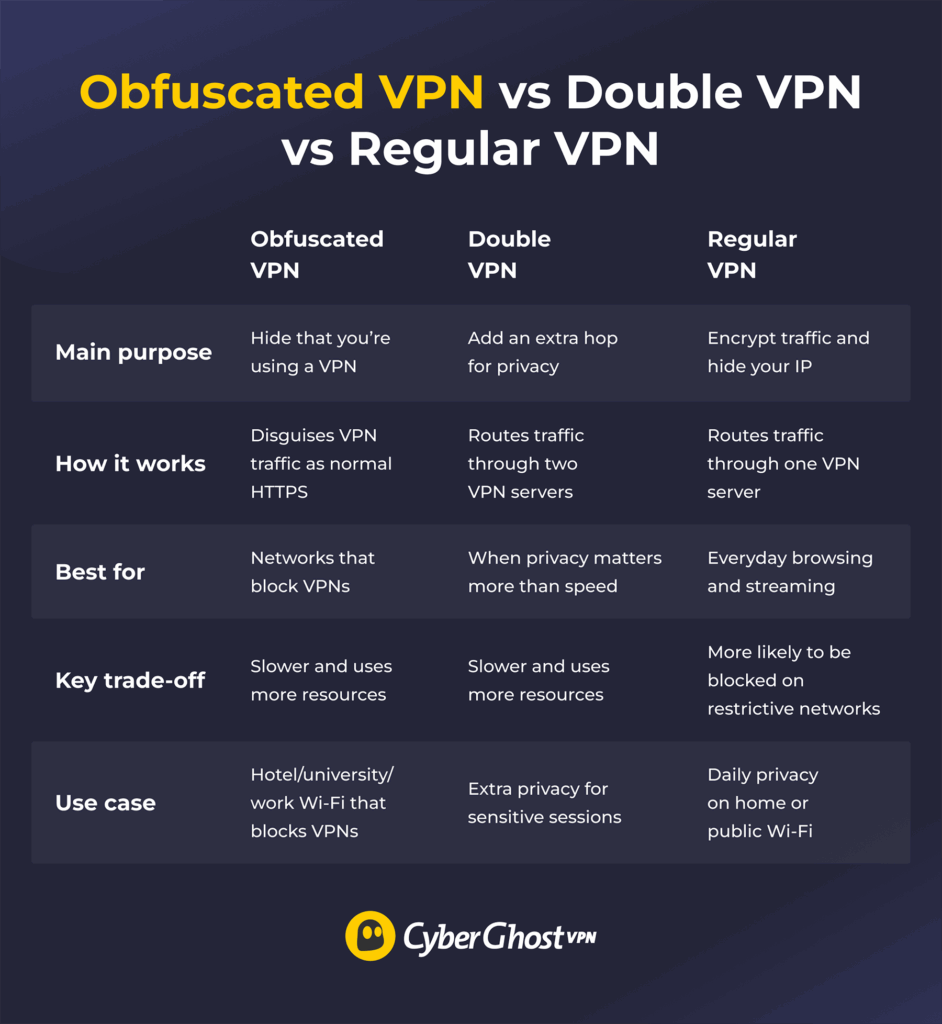
An obfuscated VPN modifies your encrypted traffic to make it look like regular, non-VPN traffic. It doesn’t provide extra encryption, it just makes the traffic function more like regular internet traffic. Applying an obfuscation method might increase latency and slow down your connection.
A double VPN encrypts your traffic twice and forwards it through two VPN servers instead of just one. The additional step means that there isn’t a single server that knows both the connected device’s real IP address and the traffic’s actual destination. However, the extra encryption and longer route make the connection significantly slower.
A regular VPN encrypts your connection and routes it through a VPN server before it reaches the destination. It makes it harder to link your online activity back to you, and it’s generally faster than obfuscated and double VPNs.
How VPN Detection Works
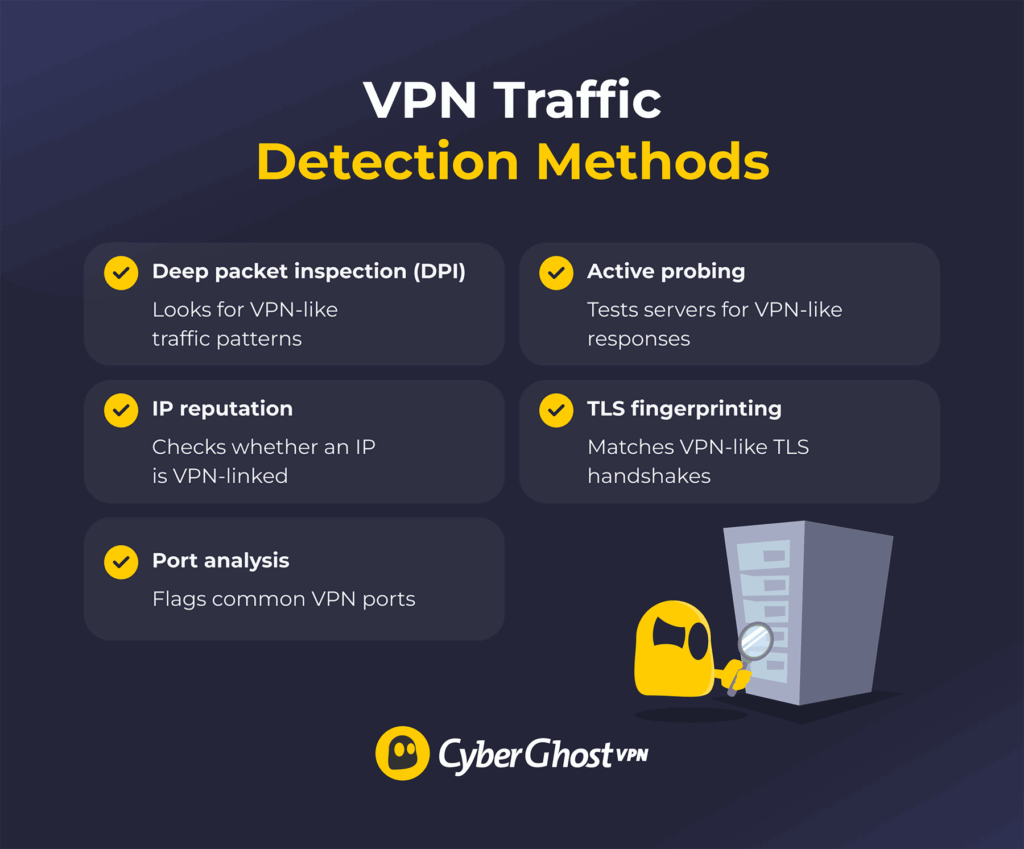
Deep Packet Inspection (DPI)
Deep packet inspection (DPI) is when a network looks closely at your traffic. Even if the content is encrypted, DPI can still spot “VPN-like” patterns, such as packet sizes, timing, and connection handshakes, and flag the connection as a VPN.
IP Address Reputation
IP address reputation is when a network uses lists of IP addresses linked to VPN servers. If your connection is going to one of those IPs, the network may flag it or block it.
Port Analysis
Port analysis checks which network port your connection uses. Many VPN setups use ports that are easy to recognize — for example, OpenVPN often uses UDP 1194, and some setups use TCP 443 to blend in with HTTPS. Networks can also flag unusual port use if the traffic pattern still looks like a VPN.
Active Probing
Active probing means the network tests a suspected server by trying to connect to it and checking the response. If it behaves like a VPN service, based on the handshake or the way it answers, the connection may be flagged.
TLS Fingerprinting
TLS fingerprinting looks at details in the TLS handshake. Some VPN traffic has telltale handshake traits, so networks can compare them to known VPN fingerprints and flag a match.
DNS Leaks and Mismatches
A DNS leak happens when your DNS requests don’t go through the VPN tunnel. That can expose the domains you’re trying to reach and create a mismatch — your traffic looks “VPN-connected,” but your DNS activity still goes to your ISP’s (or the network’s) DNS servers. Some networks use that mismatch as a clue that a VPN is in use or that it’s not set up correctly.
So Should You or Should You Not Use VPN Obfuscation?
An obfuscated VPN makes VPN traffic behave more like normal, everyday internet traffic. It can be very useful on sites that don’t always work with VPNs or networks that monitor or throttle VPN connections. However, the trade-off is that it often slows down your connection speeds. The typical internet user generally doesn’t need VPN obfuscation as a regular VPN can provide sufficient privacy and security for everyday browsing.
CyberGhost VPN uses fast VPN protocols to help maintain your online privacy without sacrificing reliable speeds. It offers extra privacy for people handling sensitive data, like journalists or researchers, as it uses top-tier encryption and multiple features to prevent data leaks. It’s also headquartered in privacy-friendly Romania, where local laws are very privacy-friendly. Test it out yourself, risk free, with its 45-day money-back guarantee.
FAQ
What is an obfuscated VPN and how does it work?
An obfuscated VPN is a service that uses special methods to alter VPN traffic so it appears more like regular traffic. Obfuscation makes it harder to detect some identifiable patterns that VPN protocols typically have, so obfuscated traffic is less likely to have connectivity issues.
When should I use obfuscated VPN servers instead of regular ones?
You should use an obfuscated VPN primarily when you’re on a network that actively throttles VPN connections or if a site you’re visiting malfunctions while you’re using a VPN. A regular VPN is typically private and secure enough for everyday internet use, and it also usually has better speeds than an obfuscated VPN.
Do obfuscated VPNs affect internet speed?
Yes, obfuscated VPNs are typically slower than regular VPNs. Obfuscating VPN traffic requires additional processing, which increases CPU usage and latency in comparison to a regular VPN connection to the same server.
Are obfuscated VPNs available with all VPN providers?
No, obfuscated VPNs aren’t a standard feature among VPN providers. Some VPN providers offer obfuscation. However, many secure VPNs already have features that make certain VPN detection methods more difficult, like CyberGhost VPN’s port randomization and leak protection.
Are obfuscated VPNs legal?
Obfuscated VPNs are legal in many countries, but laws and restrictions vary. Some countries regulate VPN use, and some networks (like workplaces or universities) may prohibit it under their own policies. Before using an obfuscated VPN, check local rules and any network terms you’re expected to follow.

Leave a comment