
WhatsApp is one of the most popular messaging apps in the world, with over 3 billion users, according to Statista1. Unfortunately, that popularity makes it an active target for scammers looking to steal your personal information, money, or accounts.
From impersonating your friends and family to offering fake investment advice, WhatsApp scammers go to extreme lengths to trick unsuspecting targets. Here’s how the most common scams work, the warning signs to look out for, and what to do if you think you’ve been targeted.
Most Common WhatsApp Scams & How They Work
Impersonation Scams
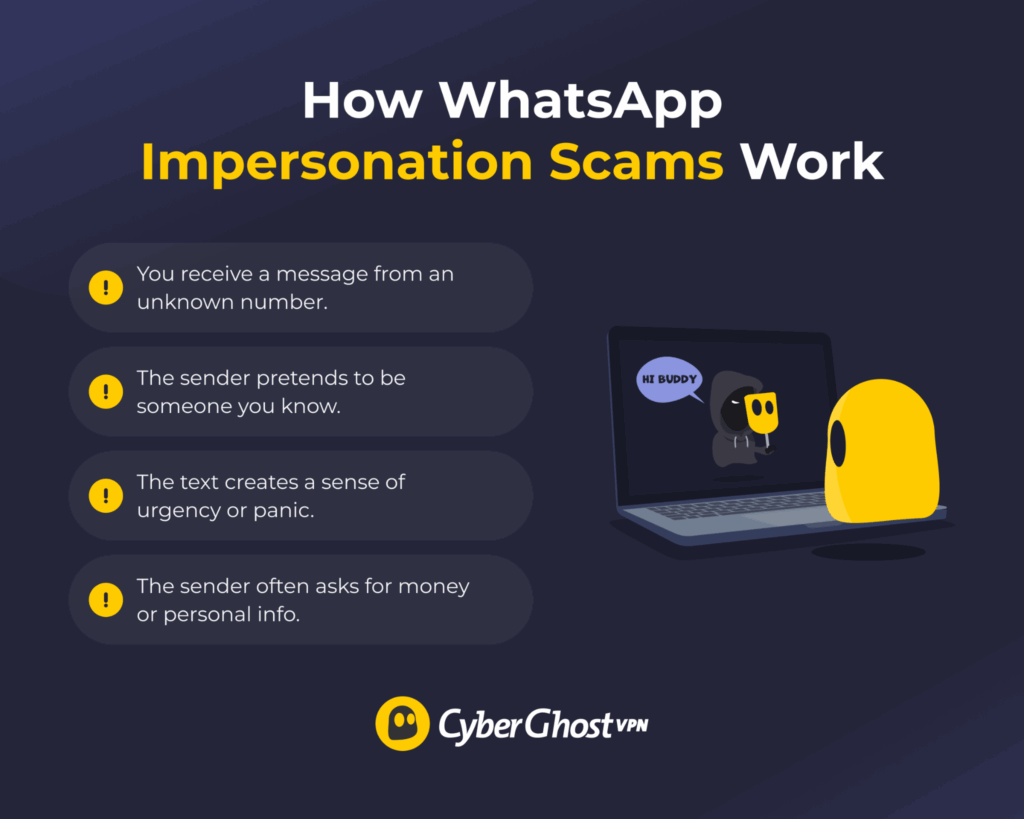
Scammers may contact you on WhatsApp, pretending to be someone you know. Also known as the “mom and dad,” “hi mum,” or “friends and family” scam, it often uses social engineering to trick you into disclosing personal information or transferring funds.
One version involves a message from a random number, claiming to be someone close to you who lost their phone. They may then ask for help with an urgent matter, like paying a bill or fine because they can’t access their mobile banking.
To find out if it’s a scam, contact the person through their original number and ask them to verify the story. If you can’t reach them, ask the suspected scammer for a video call, which is much harder (though not impossible with current technology) to fake.
Verification Code Scams
This scam often involves a verification code you didn’t request, usually a 4- or 6-digit one-time password (OTP). Scammers may craft the message to look like a routine security check or claim to be a contact who accidentally sent their verification code to your number.
In reality, they want the code to log into one of your accounts, either by resetting your password or completing a two-factor authentication (2FA) challenge. They may even use it to register your WhatsApp number on their device, which gives them access to all your chats and contacts.
Another common sign of a scam is someone asking you for a code sent through another service, like SMS or Telegram.
Dating Scams
These scams usually start outside WhatsApp, often on dating apps. After chatting for a while, the scammer asks you to switch to WhatsApp for convenience. They may also approach you on WhatsApp, claiming to have gotten your number from a mutual contact.
Scammers then fabricate a relationship to run their schemes. A pig butchering scam, for example, tricks you into making fake investments. Others string you along for the long term, frequently asking you to send money or gifts. Some even pressure you into sending nudes, then use them to blackmail you.
To get what they want without getting caught, scammers try to fast-track the relationship, “love bomb” you, or repeatedly cancel plans to meet in person. They rely on your emotions to blind you to warning signs like AI-generated selfies, inconsistent backstories, and excuses to avoid video calls or meetups.
Text, Voice, or Video Phishing Scams
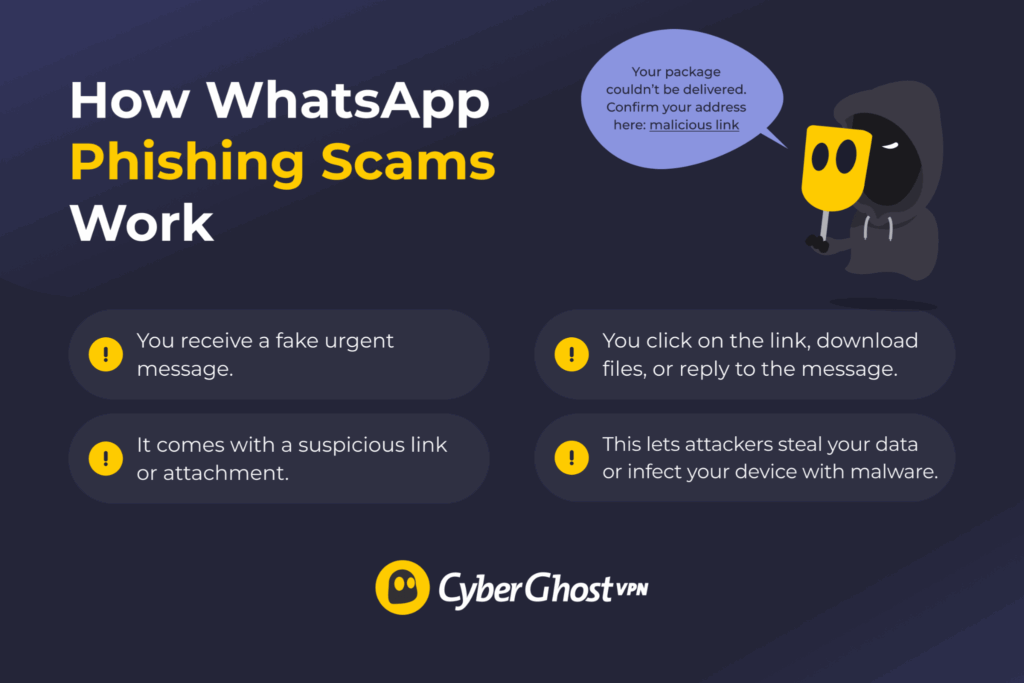
Scammers also send fake WhatsApp messages to trick you into following a link, downloading a file, or replying with personal information. For example, “Are you in this video?” is a common clickbait line that gets you to click a fake video link. In reality, it redirects you to a scam website or forwards the message to your contacts.
Others look like they come from government agencies, couriers, banks, or blocked-account alerts. Anything to push you into clicking the link and completing an action. For example, some messages ask you to confirm a delivery address, only to steal your information.
The result is usually credential theft, financial fraud, or a malware infection. Scammers now use generative AI to make these messages more authentic and personalized. They can even fake voice messages or videos to make phishing attacks more convincing.
Wrong Number Scams
Scammers use this tactic to start a conversation with you. At first, they pretend they’re trying to reach someone else. Once you tell them they have the wrong number, they may try to keep the conversation going by asking whether you have the correct number or by shifting to another topic.
They act friendly and approachable while relentlessly looking for openings to scam you. If the chat starts turning personal or investment-related, your scam alarm should go off.
Investment or Crypto Scams
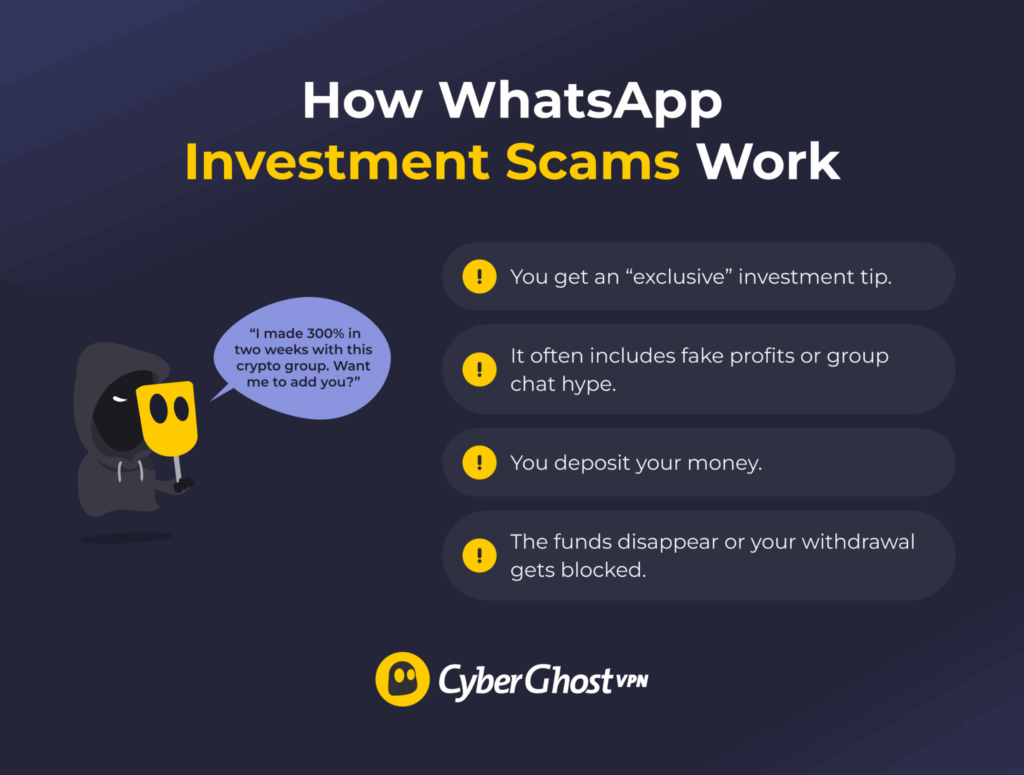
These scams usually follow a familiar pattern. Fraudsters approach you with an “exclusive” or promising investment opportunity, then use fake success stories and financial reports to convince you the returns are real, presenting them as legitimate plays in crypto, stocks, or forex.
Some go further by adding you to investment group chats on apps like WhatsApp or Telegram. These groups are full of fake participants who hype the scheme by posting phony results and encouraging newcomers. Some participants may even be early-stage investors who saw real profits as part of a pyramid scheme.
You may even receive small profits at first to “prove” the idea works. But once you make a larger deposit, the scammers may disappear or claim they lost the money to unforeseen circumstances. They may also try to squeeze more out of you, insisting you double down or pay an advance fee to withdraw.
Job Scams
This is when scammers reach out to WhatsApp users with fake employment offers. The offer may come out of the blue, or they may target active job seekers found through public job boards, freelancer portals, or professional networking sites.
Scammers typically pose as legitimate companies or recruiters. They’ll make the offer as attractive as possible, with extraordinary pay, generous bonuses and benefits, flexible hours, or work-from-home arrangements.
What they really want is your information. They’ll get you to fill out application forms, send your resume, or sit through fake interviews. Some even ask for an application or finder’s fee to secure the role.
Lower-effort scams trick you into completing a one-off task with no upfront pay, then ghost you once you finish the job.
App or WhatsApp “Gold” Scams
This scam offers you a free upgrade to an exclusive “premium” version of WhatsApp that doesn’t exist.
“WhatsApp Gold” was a specific scheme that targeted thousands of people about a decade ago2. It promised a premium version of WhatsApp with special features reserved for celebrities and high-status users. In reality, the download contained a fake app or malware, such as viruses, ransomware, or infostealers.
Different variations still pop up from time to time. Some direct you to spoofed websites that ask you to pay or hand over your account details to get the upgrade.
Giveaway or Prize Scams
Using freebies, discounts, or giveaways as bait is an age-old trick. This one works by messaging you to say you’re the lucky winner of a random draw or lottery.
You can claim the reward only if you complete an identity check, pay a small fee, or finish another task. To make it more believable, scammers may give you more elaborate tasks that create the illusion of “earning” the reward, like finishing a full survey, setting up an account, or installing a fake reward app.
Advance Fee Scams
The most common version involves someone posing as an online seller on marketplace sites or WhatsApp buy/sell groups. The fake merchandise can range from property rentals and sales to investment opportunities, services, or collector’s items.
Once they find a buyer, the “seller” uses WhatsApp to build rapport or create urgency to close the deal. One common tactic is to claim there are many interested buyers and demand a “deposit” to secure the item. Another is to say you don’t have to pay upfront, as long as you cover shipping, customs, or processing fees.
Scam sellers may invent elaborate stories about why they can’t meet or why they need advance payments. Once they take an initial amount, they may disappear or escalate their demands, relying on the sunk cost fallacy to get you to pay even more.
Customer Support Scams
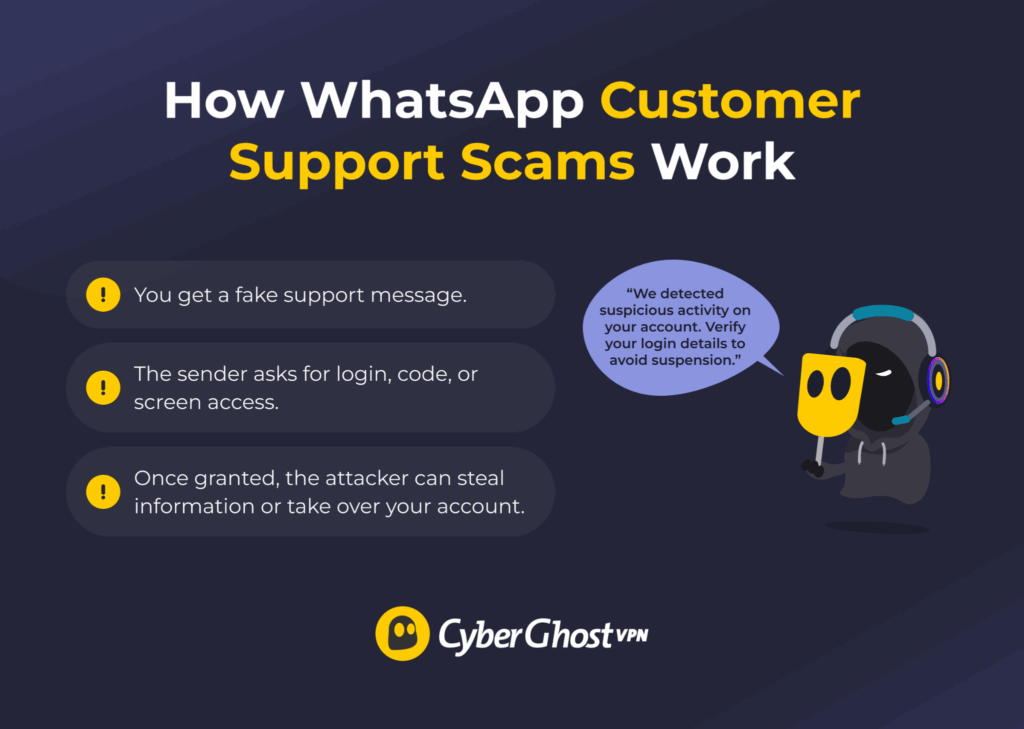
Scammers can also pose as customer support agents offering live help. They may claim to work for WhatsApp or another Meta service, like Facebook or Instagram, and tell you there’s an issue with your account.
To seem as knowledgeable as real staff, they may dig up publicly available information from your profile. They’ll also often use fear tactics, like warning that you’ll lose access to your account. Business users are especially vulnerable, since losing account access can mean lost opportunities.
Once they convince you they’re genuine, they may ask you to hand over your login details, share your screen, or complete verification steps.
How to Spot a WhatsApp Scam
As a general rule, treat any unexpected or suspicious message with caution, especially if it includes any of these signs:
- Unfamiliar phone numbers: Be extra cautious with unexpected texts from strangers, unknown numbers, or surprising country codes.
- Financial demands: Avoid transferring money or making payments to WhatsApp contacts unless you know you can trust them.
- Urgent demands: Don’t act against your better judgment, even when someone keeps escalating the situation or makes veiled threats.
- Spelling and grammar mistakes: Check “official” messages carefully. On top of typos, scammers may use slightly altered URLs, email addresses, or phone numbers designed to look legitimate.
- Generic greetings or replies: Watch for messages that feel inauthentic, vague, AI-generated, or scripted, as this is a common sign of scammer activity.
- Unverified businesses: Be wary of messages from organizations without a Business account, especially if it isn’t one of their usual communication channels.
- Suspicious links and attachments: Avoid opening links or downloading files from untrusted contacts, and heed any warnings from your device, browser, or security software. Check whether a website is safe before logging in, sharing information, or making purchases.
- Unrealistic offers: Don’t fall for offers that seem overly generous and come from an unverified source.
- Weird requests: Don’t complete verification, forward messages, share information, hand over an account, or switch platforms unless there’s a good reason and you trust the contact.
- Temporary messages: Stay alert if someone uses disappearing-message features without your agreement, since they could use them to hide evidence or steer the conversation.
How to Protect Yourself Against WhatsApp Scams
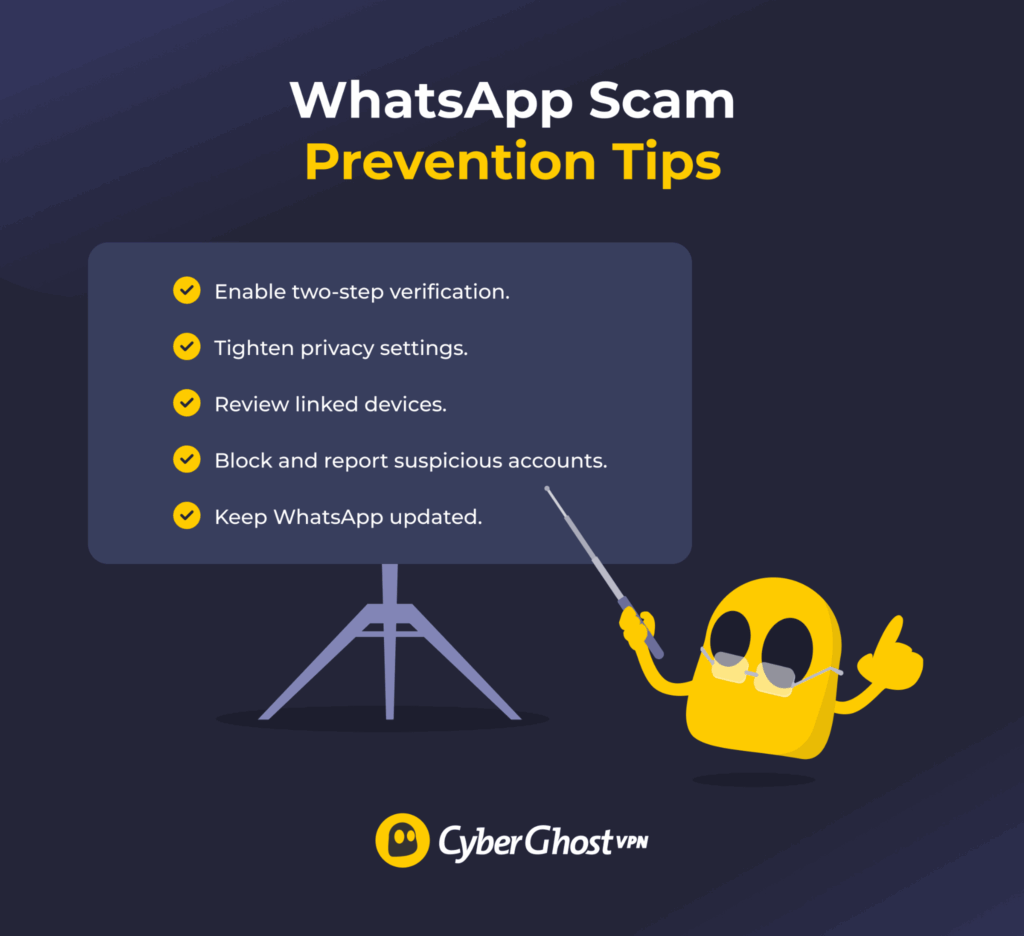
WhatsApp already offers some built-in scam protections, like private profiles, automatic spam detection, and suspicious-activity alerts. Still, you can use extra settings and habits to stay safer from scams:
- Enable two-step verification (2FA): Stop scammers from hijacking your account or transferring your number to unknown devices by requesting a code
- Adjust your privacy settings: Minimize your exposure by blocking unknown callers, stopping others from adding you to groups, limiting who can see your profile information, and more.
- Manage your groups: Turn off the ability for non-admins to add people to groups you own and leave groups you no longer use.
- Update everything: Keep your WhatsApp app, devices, browsers, and security software up to date, since hackers often target vulnerabilities in outdated systems.
- Review linked devices: Check which devices you registered to your account and log any out if you don’t recognize or no longer use them.
- Turn off automatic media downloads: This helps you avoid accidentally downloading malicious files from suspicious chats.
- Don’t reuse usernames: If you create a WhatsApp account with a username instead of a phone number, make it unique so scammers can’t trace it to your other accounts.
Scammed on WhatsApp? What to Do Next
If you think you’ve fallen for a WhatsApp scam, you can still take action. The right steps can prevent real harm, stop the scam from escalating, or limit the damage:
- Stop the conversation: Stop interacting with the scammer right away, along with anything you were doing at their request, like downloading files or filling out a form.
- Block and report: Prevent the scammer from contacting you from the same number. When you report someone, WhatsApp receives the last five messages from your chat plus the user or group ID, which can help it identify scammers faster and investigate.
- Secure WhatsApp account: Review your account activity, log out of all devices, and enable 2FA if you suspect someone accessed your account. Do the same for any other accounts that scammers may have targeted.
- Inform your contacts: Check your chats for messages sent on your behalf and inform your contacts to be on alert.
- Run antivirus: Scan your device for malware if you downloaded files or shared any media.
- Contact your bank: Get in touch with your bank’s fraud division if you made any payments. Depending on the transaction method and timing, you may be able to freeze or recover your funds.
Protect Your Chats and Data from WhatsApp Scams
All WhatsApp scams rely on deception to somehow trick you into acting before you get a chance to stop and think. It could be someone pretending to be your family member in need of help because their car broke down. It could be a fake recruiter contacting you with a job offer or a pyramid scheme promotion. Taking a moment to verify any unexpected requests can help you avoid becoming the next victim.
Good cybersecurity habits are your best defense. Enable two-step verification, keep WhatsApp up to date, and watch out when you receive shady messages. For even greater protection, pair those habits with a trusted VPN like CyberGhost VPN. While it can’t stop scammers from contacting you, CyberGhost VPN uses best-in-class encryption to scramble your internet traffic. This helps protect your privacy and is an important part of a layered approach to staying safe.
FAQ
What are the most common WhatsApp scams?
Impersonation scams are the most common on WhatsApp. Scammers use this approach to pose as friends or family in need, potential employers, customer support agents, or others you’d normally trust. They also fake their identity as part of other scams to seem more believable. Always try to verify who you’re talking to, especially if they claim to be someone you know but are messaging from an unknown number.
Is it safe to give your WhatsApp number to strangers?
No. It could lead to verification scams, where an attacker sends a code to your device and tries to convince you to share it. On its own, a scammer usually can’t use your number to hack your WhatsApp unless they also get you to verify one of their devices. But they can still use it to target you with other scams or share it with strangers who may misuse it.
Can someone hack me through WhatsApp?
No, a scammer can’t hack your WhatsApp app, phone, or browser just by messaging you. But if they trick you with phishing or fake download links, they may break into your accounts or install malware on your device. For example, they might congratulate you on winning a prize and include a link to claim it. The link looks like it goes to a popular website, but it’s actually a fake copycat built to harvest passwords.
How do I report a scammer on WhatsApp?
Go to an active WhatsApp chat, tap the three-dot menu in the top-right corner, and select More from the dropdown menu. Then, tap Block. Do this right away if you think someone has scammed you to stop further messages from that number. It’s also worth reporting scammers to WhatsApp, securing your account, and taking other precautions based on the type of scam.
Is it safe to click links sent on WhatsApp?
Only if you trust the sender and the link looks like it goes to a reputable website. Scammers often use links to send you to phishing sites, malware downloads, or other scams. Be extra cautious if you notice any signs of scammy behavior. Even if the message is from a known contact, someone could have hacked their account or number.
What should I do if I shared information with a scammer?
First of all, block the scammer and report them to WhatsApp. If you shared account information, log into your profile and check the login history to see whether someone accessed it from another device. Create a new password, log out of all devices, and enable 2FA to prevent further unauthorized activity. If you shared financial information, contact your bank’s fraud department and follow their directions.
Why do scammers use WhatsApp?
Scammers use WhatsApp for its huge user base, ease of communication, and broadcasting tools. They may even misuse built-in security features, like end-to-end chat encryption and disappearing messages, to avoid getting caught. That said, most WhatsApp scams aren’t unique to the app and show up across social and messaging platforms.

Leave a comment