
Signal promises to keep your conversations between the people in the chat, not their carrier, not a cloud backup, and not a company monetizing metadata in the background. But privacy claims only matter if they hold up under scrutiny. What actually makes Signal secure, what data does it keep, and where does its protection stop?
This guide breaks down how secure Signal actually is, what protects your messages and calls, what data the app still needs to function, and where its protection ends. You’ll also see how Signal compares to apps like WhatsApp and Telegram and what steps you should take if you want to use it as safely as possible.
What Is the Signal App and What Makes It So Secure?
Signal is a private messaging app that lets you send messages, make calls, and share media with a strong focus on privacy. It works like many other chat apps, but it’s designed to minimize data exposure from the start. Every message and call is protected with end-to-end encryption, meaning only you and the intended recipient can see or hear the content.
Signal doesn’t have access to your conversations, and neither do carriers, cloud providers, or third parties. The reason Signal is considered exceptionally safe is that it builds privacy into every layer of its technology. Its privacy and security measures include:
- End-to-end encryption powered by the Signal Protocol: All communication is encrypted using the Signal Protocol, an independently audited cryptographic system. Its key-rotation method offers forward secrecy (protecting past messages) and post-compromise security (protecting future messages), even if a device is breached.
- Minimal data collection: Signal doesn’t store your messages, contacts, or call history. It does keep basic account information, like your phone number, account creation date, and the last time you connected.
- No cloud backups by default: Messages are stored only on your device unless you manually create an encrypted backup.
- Open-source code: Signal is open-source, so security experts can (and do) review how it works.
- Nonprofit ownership: The app is owned by the Signal Technology Foundation and is funded by donations, not ads or data monetization, which keeps its incentives aligned with user privacy.
Other Key Security Features That Keep Signal Secure
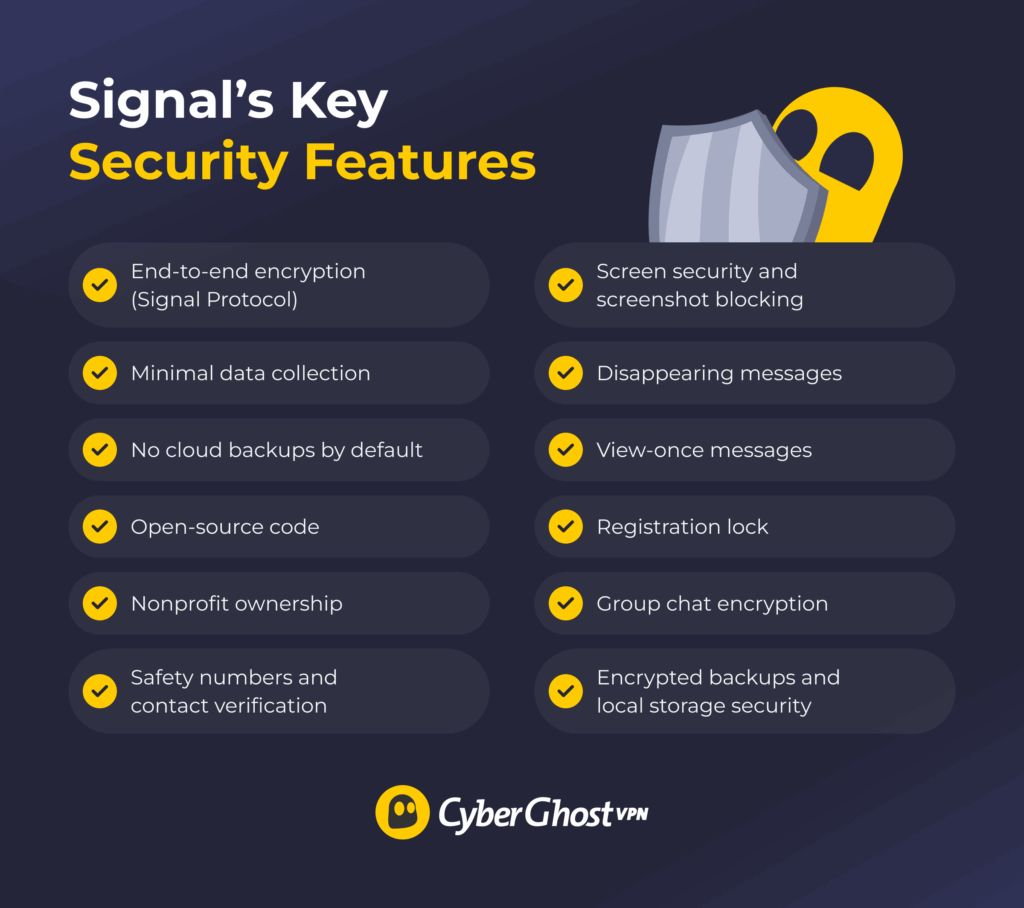
Beyond end-to-end encryption, Signal includes several built-in tools designed to reduce common privacy risks. These features don’t replace good device security, but they help close gaps that messaging apps often leave open.
Safety Numbers and Contact Verification
Safety numbers help you confirm you’re really talking to the right person and not a compromised or impersonated account. Each one-to-one Signal chat has a unique safety number that you and your contact can compare in person or through another trusted channel. If the numbers match, your conversation is secure and hasn’t been tampered with.
If a contact reinstalls Signal or switches devices, their safety number changes. Signal alerts you when this happens, giving you a chance to re-verify before continuing sensitive conversations. This makes man-in-the-middle attacks far harder to pull off unnoticed.
Disappearing Messages and When To Use Them
Disappearing messages let you set a timer that automatically deletes messages from both devices after a set period of time. This limits how long sensitive information remains accessible if your phone is lost, stolen, or shared.
This feature works best for temporary details, like verification codes, addresses, or short-term plans. It’s a privacy tool, not a guarantee. You can still save contents manually, and disappearing messages may not be appropriate in places where data retention is a legal requirement, for example, in government or military jobs.
View-Once Messages
View-once messages allow you to send photos or videos that can be opened only a single time. After the recipient views it, the file disappears from the chat and can’t be reopened. This adds another layer of control when sharing sensitive images or quick snapshots that you don’t want stored on someone’s device. However, keep in mind the recipient can still take a screenshot or use another device to take a photo of the view-once image before it disappears.
Screen Security and Screenshot Blocking
Signal’s screen security feature helps protect your chats from prying eyes. When turned on, it hides message previews and blocks screenshots inside the app on supported devices. This makes it harder for anyone to copy or save your messages without permission.
This is helpful when you need extra privacy, like when talking about sensitive topics or using Signal in public. While it won’t stop every capture method, it raises the bar against casual copying and screen recording.
Registration Lock (Signal PIN Protection)
Registration Lock protects your account if someone tries to register your phone number on a new device. Without your Signal PIN, they can’t take over your account or access your profile information. This feature is especially important for preventing SIM-swap attacks, where attackers hijack a phone number to gain access to associated accounts.
Group Chat Protections
Signal group chats are end-to-end encrypted, just like one-to-one conversations. Only invited members can see messages, and participants are notified when someone joins or leaves a group. Admins control who can add new members, which helps prevent silent or accidental access. Still, group security ultimately depends on every participant’s device. One compromised phone can expose group conversations.
Encrypted Backups and Local Storage Security
Signal stores your messages locally on your device rather than on its servers. If you choose to create a backup, it’s encrypted with a passphrase only you know, so no one else can read it. Local storage is also encrypted, which reduces the risk of someone accessing your chat history if they get physical access to your phone.
This approach reduces the risk of large-scale data exposure, but it also means you’re responsible for keeping your backup password safe. Should you lose it, it’ll be impossible to recover the backup.
What Information Does Signal Collect From Users?
Signal is built to operate with as little user data as possible. Unlike many messaging apps, it doesn’t store detailed user logs. Still, it retains a small amount of account-related metadata to keep the service running.
Here’s what Signal stores:
- Your phone number for account registration and contact discovery
- The date and time your Signal account was created to verify it’s legitimate
- Last time you used the app to check your account is active
- Your profile name and profile photo (these are end-to-end encrypted and visible only to contacts you choose)
Signal doesn’t store:
- Messages or call content
- Contact list
- Group membership information
- Call history
- Media files
- Location data
- IP address after message delivery
- Usage logs or activity patterns
- Advertising identifiers or tracking information
What Are the Limitations of Signal’s Security?
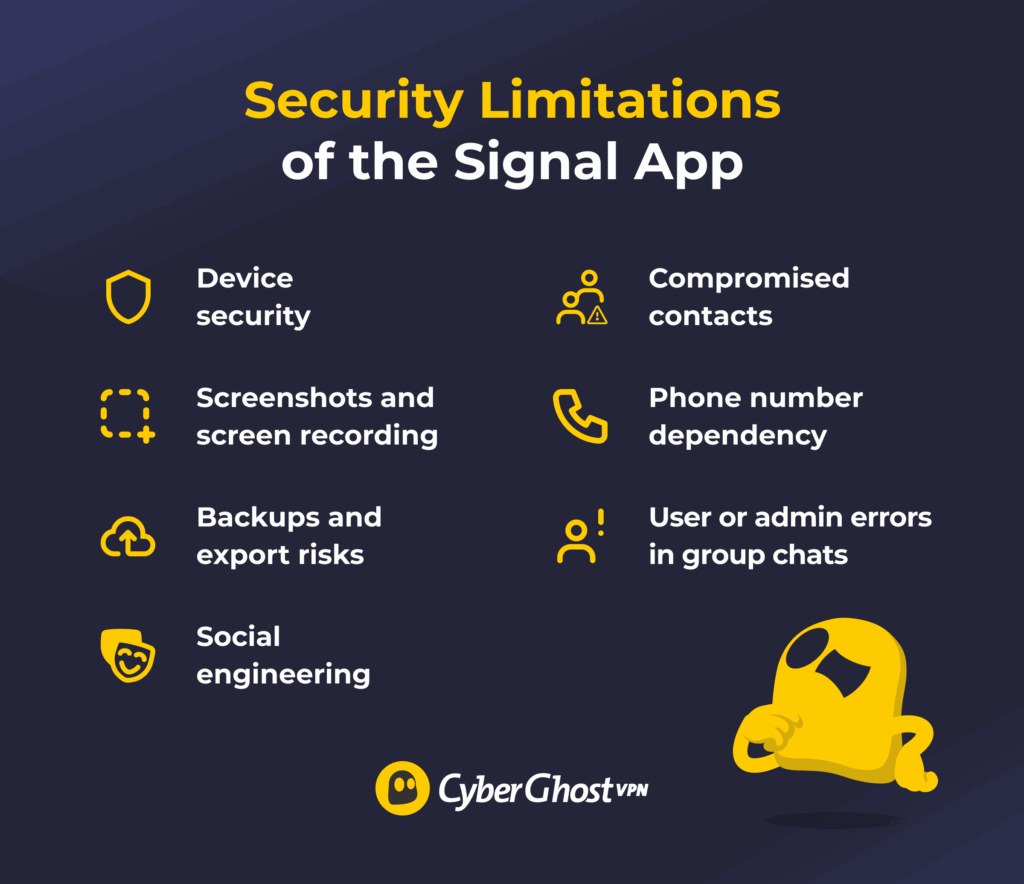
Signal is very secure, but it can’t protect against every risk. Most of Signal’s limits don’t come from weak encryption. They come from what happens outside the app, on the device, or with the people involved in the conversation. The main limitations include:
- Device security: If your phone has malware, spyware, or remote access tools installed, your messages can be read before encryption or after decryption. The same applies if someone gains physical access to an unlocked phone.
- Screenshots and screen recording: Signal can’t stop someone from photographing their screen with another device or using external recording tools. Once a message appears on a recipient’s screen, you lose full control over it.
- Backups and export risks: Manual exports, insecure system backups, or unencrypted cloud storage can expose message history. These leaks don’t come from Signal itself, but from how data is handled afterward.
- Social engineering: Signal can’t stop someone from tricking you into revealing information or sending something to the wrong person.
- Compromised contacts: If the person you’re talking to has a hacked or insecure device, your messages can still be exposed on their end.
- Phone number dependency: Your Signal account is linked to your phone number, so number hijacking or reassignment can create risks if you don’t use PIN protection. This happened in the SIM swap attack on Twitter’s former CEO, Jack Dorsey, in which attackers gained control of his phone number and used it to access connected services.
- User or admin errors in group chats: Sensitive information can leak when someone adds the wrong person, fails to manage admins, or uses disappearing messages where records are required. Like when senior U.S. national security officials used a Signal group chat to discuss military plans and accidentally added a journalist.
Practical Tips: How to Use Signal Safely
Signal’s encryption is strong, but your real-world security depends on how well you protect the devices, accounts, and people involved in your conversations. These practical steps focus on closing the exact gaps that attackers, scammers, and investigators typically exploit:
- Enable Registration Lock. This prevents anyone from registering your phone number on another device. It protects you from SIM-swap attacks and number hijacking.
- Confirm Safety Numbers when you’re sharing sensitive information. This helps ensure you’re talking to the correct person and not an impersonator or compromised device.
- Use disappearing messages for sensitive conversations. Set an automatic deletion timer so messages don’t remain on your device longer than necessary.
- Turn on view-once messages for temporary visuals to minimize the chance of long-term exposure.
- Disable screenshots inside Signal and hide content in your app switcher to prevent casual exposure and make screen capture harder.
- Use a strong passcode or biometric security on your device instead of a simple PIN.
- Keep your operating system updated. An unpatched phone is an easy target, regardless of your messaging app.
- Limit who can access your device. Anyone with an unlocked device can read your messages, even in secure apps.
- Only join group chats you trust. Group security depends on every member’s device. One compromised phone compromises the entire group.
- Avoid installing Signal on shared, unsecured, or work-issued devices that might have monitoring tools installed.
How Does Signal Compare to Other Messaging Apps
To understand how secure Signal really is, it helps to look at how it differs from other popular messaging apps. When you compare how these platforms handle your messages and metadata, the security gap becomes much clearer.
| Signal | Telegram | Facebook Messenger | iMessage | Google Messages | ||
| Ownership | Nonprofit (Signal Foundation) | Private (Pavel Durov) | Meta (formerly Facebook) | Meta (formerly Facebook) | Apple | |
| End-to-end encryption | Always on | Optional (Secret Chats only) | Always on | Not default (available through Secret Conversations) | Always on between Apple devices | Available for 1:1 RCS chats (default when supported) |
| Data collected | Phone number only | Phone number, contact list | Phone number, contact list, metadata | Extensive (contacts, location, metadata, etc.) | Apple ID, device info, limited metadata | Phone number, device info, usage metadata |
| Access to message content | Not possible due to encryption | Possible in non-Secret Chats | Not possible due to encryption | Unclear | Not possible for Apple (unless iCloud backups are unencrypted) | Not possible for encrypted RCS chats |
| Stored metadata | Minimal (last connection date) | Extensive (IP address, device details, etc.) | Moderate (e.g., who you talk to and when) | Extensive (metadata, device details, etc.) | Moderate (routing info, timestamps, device data) | Moderate (message timestamps, participants, device data) |
| Open source | Fully open source | Partially open source | Partially open source | Closed source | Closed source | Partially open source |
| Disappearing messages | Available | Available | Available | Limited (requires manual deletion) | Available (auto-delete timers) | Available (RCS message expiration, limited support) |
Signal Security Is Extensive, But It Can Only Do So Much
Signal is built for privacy, with strong encryption, very little data collection, and a nonprofit mission that sets it apart from most messaging apps. When you protect your device and use Signal’s safety features the right way, it becomes a dependable way to keep your conversations private.
For even more privacy, you can use Signal together with CyberGhost VPN. It helps hide your IP address and secures your internet connection, which is especially useful on public Wi-Fi. This adds an extra layer of protection beyond messaging alone. CyberGhost VPN also comes with a 45-day money-back guarantee, so you can try it without risk and see if it works for you.
FAQ
Is the Signal app used for scamming?
Signal itself isn’t a scam platform, but scammers can use it just like they use SMS, email, or social media. Because Signal is private and encrypted, scammers sometimes try to move conversations there to avoid scrutiny or appear more trustworthy. Always remember that encryption doesn’t equal trust. If someone contacts you unexpectedly, asks for money, or pushes you to move a conversation to Signal, those are warning signs.
Who owns the Signal app?
Signal is owned by the Signal Technology Foundation, a nonprofit organization based in the United States. The foundation was created in 2018 by Moxie Marlinspike and Brian Acton (co-founder of WhatsApp) and oversees the development of the app and the Signal Protocol. Because it’s a nonprofit, Signal has no investors, no parent company, and no advertising business. It’s funded mainly through donations, grants, and contributions from supporters.
Is Signal more secure than WhatsApp?
Both Signal and WhatsApp use the same end-to-end encryption protocol to protect message content. However, Signal collects far less metadata, doesn’t back up messages to the cloud by default, and isn’t tied to an advertising business. WhatsApp, which is owned by Meta, collects more usage data and relies on cloud backups that require extra steps to fully secure. That’s why Signal is generally considered the more privacy-focused option.
Can data on Signal apps be tracked?
Signal doesn’t store message content, contact lists, group data, or detailed logs, so there is very little information that can be tracked through the app itself. The only data Signal retains is your phone number and the date you last connected. That said, Signal can’t protect activity on your device itself. If your phone is compromised, monitored, or backed up insecurely, messages could still be exposed there.
Can the Signal app be hacked?
Signal’s encryption hasn’t been broken, and there is no evidence of anyone hacking the app’s protocol to read messages. Most real-world compromises happen through other means: malware on the device, physical access to an unlocked phone, or SIM-swap attacks. That’s why features like Registration Lock (PIN protection), device security, and OS updates matter just as much as encryption.
Can the government spy on the Signal app?
Governments can’t read Signal messages in transit because they’re protected with end-to-end encryption. Signal doesn’t store message content, contact lists, or group data on its servers, either.
What authorities can access depends on circumstances. Signal can only provide minimal account data if legally compelled. Messages may still be obtained if a device is seized, compromised, or if recipients keep copies on their phones. Encryption protects transmission, not every possible endpoint.

Leave a comment
Joanie Jessup
Posted on 11/07/2023 at 05:44
How do you get signal messanger app?
Ghostie
Posted on 12/07/2023 at 20:53
Hi, Joanie. You can download it from their website, the App Store if you have an iOS device (e.g., iPad, iPhone), or the Google Play Store if you have an Android device (e.g., Google Pixel, Samsung Galaxy device).
I hope that helps.
Cedric
Jack Brown
Posted on 28/02/2023 at 12:33
Thanks for the informative article. I use uMessenger, the built-in messenger of Utopia’s P2P ecosystem. It is designed for instant and confidential communication between network users
Ghostie
Posted on 01/03/2023 at 12:28
Confidential communication is really a must-have these days. Thanks for reading!
Thomas Vick
Posted on 29/06/2023 at 23:02
My google chat also shows up on Instagram…is this cross talk or owned by same same company?
Ghostie
Posted on 03/07/2023 at 17:09
Hello Thomas,
They aren’t from the same company. I recommend you reach out to the customer support teams of both platforms. They may be able to help you with your inquiry.
Best of luck to you!
Cedric