
Full online anonymity is very difficult to achieve. Every time you go online, you leave behind little bits of information about yourself, like where you are, what you’re looking at, and how you behave online. These services collect most of this data automatically and without your knowledge, and third parties can possibly use this to identify your online activity.
This doesn’t mean you can’t protect your privacy. In this article, we discuss the various steps you can undertake to improve and maintain a degree of online anonymity. Following these steps can help you develop more privacy-conscious habits, which can in turn help protect your online data.
Privacy vs Anonymity
While the terms have a lot of overlap, especially in the context of online behavior, it’s important to make the distinction between privacy and anonymity. Online privacy is the ability to keep your personal information or activity known only to you and chosen recipients. Online anonymity means that others can’t identify you through your online activity and that they can’t link your activity back to you.
Tips on How to Improve Your Anonymity Online
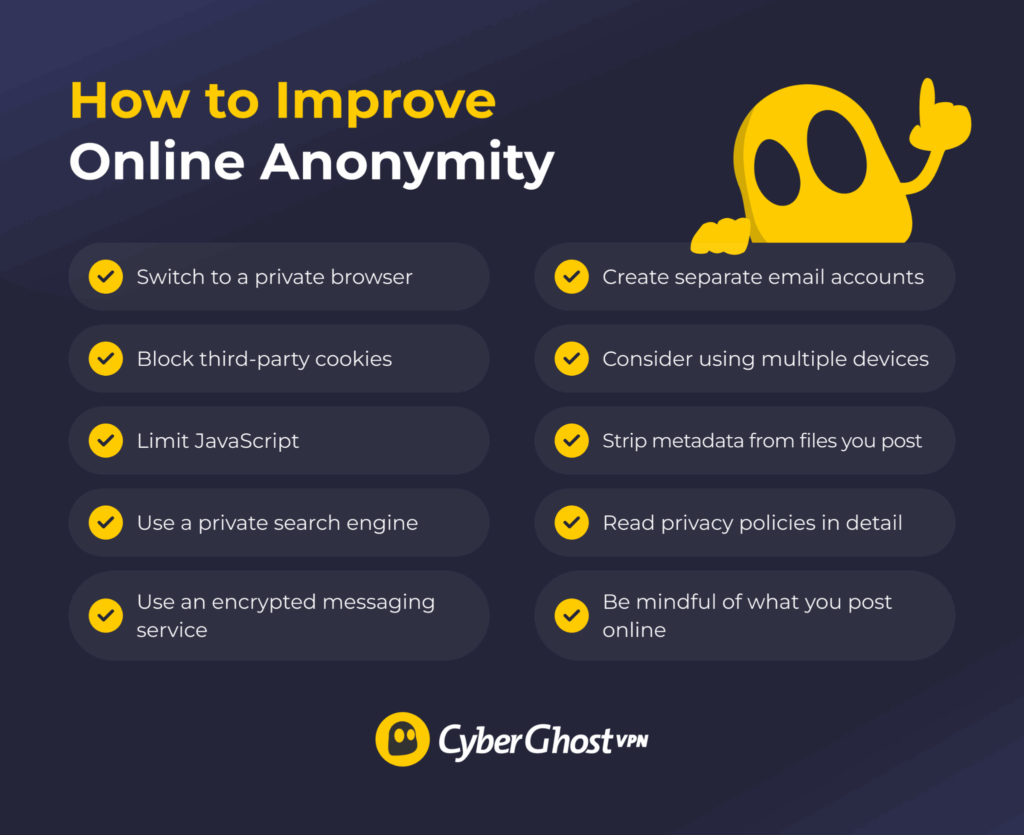
Switch to a Private Browser
Many mainstream browsers collect data that could link your online activity back to you. Go through your browser’s settings and turn off data collection where you can. You can also look into private browsers that don’t profile your activity or hardened browsers that help reduce information collection.
The Tor Browser uses layered encryption to send your traffic through a complex network of relays, which can make it hard to identify the original device’s IP address. On the downside, this makes the Tor Browser noticeably slower, and its security settings often make it unsuitable for casual browsing. Regardless, it’s still considered a popular option for privacy-conscious users.
Prevent Third-Party Tracking Cookies
Websites use cookies to track your activity across websites. A cookie is a small file that the site creates in your browser’s cookie database file. Cookies can present unique identifiers, as that’s how sites remember your logins and other personalization preferences. You can clear your cookies often or set your browser settings to block third-party cookies.
Limit the Use of JavaScript
JavaScript is a coding language that’s often used on websites for animations or interactive visuals. Many people don’t realize that JavaScript elements tend to collect a lot of information about the user. You could block JavaScript to prevent this, but many sites are unusable without it. Instead, you can find a browser extension that restricts the data JavaScript elements collect and limit its usage to selected sites.
Use Private Search Engines
Some search engines can collect a lot of potentially identifying data, such as your search queries, IP address, general location, and even click patterns. Look into alternative search engines that don’t store this kind of information. This can make it harder to identify you based on search engine usage.
Use an Encrypted Messaging Service
Instead of relying on unsecured messaging services, you should use one that has end-to-end encryption. This means that the messages you send and receive are readable only to the sender and recipient. The encryption makes it less likely that others can identify you based on personal information you divulge through messages.
Create Separate Email Accounts
Most websites, services, and online platforms people use daily require an email address to create an account. Having separate email accounts for different purposes makes it harder to pin down your activity across all the connected accounts. You can also create burner email accounts through a disposable email service if you only need it for a brief time.
Consider Using Separate Devices
Smartphones can potentially erode your privacy and anonymity. Many apps require invasive permissions to work, and some might even collect data from other apps on the same device. You might want to use different devices for work and personal use. If possible, you can invest in a hardened smartphone with built-in privacy features.
Read more: How to Avoid Being Tracked on Your iPhone or Android Phone
Be Careful About What You Post Online
Even if you don’t use your real name online, your posting habits could reveal enough information to identify or dox you. For example, pictures of your surroundings like the view from your window or daily walks could contribute to pinning down your location. Others could try to use your family and offline friends on social media to identify your account.
Remove Metadata from Files Before Posting
Different types of files, such as photographs, documents, audio, or video, often contain embedded information. This can include the date and time of creation, location data, or device information. Using a metadata removal tool can strip this hidden data, which can make it harder to tie the files back to the poster or creator.
Read Privacy Policies
When you visit a site or use an online service, go through its privacy and data logging policies to get a grasp of what sort of data it collects. Some sites make their privacy policies long and difficult to read so users just click “Accept” without paying attention to what they’re consenting to. You’d want to avoid sites that harvest large amounts of identifiable data, though this may not always be possible.
Can VPNs Help With Online Anonymity?
A VPN is a cybersecurity tool that encrypts your traffic and reroutes it through a server before it reaches its destination. The encryption makes it harder for third parties like your ISP, local network admin, or Wi-Fi owner to see details about the traffic between your device and the VPN server. The destination site receives your traffic and can read it normally.
Connecting to a VPN server also replaces your device’s IP address with the server’s IP. The sites you visit see the VPN server’s IP address, which makes it more difficult to link your activity back to you. Websites can track you through more identifiers than your IP address, though. A VPN can’t help with methods like cookies and browser fingerprinting.
Read more: Can You Be Tracked When Using a VPN? If So, Who’s Trying?
Routing your traffic through a VPN means that it could read your traffic and track your activity in great detail. It’s important that you pick a VPN with a trustworthy no-logs policy, otherwise your VPN might actually compromise your anonymity.
CyberGhost VPN maintains a strict, independently audited no-logs policy, so you can rest assured we don’t monitor or log your browsing activity. All the servers in our large server network run on RAM-only infrastructure, which means they don’t retain browsing data from your session and are cleared with each reboot.
Can You Really Be Anonymous on the Internet?
Complete online anonymity is possible in theory, but difficult to achieve in practice. Some exceptional cases do exist (like “Satoshi Nakamoto,” the pseudonym of Bitcoin’s creator), although the everyday user isn’t as lucky. Tracking and data collection are widespread, and most people already have an established online presence.
Even if it’s difficult to maintain for extended periods of time, you can still achieve some degree of online anonymity. Keep in mind that it’s not as simple as installing an app or changing a few settings. Rather, it’s about developing online habits that help maintain anonymity.
FAQ
Can you be completely untraceable online?
Complete anonymity and untraceability are practically impossible for everyday users. Devices have unique hardware identifiers, and a large number of parties track online activity through various means. But it’s possible to reduce this sort of tracking and improve your online anonymity. It requires developing some privacy-conscious habits, such as changing your browser, search engine, or even device.
What is the best browser for online privacy?
If you want to improve privacy, you should look for a browser that blocks third-party cookies by default and prevents sites from storing different identifiers. It should also completely lack telemetry or let you block it. You can look into dedicated private browsers that limit how much data sites can collect.
Does a VPN make me completely anonymous?
No, it doesn’t. A VPN changes your IP address and makes it harder for third parties to get some details about your online activity, but it doesn’t completely hide your identity. While it helps improve your privacy, tracking methods like metadata analysis or browser fingerprinting still bypass it.
How do websites track my activity online?
Websites use a variety of methods to track your activity. The most widespread way is through tracking cookies, which are small files the site creates in your browser’s storage. Another way is through JavaScript, which many sites rely on to function properly. They can also see your IP address and browser information and then cross-reference it with activity logs to build more detailed profiles.
What are the biggest mistakes that reduce online anonymity?
A common error people make is failing to separate their online identities. They use the same email addresses, usernames, browser profiles, and devices for all their online activity. This can lead to links for online activities that should remain separate, such as personal activity and work activity.
How anonymous is Incognito Mode?
Incognito Mode, Private Browsing, and other similar browser features aren’t really anonymous. They automatically delete stored cookies and browsing history once the “private” session is over, but that’s all. Using Incognito Mode isn’t as good as using a privacy-focused browser, such as Tor.

Leave a comment