
Malicious code typically only works when someone interacts with it, either by opening a file, allowing an unknown program to install, or clicking on a seemingly innocuous link. But this also means that many malicious code infections are preventable if you know what to look for.
Though it’s impossible for this guide to cover every conceivable scenario, we’ll discuss typical malicious code types and how to recognize their effects. We’ll also outline the habits that help you to steer clear of malicious code in your day-to-day browsing.
What Is Malicious Code?
Malicious code is any piece of code intentionally designed for a harmful purpose, such as stealing information, disrupting normal function, or even rendering the target device unusable. It can be a program, a script, or a part of code embedded in another piece of software. Malicious code usually exploits vulnerabilities in the target system and carries out its task in a way that’s hard for the user to notice.
Types of Malicious Code
Security experts categorize malicious code based on what it does and how it spreads. The list below covers the most common types, though a single threat can overlap several.
- Trojans: Disguise themselves as legitimate software to trick users into installing and running them.
- Viruses: Attach themselves to files and remain dormant. When the host program runs, they can spread to other files.
- Worms: Exist as standalone programs, not dependent on another program or file. They self-replicate to spread through the device or the network.
- Adware: Displays intrusive ads on the target device. It might also collect user data for targeted advertising purposes.
- Ransomware: Encrypts the target’s files or locks out their operating system. The attacker demands a ransom in exchange for the decryption key.
- Spyware: Monitors what the user’s doing on the device. This can include tracking activity times, browsing habits, or even exact keystrokes.
- Rootkits: Run with privileged access and manipulate the operating system to conceal malicious files and activity from security software.
- Fileless malware: Operates through system tools such as the Registry, WMI Event Subscription, shell scripts, cron jobs, and others to make itself hard to discover.
How to Avoid Malicious Code
Here are the most common ways to protect yourself from malicious code.
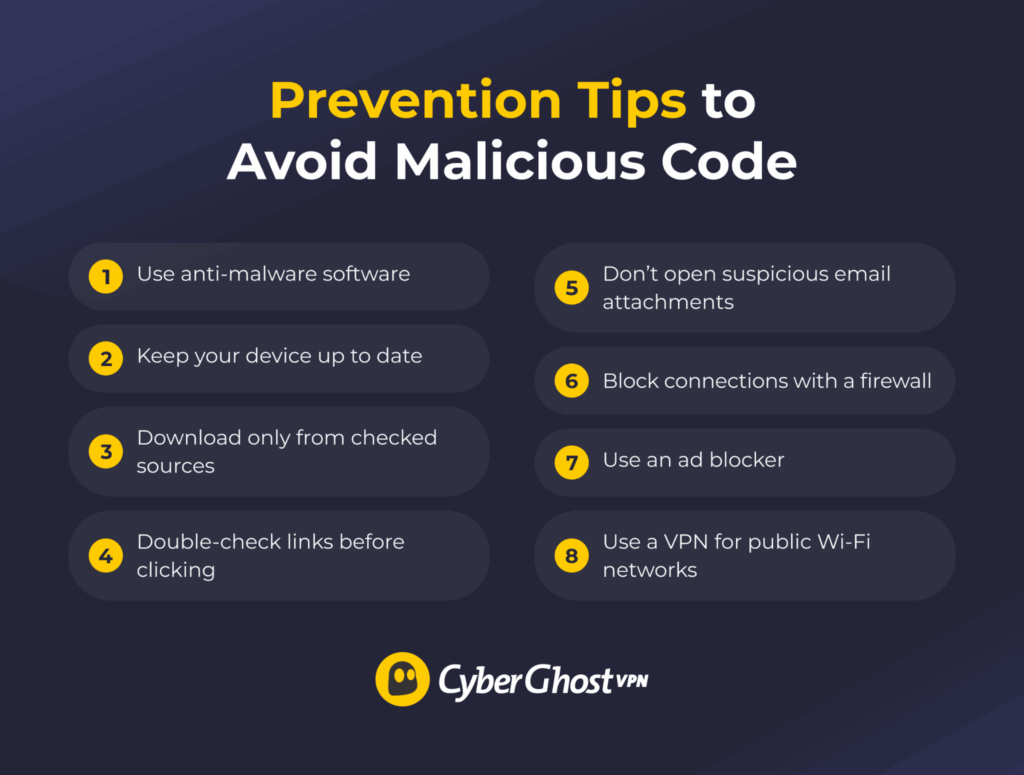
Use Reputable Anti-Malware Software
Get anti-malware software for your device from a trusted source and set it up to run scans at regular intervals. This helps catch any threats you might have downloaded without noticing. If possible, you can also set it to scan and quarantine each download.
Keep Your Device Updated
Malicious code often relies on known vulnerabilities in your device’s operating system and other software. Update your operating system and your programs as often as possible to ensure you get security patches when they’re available. If you’re using software that no longer receives security updates, consider switching to an alternative that’s more up to date.
Get Software from Verified Sources
Third-party websites hosting free software might bundle in malicious code with the download, even if the software itself is legitimate. Similarly, sites offering “cracked” programs might hand you malicious files inflated in size to mimic the real program. Only download software from official, verified sources.
Don’t Click on Suspicious Links
Before clicking a link, check where the URL actually goes by hovering over the link and pay close attention to the spelling. Sites hosting malicious code downloads might use domains that resemble known, trusted sites. You can use a site reputation checker service to check whether someone’s reported a link as unsafe.
Don’t Open Unexpected Attachments
Even if an email comes from a trusted sender, be wary of attachments you didn’t expect. Double-check the file name and extension. Many email viruses add a fake extension to make a malicious executable look like a harmless document or image. Popular email services have built-in protection, but still scan any attachment before opening it.
Keep Your Firewall Active
A firewall helps prevent unauthorized connections to your device. Keep your firewall enabled and updated as part of your overall security setup, and use browser security features or antivirus software to help detect malicious websites and downloads.
Use an Ad Blocker
Some intrusive ads might try to force a malicious download if you accidentally click on them. This can be particularly easy to trigger with pop-ups or invisible ads layered over a page element. Setting up an ad blocker can help reduce the likelihood of ads downloading malicious code to your device.
Use a VPN for Public Wi-Fi
A cybercriminal could compromise a public Wi-Fi hotspot with weak security and use it to redirect your connection attempts to sites hosting malicious code. The process, called DNS hijacking, involves intercepting your device’s DNS connection requests.
A reliable public Wi-Fi VPN with leak protection can help you reroute your DNS requests through an encrypted tunnel to the VPN’s own DNS servers. This can reduce the risk of hijacking attempts meant to lead you to a malicious site.
Is Your System Affected by Malicious Code?
The signs of an infected system can vary. Some types of malicious code, like ransomware or adware, can be quite obvious. Others, like spyware, are harder to notice. Possible signs include:
- Performance decreases: Background processes drive up your CPU and memory usage.
- Unexpected ads: Pop-ups and banners appear in places that didn’t have them before.
- New apps or icons: Unknown programs show up without you installing them.
- Limited control over the device: Certain settings become unavailable.
What to Do If You Suspect Malicious Code on Your System
If you see any of the typical signs, the best course of action is to run a reputable anti-malware service to scan your device and neutralize any threats it finds. However, in some cases, anti-malware may be too inefficient for malicious code that causes too much damage.
If your operating system allows it, you might be able to restore your device to a previous, uninfected snapshot. If all else fails, you can perform a total factory reset and fresh install on your device. This will delete all your stored data, so you might want to explore other options before doing this.
Preventing and Guarding Against Malicious Code Is the Best Defense
Prevention isn’t hard, but you’ll want to be vigilant. Download only from trusted sources, check files before opening them, look closely at links and URLs, and keep your software updated. These steps don’t make you invulnerable, but they help block the most common ways malicious code gets onto your system.
FAQ
What is malicious code and how does it spread?
Malicious code is a program or script that can harm your device or compromise your data. It often spreads through vectors like email attachments, fake downloads, or compromised websites. It usually requires the user to unwittingly open a file, install a program, or run a script.
How can I tell if a download is safe?
First, check the source and avoid downloading software from third-party sites. You’re better off going to the vendors or developers for downloads. Popular browsers might also have a built-in feature that checks downloaded files. You can also get an anti-malware service that automatically scans your downloads.
What are the most common sources of malware downloads?
Malicious downloads can happen through fake software download sites, email attachments, or aggressive pop-up ads. Cyberattackers often disguise malware as popular programs or pirated media.
Do anti-malware programs detect all malicious files?
No, they don’t. Relying on a regularly maintained database, anti-malware software catches many known threats but might miss new or modified malicious code. Some types of malware can even evade typical scans. However, anti-malware software is still an important layer of protection against malicious code.
What should I do if I downloaded a suspicious file?
You shouldn’t open it if you aren’t 100% sure it’s legitimate. Running an anti-malware scan can help you see if there’s malicious code embedded in the file. Remember to keep your browser, anti-malware software, and operating system updated, so you’ll get the newest security patches that can help protect you against potential malicious downloads.
Are malicious code and malware the same thing?
The terms are often used interchangeably, though they’re slightly different. Malware refers to standalone programs created with malicious intent. Malicious code refers to any harmful or misused script, instruction, or snippet of code. All malware is malicious code, but not all malicious code is malware.
Does a VPN protect from malicious code?
Generally speaking, no. A VPN routes your traffic through an encrypted tunnel, which can help against DNS hijacking on public Wi-Fi hotspots. These compromised hotspots could redirect you to a malicious code download, but a reliable VPN with leak protection can prevent that.

Leave a comment