
Shopping online is convenient, but it carries risks if you’re not careful. On top of requiring your payment information, it’s normal for online stores to ask you to create an account and provide personal information, like your address or contact details. Fake shopping websites exploit this trust to steal your money, personal information, or payment details.
The good news is that fraudulent online stores aren’t perfect, often giving away clues that you shouldn’t trust them. Once you know what to look for, you can avoid most online shopping scams. Though it’s impossible for this guide to cover every conceivable scenario, we’ll show you how to spot likely scam websites and what to do if you suspect someone scammed you.
What Do Online Shopping Scams Look Like?
Online shopping scams can take different forms, from fake stores that only exist to steal your money or data to those that pass off counterfeit goods as genuine merchandise. Some fake sites exist only to con potential buyers, while others are legitimate sites that fraudulent sellers abuse.
According to Grand View Research, with the e-commerce market already being worth nearly $40 trillion in 2026, scammers have a huge pool of future victims to target.1 They may use many different tactics to trick victims, but a typical scam often follows a pattern like this:
- You see a social media ad for a jacket that’s 80% off.
- The site itself looks legitimate, but there are many elements advertising flash sales or limited stock items.
- You order the jacket and make a payment using your e-wallet or debit card. Everything seems to be working normally.
- You don’t receive tracking information or shipping updates, or the product never arrives when expected.
- You try to reach customer support, but you get no response. A few days later, the website disappears, and you’re left with little or no recourse to recover your money or receive your order.
- You may even notice unauthorized charges on your card or account activity you don’t recognize.
These scams are all too common. Fake shopping sites use social engineering to exploit viral trends and trigger FOMO (fear of missing out) by creating artificial urgency. This may override your caution, causing you to hand over sensitive information.
The real danger comes from the fact that scammers aren’t always satisfied after having scammed you once. Fake online stores can also expose you to further cyberattacks. If scammers steal your personal or financial information, for example, they can continue to misuse it even if you stop using the site.
Common Risks of Falling for an Online Shopping Scam
Victims can face a range of consequences, depending on the type of scam, its sophistication, and the scammers’ intentions. Here are some of the most common:
- Financial loss: Buyers may pay for things they never get or suffer unauthorized charges due to stolen payment details. Statista estimated global losses from online payment fraud at $44 billion in 2024.2 Scammers may also pressure them into making extra payments for fake fees, shipping costs, import taxes, or reserving items.
- Privacy violations: Victims may unwittingly hand over sensitive information, such as their payment methods, account credentials, physical address, or contacts. Scammers can then use or sell this information for further scams or abuse.
- Account compromise: Scammers may use stolen information (email, password, etc.) to try and access other accounts. This can lead to identity theft, impersonation, financial fraud, and further privacy violations.
- Malware: Fake shopping sites may redirect visitors to malicious websites or trick them into downloading malware. This can expose victims to ransomware, spyware, adware, and other threats that disrupt their lives, steal funds, or compromise their privacy.
How to Spot Fake Online Stores (And Avoid Them)
These scams often share the same warning signs, making them much easier to spot. Our guide covers the most common red flags, from the fake ads that draw you in to the checkout page where scammers try to steal your money or data.
No single warning sign proves that a website is fraudulent. Instead, look for inconsistencies and verify the business through independent sources before buying.
Fake Ads and Social Media Promotions
Scammers often piggyback off viral trends to capture your attention and lure you in. They may market their fake products, brands, or sales via social media platforms by creating artificial hype or riding the latest craze.
Some may use real influencers as unwitting accomplices or pose as trusted promoters themselves to generate more credibility with fake endorsements. These ads may appear on legitimate social platforms or websites, making them seem more trustworthy.
Always scrutinize ads first before clicking them, especially if they make overblown promises, seem too flashy, or are from sources you’re unfamiliar with. Any inconsistencies between the product images, text, or site URL should raise a red flag.
Pro safety tip: Instead of clicking on ads, find the official site on your own and verify whether the promotion is genuine.
Too-Good-to-Be-True Deals
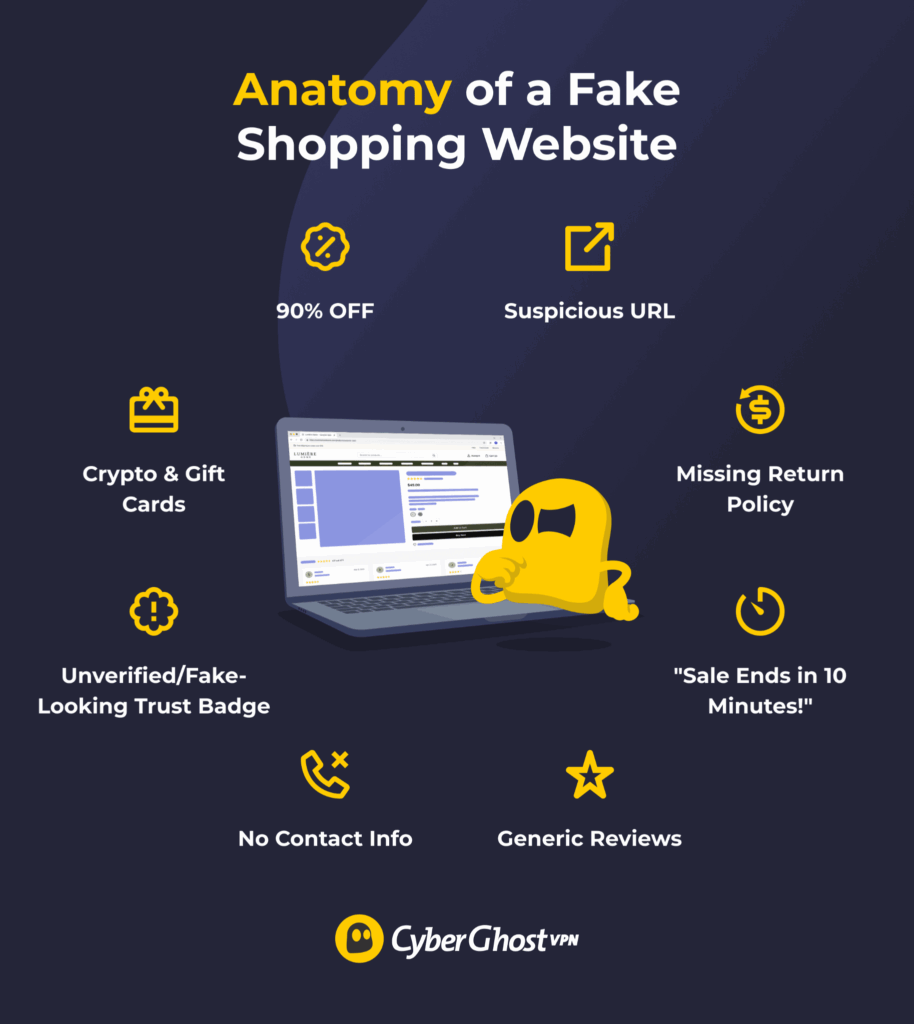
Unrealistic pricing is one of the most common warning signs of an online shopping scam. For example, fake websites may claim to sell popular or brand-new items with massive 80% or 90% discounts. Or, they may claim to charge zero shipping, even for bulky items or international sales.
Large markdowns aren’t necessarily suspicious, but steep discounts — especially on popular or new products — deserve extra scrutiny. Fake sites often make these deals seem more convincing by pairing them with urgency tactics, such as “warehouse clearance” sales, “limited-time offers,” or “only a few items remain.” These don’t prove that a store is fraudulent, but they should make you pause and verify the site.
Pro safety tip: Always compare prices with the same or similar items on other websites to determine whether the price is reasonable. Take extra care when shopping for secondhand goods, as the pricing and sales practices are much less standardized.
Suspicious URLs or Unverifiable Authenticity
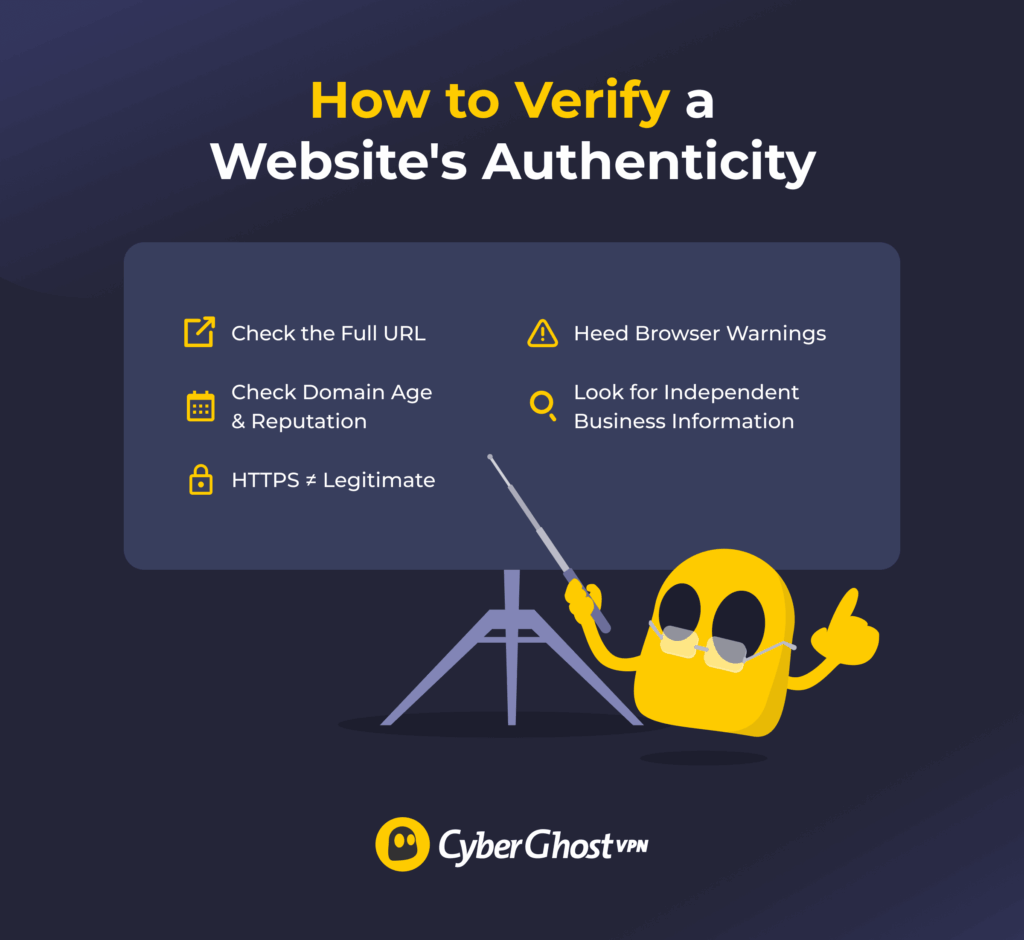
Scammers often try to mimic the domains or URLs of established websites to make fraudulent websites look legitimate. Typosquatting is one common technique. Check the URL for any typos as well as extra or swapped characters.
For example, they may disguise an Amazon copycat’s URL as amaz0n.com (with a “0” instead of a “o”). Another common trick is to add terms like “outlet,” “official,” “shop,” or “sale” to URLs, such as amazon-official.com.
HTTPS is essential when entering personal or payment information, but it doesn’t prove that an online store is legitimate. Check for “https://” or the padlock symbol in your browser’s address bar, but don’t treat it as proof you’re dealing with a trustworthy business. Scammers can obtain valid TLS certificates for fraudulent domains, too.
Instead, check the site’s authenticity by inspecting the domain and checking out information about the business. You can use domain age and reputation tools as clues, but neither proves that a site is legitimate. Your browser or antivirus software may also warn you when it detects a site associated with phishing or malware.
Pro safety tip: Verify the authenticity of any site and use a VPN like CyberGhost VPN with a Content Blocker, which can stop known advertising, tracking, and malicious domains on supported platforms.
Low-Quality Design or Branding
Scam websites usually go down quickly, so scammers don’t waste too much time perfecting them. While they may try to copy a legitimate website’s design, they may not get every detail right.
Look for any flaws in the overall design and layout. Blurry or poor-quality images, inconsistent branding, placeholder text (“Lorem ipsum”), and frequent grammar or spelling mistakes are some of the most telltale signs that someone put the website together in a hurry.
Other red flags include missing expected content, such as “About,” “Contact,” or policy pages. Random redirects, 404 errors, timeouts, or unfinished pages should prompt you to question the site’s legitimacy.
Pro safety tip: If something feels off, browse the site carefully, check its policies, and verify the business before entering any personal or payment information.
No Physical Address or Contact Information
Legitimate businesses should generally provide enough information for customers to identify and contact the business, although they don’t need to publish a personal or physical address. If you can’t verify who operates the store, that’s a significant warning sign.
Similarly, most online stores should provide at least a couple of contact channels for sales, customer support, or tracking queries. Many fake sites hide behind contact forms with no email, telephone number, or live chat options to follow up on tickets. Being unable to reach a real person is a big red flag.
Also, read the store’s return and refund policies, shipping terms, and the privacy notice before you buy. If they seem incomplete, generic, or copied from other sites, you should doubt the site’s trustworthiness. Even if the site is legitimate, not understanding these policies can lead to misunderstandings or unexpected costs that leave you feeling misled.
Pro safety tip: Verify the business name and contact details before buying. If you can’t confirm who runs the store or reach customer support, shop elsewhere.
Fake or Misleading Product Listings
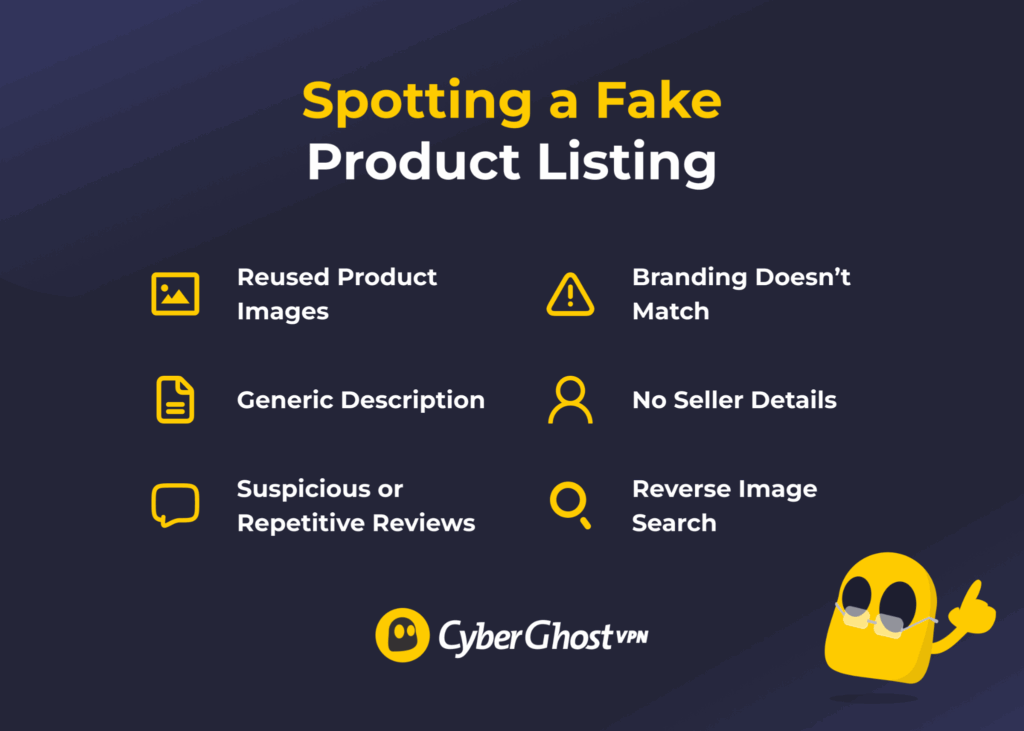
Be wary of generic product listings that reuse images or descriptions from other sites. Also check whether the product reviews look authentic and natural. If many appear irrelevant, unspecific, repetitive, or low-quality, they may be fake or manipulated.
You can reverse-search product images online. If the same pictures appear across unrelated websites — especially alongside different product descriptions, prices, or branding — it should prompt further investigation. Be cautious, as scammers often advertise genuine, branded products but ship cheap counterfeits.
Pro safety tip: Check a few competitor websites or marketplaces (like Amazon) with the same product to compare the listings. You can also use reverse image search to see whether product images were likely copied from elsewhere.
No Off-Site Presence and Fake Reviews
While it’s relatively simple to fake a single website, it’s much harder to create a consistent online presence across online platforms. A legitimate business should usually leave some independent footprint beyond its own website, though the amount of information will vary by business size and type. Check whether you can find information about the store on other sites.
See if they provide social links on their webpages and whether they actually work. Then, explore their account to confirm whether it’s managed. While you’re there, you may be able to find revealing comments and feedback from other customers. For some more evidence, check the business’s profile on consumer sites like Trustpilot or forums like Reddit. You may find more unbiased feedback and anecdotal evidence.
Pro safety tip: Independent review and consumer-protection platforms can provide useful additional context, particularly when you compare sources rather than relying on a single rating or review.
Odd Payment Options
Fake online shopping sites often have limited or unconventional payment options. This is because some payment options make it harder for victims to retrieve their funds or hold scam artists accountable.
Scammers often prefer payment methods that offer limited buyer protection or are difficult to reverse, including cryptocurrency, gift cards, and certain wire-transfer or peer-to-peer payment transactions. They may also discourage using credit cards in favor of debit cards for similar reasons.
Pro safety tip: Credit cards generally offer stronger fraud and dispute protections than many other online payment methods. If it’s not an option, stick to safe payment methods that you’ve used before and trust.
What to Do If You Were Scammed
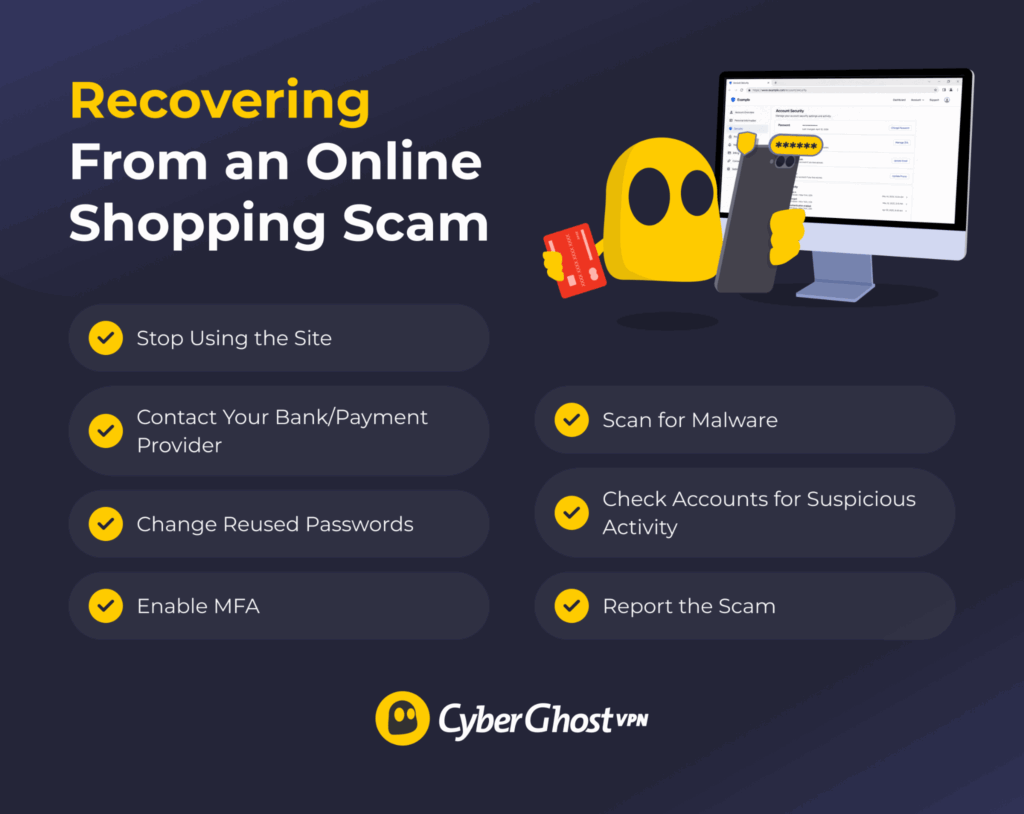
Whenever you suspect an online shopping scam, the most important thing is to stay calm and act fast. Even if you already paid for a fake product, you may still be able to recover your money or prevent further harm. Depending on the scam and how much information you shared, work through the following steps:
- Stop using the site immediately: Close the site and stop communicating with the seller. Don’t provide any more information or make further payments.
- Dispute charges: Contact your bank or payment provider immediately and ask whether they can halt or reverse the charges. Ask what steps they recommend to prevent unauthorized transactions and whether you need to replace your card or change your account credentials.
- Secure accounts: If you reused the same password elsewhere, change it immediately, especially for your email account. Check the login and activity history for accounts that could be affected to make sure that no one else used them. Log out of all active devices and enable multi-factor authentication (MFA) for added security.
- Monitor your accounts: Continue to monitor your affected accounts for unusual activity over the following weeks. Consider setting up security alerts and check your bank statements for hidden transactions. Depending on the scam, you may need to consider using a credit monitoring or fraud alert service.
- Watch out for recovery scams: Scammers may use your information in phishing or other social engineering attacks. Be wary of suspicious emails or messages, especially ones pretending to be customer support from the fake online store. Don’t share extra details, passwords, or remote device access unless you’re sure you can trust them.
- Report the scam: Report fake sellers to the marketplace and consider lodging a report with the relevant law enforcement or consumer protection agency. Plus, filing a report may help protect you if your personal information is later used in fraud.
- Run an antivirus scan: If you clicked any suspicious links or downloaded any files, run a malware scan to check for possible infections. Watch for unusual behavior, such as encrypted files, unexpected pop-up ads, changed browser settings, or unfamiliar programs.
Shop Smarter and Safer Online
A great deal is only worth it if you’re buying from a store you can trust. Before checking out, take a moment to look for warning signs, verify unfamiliar retailers, and be cautious of offers that seem too good to be true. A few simple checks can help you avoid handing your money or personal information to a fraudulent store.
Your connection matters, too. When you’re shopping on public Wi-Fi, CyberGhost VPN encrypts traffic between your device and the VPN server, helping protect it from network-level snooping. You can also set up automatic Wi-Fi protection, so you don’t have to remember to connect your VPN every time you join a new network.
FAQ
How can I tell if a shopping website is fake?
The most reliable signs are suspicious or misleading URLs, browser warnings, inconsistent branding, over-the-top sales tactics, and unrealistically low prices. Even if a website appears genuine at first, a lack of clear policies, active contact methods, or unbiased reviews may indicate it’s a scam. Always take a few minutes to verify the store before sharing your personal or payment information, or try to find the product from a more reputable vendor.
Is it safe to buy from a website I’ve never heard of?
It depends on whether you can verify the domain’s authenticity and if it has a reputable track record. One useful approach is to check independent platforms, like website domain checker tools, consumer protection sites, or reputable review sites. Be cautious of reviews that look inauthentic or seem mass generated. Also try to confirm whether the brand has an established presence outside of their online store.
What should I do if I bought something from a fake shopping website?
The first step is to stay calm, stop using the site, and assess the damage. You can take recovery steps based on whether the scammers obtained your information, credentials, or payment details. At a minimum, you should ensure that non one has compromised your other accounts, contact your bank to recover or block unauthorized charges, and keep an eye out for follow-on scams.
Can fake shopping websites steal my credit card information?
Yes, one of the most common goals of fake shopping websites is to trick you into entering your payment details. At best, you’ll end up paying for something that never arrives. At worst, they may use or sell your card details, which could result in more unauthorized charges. Depending on your bank and how soon you report it, you may be able to dispute and reverse the charges. Generally, credit cards provide stronger fraud and chargeback protections than debit cards.
References:

Leave a comment