
Every time you open a website, stream a video, or send a file across your local network, something quietly makes sure your data reaches the right device. That’s often ARP.
The Address Resolution Protocol (ARP) works behind the scenes on local networks, translating IP addresses into physical device addresses so data knows exactly where to go. Without it, devices on the same network wouldn’t know how to find each other. In this guide, you’ll learn how ARP works, where it fits into networking, and why it can also be a target for certain types of attacks.
What Is ARP and How Does It Work?

ARP is a protocol that helps devices find each other on a local network. It does this by linking a device’s IP address to its MAC (Media Access Control) address, which is a unique number that identifies the device’s hardware.
When a device joins a network, it communicates using its MAC address at the data link layer. If it receives an IP address through DHCP, other devices may learn that IP over time. However, when a device wants to send data to a specific IP on the local network, it still needs to know which MAC address corresponds to that IP. That’s where ARP comes in.
Imagine sending a file from a laptop to a printer. The laptop already knows the printer’s IP address because the network assigned it. However, it still needs the printer’s MAC address before it can deliver the file. ARP helps the laptop find that hardware address.
To see how ARP works in practice, think of two network devices: Device A and Device B. Here’s how they would use the ARP protocol:
- Device A checks its ARP cache for the requested MAC address. It’s a small internal list that tells Device A if there’s a matching MAC address for Device B’s IP address. If the MAC address is present, the devices start communicating. ARP cache entries expire after a short period, known as the ARP cache timeout, which controls how long a device keeps an IP-to-MAC mapping.
- If the cache doesn’t include the MAC data, Device A prepares an ARP request. This is a message that contains Device A’s IP and MAC addresses and Device B’s IP address (its MAC address field is left blank).
- Device A broadcasts its ARP request. It sends it across the entire LAN so that every device connected to it sees the message.
- LAN devices check the ARP request. Device B’s IP address matches the message contents, so it processes the request. All other devices ignore it.
- Device B prepares an ARP reply. This is a message that contains its IP and MAC addresses. Once ready, the reply is sent to Device A.
- Device A updates its ARP cache, adding Device B’s MAC address to it. This allows it to start sending data packets to Device B.
What Information Does an ARP Message Contain?
When a device prepares an ARP message, it adds the following:
| ARP Message Fields | Explanation |
| Hardware type | The type of network hardware used to send the message. ARP works across many different types of networks, so devices specify what kind of network they’re on to know what format the MAC address should be. |
| Protocol type | The type of network protocol used for the address in the message (IPv4, for example). |
| Hardware length | The MAC address length in bytes (a unit of digital information). |
| Protocol length | The size of the IP address in bytes. |
| Operation | The request or reply code used in the ARP message. |
| Sender hardware address | The MAC address of the device sending the message. |
| Sender protocol address | The IP address of the device broadcasting the message. |
| Target hardware address | The MAC address of the device receiving the message. In requests, it’s empty because the sender doesn’t know it. |
| Target protocol address | The IP address of the device being looked for in the ARP request. |
What Is ARP Used For in Networking?
- Allows devices to communicate: It links IP addresses to MAC addresses, allowing devices on the same network to use MAC to deliver data (like files, web traffic, or emails).
- Reveals address conflicts: The ARP cache can show if multiple devices on the same network use the same IP or MAC address. This conflict can sometimes prevent data from reaching the right device.
- Reduces unnecessary traffic: Devices store IP-to-MAC translations in their ARP caches. This helps the LAN run efficiently because devices aren’t constantly broadcasting their IP-MAC mappings over the network.
- Helps troubleshoot network issues: IT administrators can monitor ARP traffic to spot connectivity issues. For example, they can check for missing ARP replies, duplicate IP-to-MAC translations, or high volumes of ARP requests.
- Supports security monitoring: Network administrators can use tools to monitor ARP traffic for suspicious patterns (like ARP spoofing) that signal a cyberattack.
What Are the Different Types of ARP?
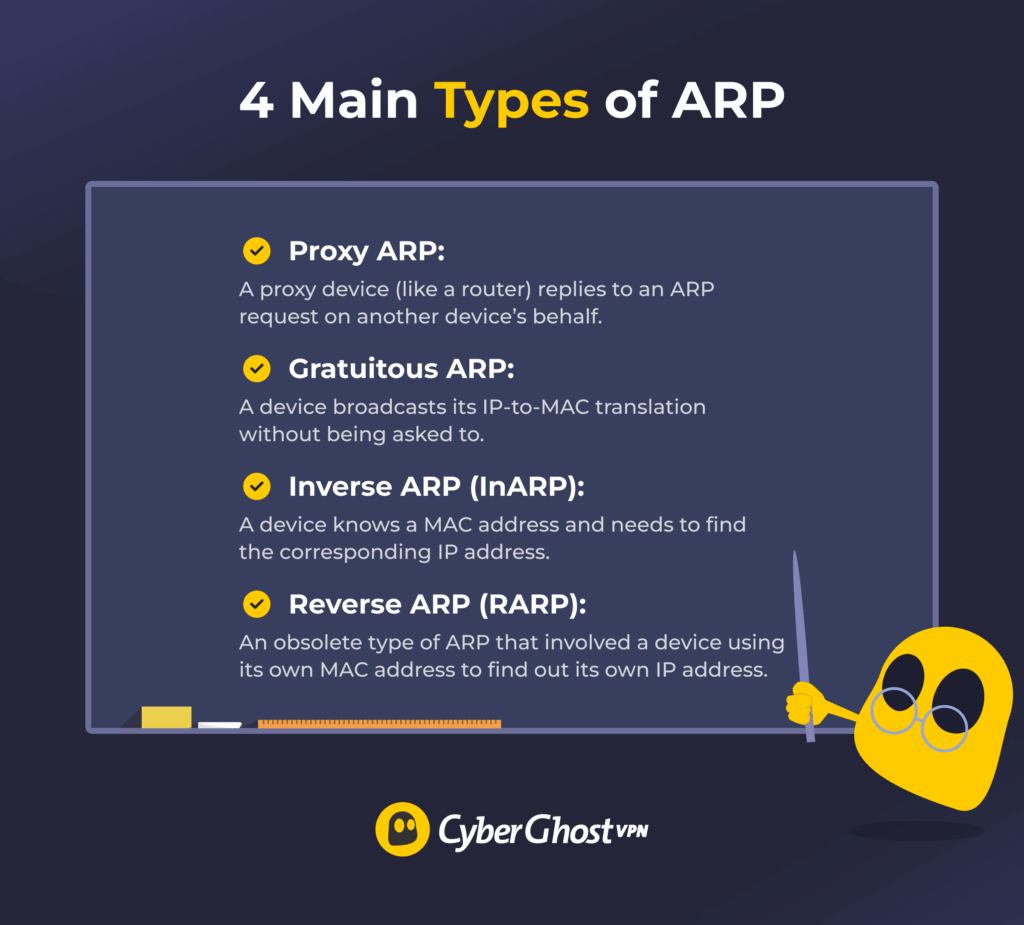
There are four main types of ARP:
- Proxy ARP: Involves a proxy (usually a router) responding to an ARP request on another device’s behalf. The proxy replies with its own MAC address and then forwards any data it receives from the sender to the intended destination. This helps devices on different subnets of the same network communicate.
- Gratuitous ARP: Happens when a device broadcasts its IP-MAC mapping on the network without being asked to. IT teams might use this type of ARP to detect IP conflicts or trigger network devices to update their ARP caches.
- Inverse ARP (InARP): Is a reversal of ARP, meaning one device knows another one’s MAC address but not its IP address. When it broadcasts the ARP request, the sender only asks for the receiver’s IP.
- Reverse ARP (RARP): This older process allowed a device, especially diskless workstations, to use its own MAC address to request its own IP address. RARP was mainly used in early network setups but is now obsolete because modern networks use DHCP to handle IP assignment.
What Is ARP Spoofing?
ARP spoofing (also known as ARP poisoning) is a cyberattack where an attacker sends a fake ARP response, either by replying to a real request or by using gratuitous ARP. As a result, devices on a local network map the attacker’s MAC address to another device’s IP. This causes data meant for the real device to be sent to the attacker instead.
The attack can happen if a malicious actor physically connects to the network, if you use an unsecured Wi-Fi network, or if malware takes over a network device.
If ARP spoofing succeeds, it can lead to other cyberattacks, like:
- MITM attacks: A man-in-the-middle (MITM) attack happens when a cybercriminal successfully intercepts and alters or steals data shared between devices.
- Session hijacking: This involves an attacker stealing session identifiers (like session cookies) to impersonate a user when interacting with a web service. While most modern HTTPS sites mitigate the risk, they can still affect services without adequate encryption.
- DoS attacks: A Denial-of-Service (DoS) attack overwhelms a device or network with traffic to disrupt it. An attacker may send large numbers of fake ARP requests to overload local network resources.
How to Detect ARP Spoofing
You can quickly check your device’s ARP cache using the following steps:
- Open your device’s command-line interface using Command Prompt on Windows or Terminal on macOS and Linux.
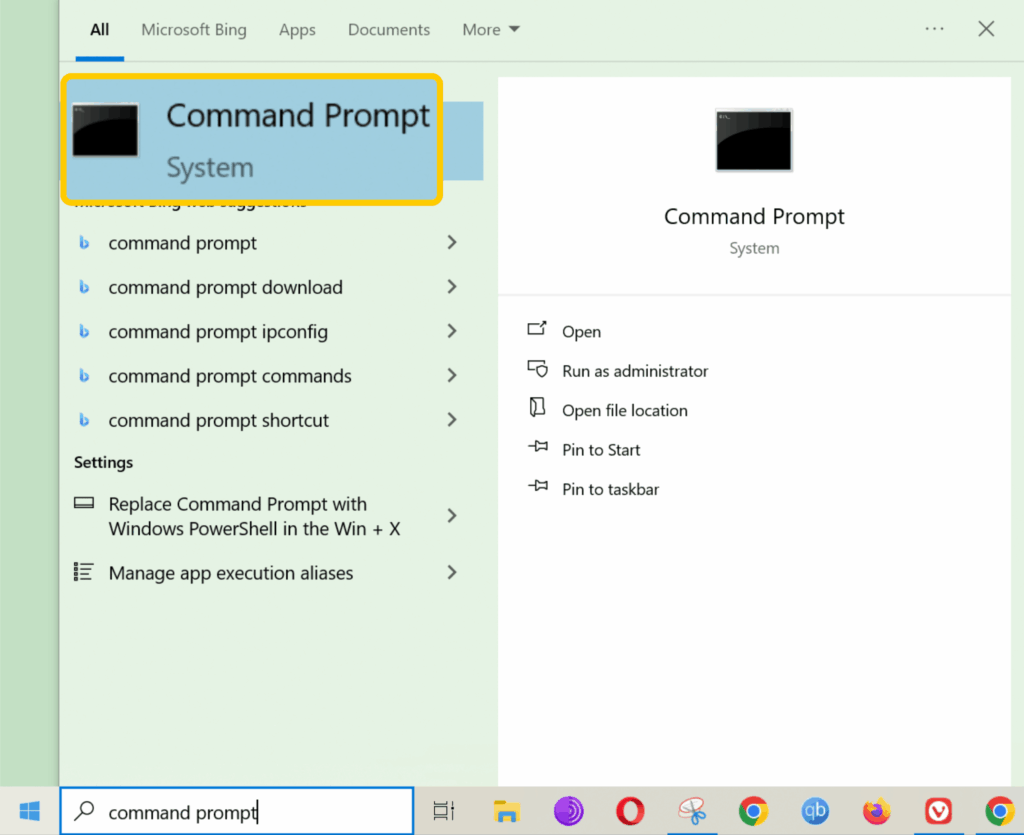
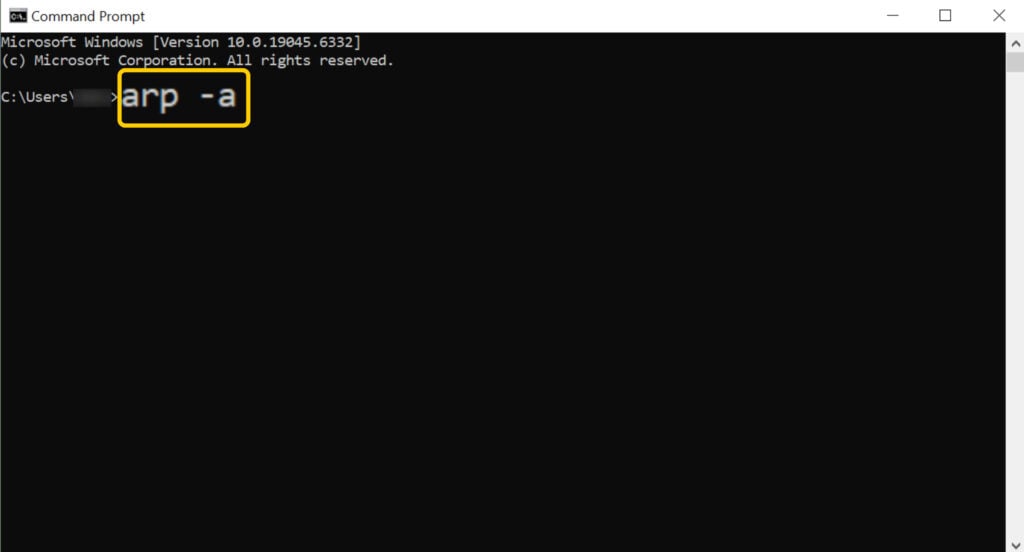
- Type “arp -a” into the command-line app, then hit Enter. Windows, macOS, and Linux all support the arp -a command, so it works the same across the systems.
- A table with IP-MAC mappings should pop up. If you see multiple IPs mapped to one MAC address, it could signal an ARP spoofing or poisoning attempt.
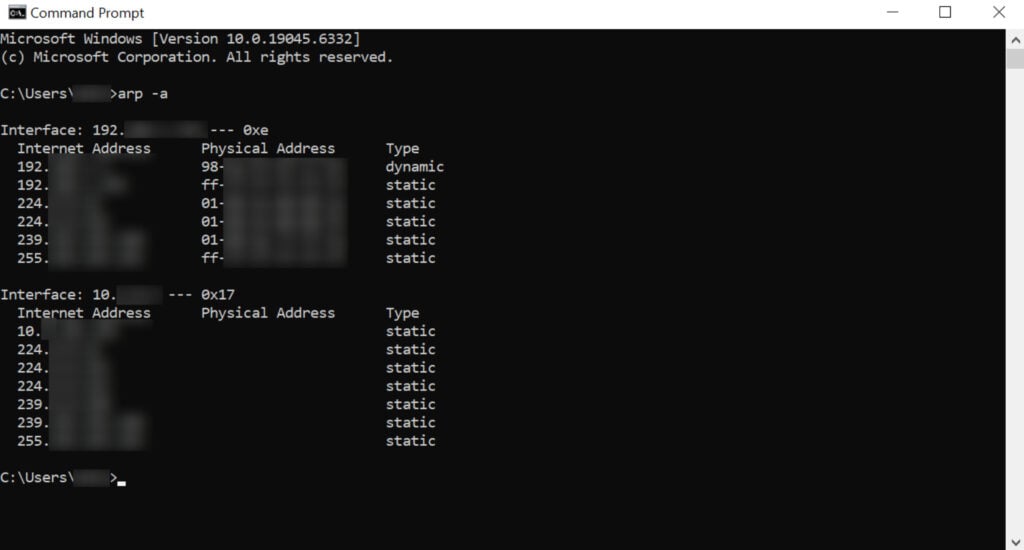
Larger or more complex networks often have multiple IP addresses mapped to the same MAC address, like proxy servers, routers with multiple IPs, or load balancers. This setup helps manage network traffic more efficiently. In these cases, checking the ARP cache manually isn’t enough, so businesses usually use dedicated network analysis tools, like Wireshark, to detect ARP spoofing.
How to Prevent ARP Spoofing
- Use static ARP entries: Manually set IP-to-MAC translations to make ARP spoofing harder. Mappings are fixed this way, so attackers can’t easily alter them. However, this approach is impractical on large networks, and the entries need to be manually updated every time something changes.
- Reduce ARP cache timeouts: Shorten how long a device keeps an IP-to-MAC mapping to reduce the window for ARP poisoning. However, this can increase ARP traffic and slow down network efficiency.
- Segment your network: Break up your network into smaller parts with routers and firewalls. This doesn’t completely prevent ARP spoofing, but it limits how far it can spread.
- Monitor network traffic: Use tools like Wireshark to scan network traffic for suspicious patterns, like unusual ARP requests or replies, and unauthorized changes to ARP caches.
- Restrict switch port access: Limit how many devices can connect to each network switch’s ports to help prevent unauthorized users from accessing your network.
- Turn on Dynamic ARP Inspection (DAI): Enable this security feature to protect against ARP spoofing and poisoning. Most network switches designed for businesses offer this feature, though you usually need to enable and configure it.
- Prevent unauthorized network access: Make it harder for attackers to access your LAN by enabling network encryption, using a firewall and antivirus, turning off unused network ports or services, requiring strong logins, and keeping software up-to-date.
If you’re worried about ARP spoofing on public Wi-Fi, a VPN can help because it encrypts your internet traffic. Even if an attacker launches a successful ARP spoofing attack, they won’t be able to read your traffic. A VPN can’t stop malware injections or other types of attacks, but it does protect your data from being exposed on unsecured networks. CyberGhost VPN offers high-end security features and high-speed servers in 100 countries, plus it backs long-term purchases with a 45-day money-back guarantee.
ARP vs DHCP vs DNS
| Protocol | Full Name | Network Type | What It Does | Why It’s Needed |
| ARP | Address Resolution Protocol | Local networks (LAN) | Links a device’s IP address to its MAC address | Lets devices on the same network deliver data to each other |
| DHCP | Dynamic Host Configuration Protocol | Local networks (LAN) | Assigns configuration information to devices, including IP addresses and DNS server details | Makes it easy for devices to join a network without manual setup |
| DNS | Domain Name System | Local and wider networks (LAN/WAN) | Translates website and server names into IP addresses | Allows devices and apps to connect to sites and services like “netflix.com” |
ARP — A Simple but Essential Network Protocol
At first glance, the ARP protocol seems to have just one basic job: mapping IP and MAC addresses. However, this is a critical part of the networking chain because it allows devices to communicate and share data. Unfortunately, this also makes ARP a target for cybercriminals. That’s why understanding how ARP works and monitoring for potential vulnerabilities is essential to keeping networks secure.
FAQ
What is ARP and why is it important in networking?
ARP (Address Resolution Protocol) is a networking protocol that maps IP and hardware addresses on a local network. This is an essential part of networking because it allows devices on a local network to communicate and share data with each other.
How does the ARP protocol work in a local network?
The ARP (Address Resolution Protocol) allows devices on the same local network to share data. It does this by linking IP addresses to MAC (Media Access Control) addresses, which are hardware identifiers. ARP finds a device’s MAC address to send data to it.
What is the full meaning of ARP in computer networking?
ARP stands for Address Resolution Protocol, and it’s a key part of how networks work. It’s a protocol that translates IP to MAC (Media Access Control) addresses, allowing devices on the same local network to send data to each other.
What is one key function of the ARP protocol?
The main function of ARP (Address Resolution Protocol) is to allow devices on a local network to communicate and share data with each other. It does this by linking IP addresses to hardware addresses, which are also known as MAC (Media Access Control) addresses. ARP can also reduce unnecessary network traffic and help IP teams troubleshoot connectivity issues.
How does ARP use an IPv4 address to find a MAC address?
ARP (Address Resolution Protocol) helps devices on a local network match IPv4 addresses with MAC addresses. A device might know another one’s IP but not its MAC address. When it needs to share data, it uses ARP to find out which MAC address corresponds to the IPv4 address. It then temporarily stores that information and starts communicating with the destination device.
What role does the Address Resolution Protocol play in data transmission?
ARP makes it possible for devices on the same local network to exchange data. To do this, it links IP and MAC (Media Access Control) addresses. When a device needs to learn another one’s MAC address, it uses ARP to discover it. Once it receives the MAC, it saves it temporarily and starts delivering data to the right place.
Is ARP still used?
Yes, ARP is widely used in computer networking today. It’s an essential network protocol because it helps devices on the same local network discover each other’s hardware addresses. This allows them to share data with each other.

Leave a comment